



How to Add Airbnb Reviews on Website
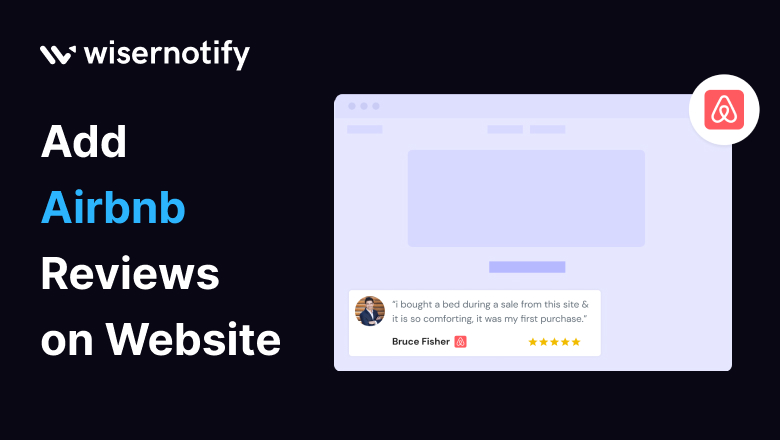
Nowadays online reviews have become the heartbeat of trust and credibility. Imagine this: you’re looking for a cozy getaway, scrolling through Airbnb listings, and what do you rely on? Reviews! Now, what if we told you that you could harness this power for your website? In this blog, we’ll show you just how to add Airbnb reviews on the website and why it’s the key to winning over your audience.
Why Should You Add Airbnb Reviews on the Website
Reviews are the breadcrumbs leading customers to your feast of offerings. They are the unsung heroes of building trust and influence. Social proof is their superpower, guiding potential customers in their decision-making journey. Incorporating Airbnb reviews into your website can elevate your brand’s reputation, boost credibility, and ultimately, drive conversions.
List of benefits
- Builds trust and credibility
- Influences customer decisions
- Drives conversions
Build trust & FOMO
Highlight real-time activities like reviews, sales & sign-ups.
Which Industries and Who Can Use Airbnb Reviews
Who wouldn’t want trust and credibility? Airbnb reviews are not exclusive to the hospitality industry. Whether you’re in e-commerce, services, or any field, you can benefit. Trust-building and reputation management are universal needs that can be fulfilled by harnessing the power of reviews.
List of industries
- Hospitality
- E-commerce
- Services
Who wouldn’t want trust and credibility?
Why WiserNotify is Best for Adding Airbnb Reviews on the Website
Introducing WiserNotify – your solution to connecting Airbnb reviews on the website seamlessly. It’s like the magician who makes reviews appear effortlessly. Enhance the user experience and boost your website’s credibility. Still skeptical? Hear what our clients have to say.
Benefits of WiserNotify
- Seamless integration with Airbnb reviews
- User experience enhancement
- Client success stories
- Without slowing down your website speed
- Start with a free plan
- Work with any websites
- Effective ways to show the reviews on your website
- Automatically pull reviews from Airbnb
- Filter reviews so it shows only positive reviews
- Live chat supports
How to Add Airbnb Reviews Using WiserNotify
Before you follow these steps, it’s necessary to login into the WiserNotify. If you don’t have an account, sign up now, and after successfully login go ahead. So now let’s follow the practical steps to add Airbnb reviews to your website:
Step 1: Install pixel code on your website. Paste it in your website’s <head></head> tag.
It’s the best place to add pixel code.

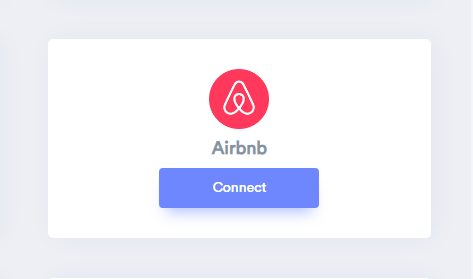
Step 2: Go to the Integration section, find Airbnb integration, and connect it.
Integration Section

Connect Airbnb
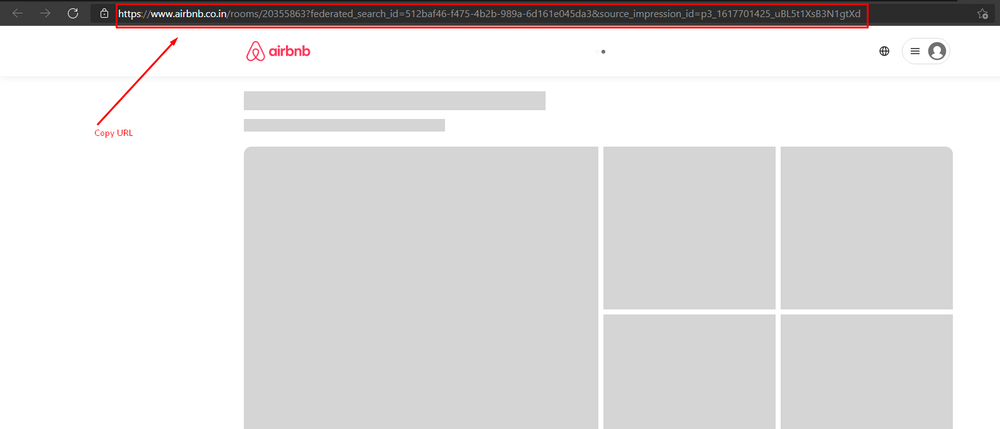
Step 3: Get your room URL from the browser and copy it.
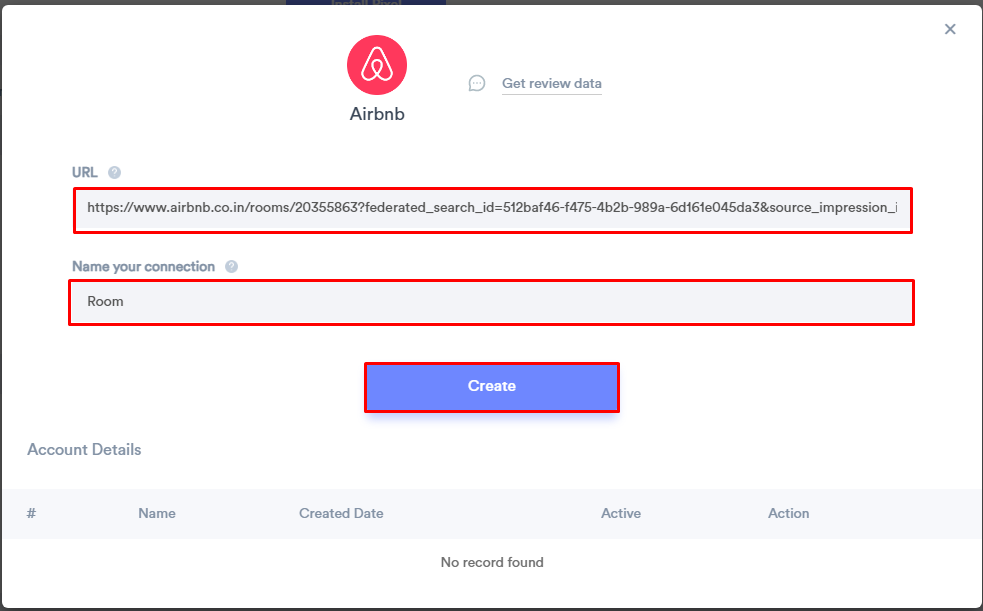
Step 4: Paste your room URL and give a name to your Connection. Then click on the Create button.
Step 5: Now create a review notification of your choice.
Click on Add Notification Go to the reviews tab & select the Review notification template you like the most. Add the website URL and select Airbnb as the data source of review notification.

After following these steps you can see the review data under the Dashboard data page. It’s that easy! You’re just a few steps away from enhancing your website with trust-building Airbnb reviews.
WiserNotify is not providing only Airbnb review integration, but it can provide 250+ integrations for adding social proof on your website. If you are interested in WiserNotify sign up right now. And enjoy the power of social proof with WiserNotify.
Adding Airbnb Reviews to Landing Pages
A landing page built in Leadpages, Instapage, Swipe Pages or similar builders needs a slightly different approach than a full website:
- Use an HTML or embed code block to paste the widget code, not a plain text block, so the review widget renders correctly instead of showing as raw code.
- Keep the count down to 3 to 5 strong reviews rather than the full feed. A landing page is judged on a few seconds’ attention, and a long list of testimonials slows the page without adding much trust beyond the first few.

Boost Conversion Instantly
Add Social Proof & Urgency to your website
<!– Similar integrations
- Add Amazon reviews on the website
- Add Apple App Store reviews on the website
- Add AppSumo reviews on the website
- Add reviews on the website
- Add Booking.com reviews on the website
–>
Conclusion
In a world driven by trust and credibility, Airbnb reviews are your secret weapon. They aren’t limited to one industry; they’re for everyone. Don’t miss the opportunity to enhance your online reputation. Start your journey toward trust and credibility today with WiserNotify. Your website’s transformation awaits!
Related guides
Frequently Asked Questions
Are Airbnb reviews only for hotels and vacation rentals?
Airbnb reviews aren’t just for hotels and vacation rentals. They’re like a versatile seasoning you can sprinkle on any dish. You see, you can use Airbnb reviews for all sorts of businesses, not just accommodations. Whether you run a cozy B&B, a boutique shop, or even a trendy cafe, these reviews can add a pinch of trust and credibility to your online presence.
Can I choose which reviews to display on my website?
Absolutely, you can pick and choose which reviews make it to the spotlight on your website. It’s like curating a gallery of your finest moments. You can display the most glowing reviews that make your business shine, and you can keep the not-so-great ones tucked away if you wish.
Is WiserNotify user-friendly for non-tech-savvy individuals?
WiserNotify is as friendly as a warm welcome at your favorite neighborhood cafe, even for those who aren’t tech-savvy. It’s designed to be user-friendly, like a smartphone that doesn’t require a tech manual. So, you can easily navigate through it without feeling like you’re stuck in a maze.
Will my website automatically update with the latest Airbnb reviews?
Your website will automatically update with the latest Airbnb reviews, like a well-timed dance move. You won’t have to break a sweat manually adding each new review. WiserNotify takes care of that for you, ensuring your website always stays fresh and up-to-date.
What if I need assistance during the setup?
If you ever find yourself in need of a helping hand during the setup, worry not. We’ve got your back. Just like a reliable friend, our support team is here to assist you. Reach out, and we’ll guide you through any bumps in the road, making the setup process a breeze. Your success is our priority, and we’re here to ensure you get the most out of WiserNotify.

Written by Krunal Vaghasiya
Krunal Vaghasiya is a marketing tech expert who boosts e-commerce conversion rates with automated social proof and FOMO strategies. He loves to keep posting insightful posts on online marketing software, marketing automations, and improving conversion rates.




 Capterra