

This guide will walk you through:
- Capturing Ticket Sales & Registrations: Connect Universe with WiserNotify using a webhook to fetch real-time booking and registration data.
Add Webhook Integration to Connect Universe to pull the events sales & lead data
Step 1: Get the Webhook URL from WiserNotify
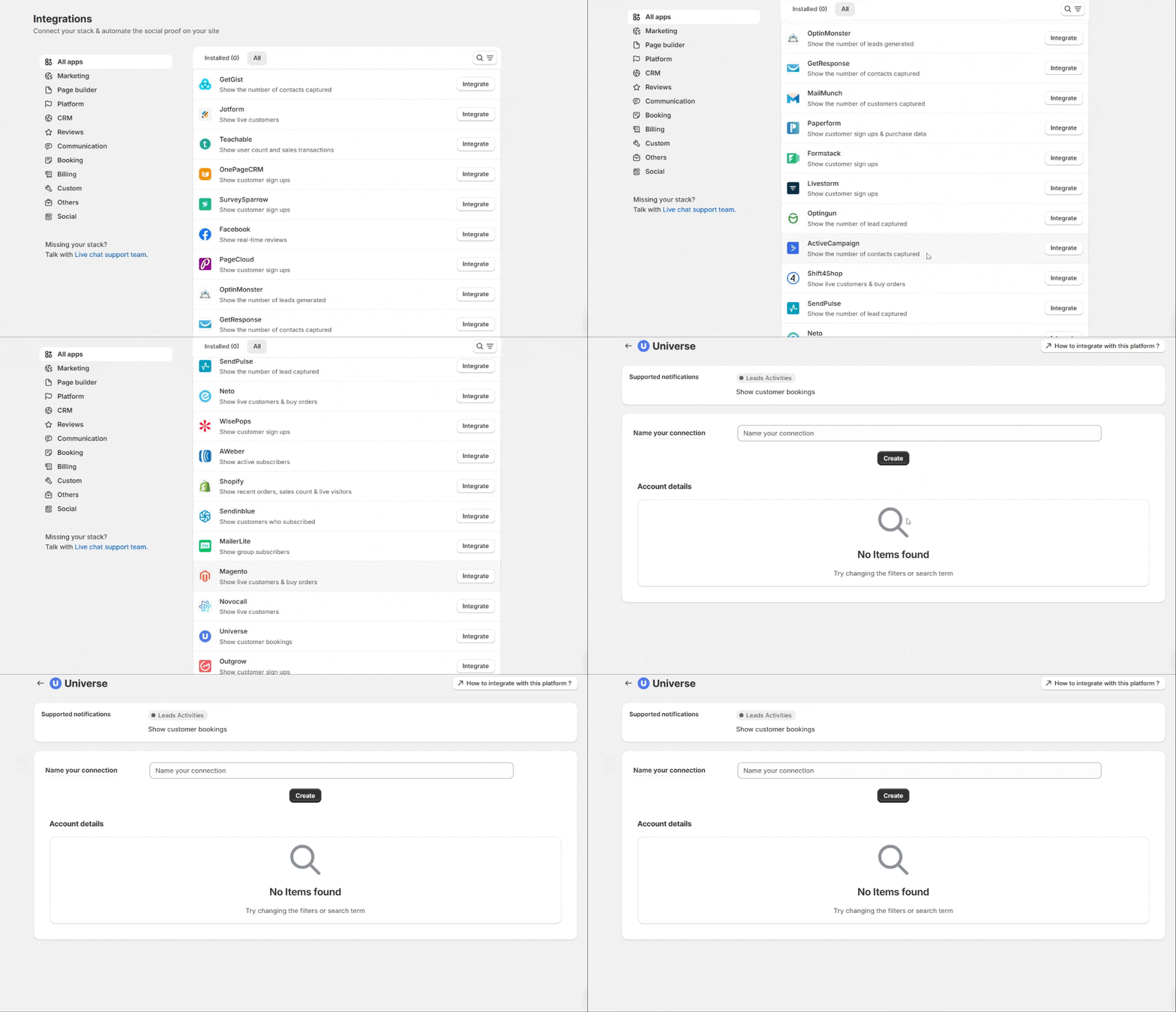
- Go to WiserNotify > Universe Integration.
- Click on the Integrate button inside the Integration box.
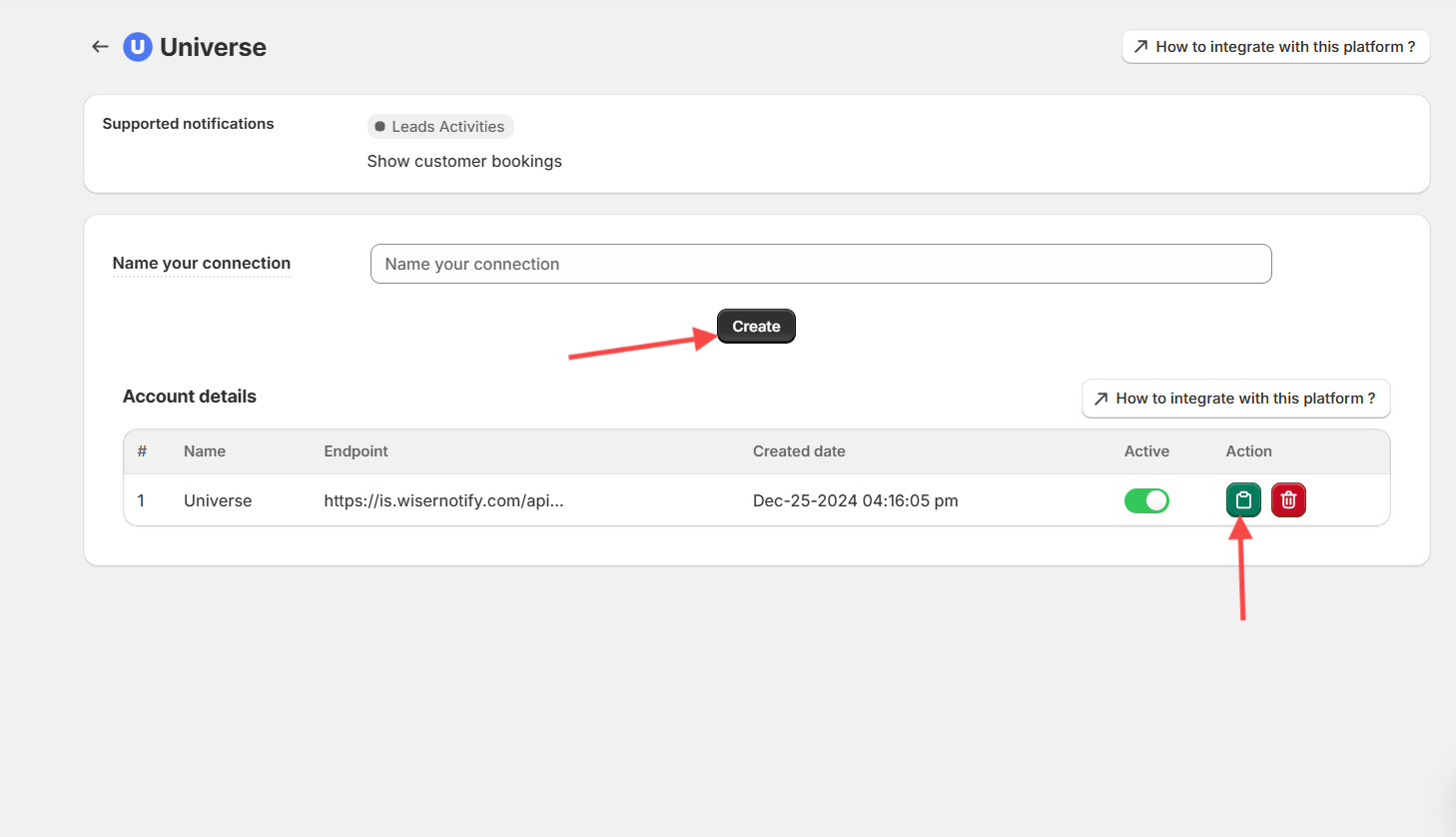
- Enter Name of your connection
- Click on the Create button.
- Click on the copy button.
Step 2: Configure Webhook in Universe
Login with Universe.
- Click on Your profile logo on the right side.

- In the account tab then scroll bottom.

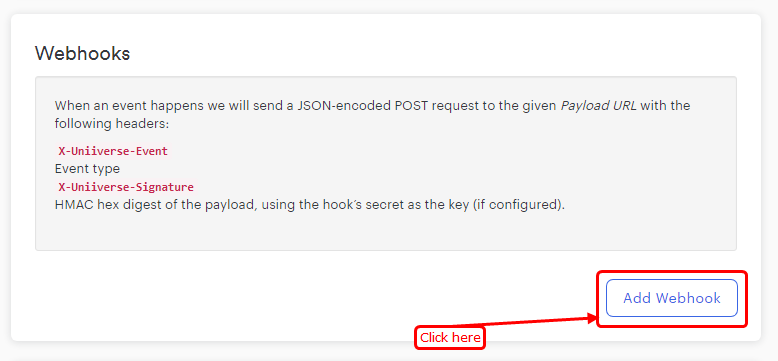
- The webhook section will be displayed.
- Click on the Add webhook button.
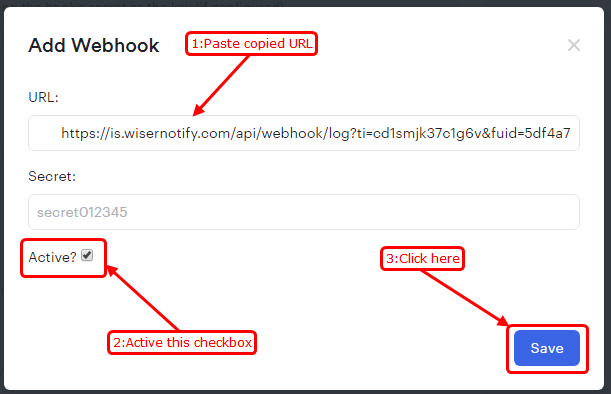
- Paste Copied URL.
- Active checkbox.
- Click on the Save button.
Please test by adding a new data & visit the WiserNotify – Dashboard Data page. Here, You can see all the captured/ received data with its source name.