



The best WordPress testimonial plugins help you collect testimonials, organize them, and display them in a way that builds trust and increases conversions.
If your website does not show real customer feedback clearly, visitors hesitate. A strong testimonial plugin makes reviews visible on landing pages, product pages, and service pages where buying decisions happen.
In this guide, I break down the top 10 WordPress testimonial plugins, both free and paid. I compare what each plugin does best, who it fits, and whether it is worth your money.
Why You Need a WordPress Testimonial Plugin
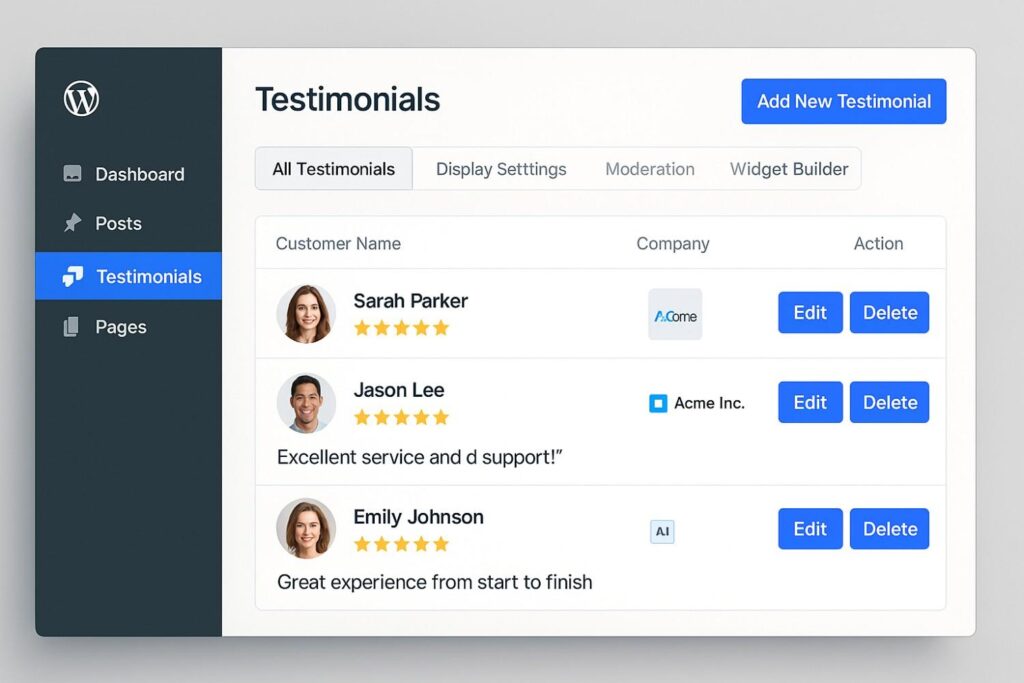
You need a WordPress testimonial plugin because testimonials directly increase trust and conversions. When visitors see real feedback from real customers, they feel safer taking action.
Most people check reviews before they buy or contact a business. If your testimonials are hidden or outdated, you lose credibility. A testimonial plugin makes reviews visible where decisions happen.
It also helps you collect testimonials through forms, store them in one dashboard, and display them in clean layouts like sliders or grids. This keeps your site organized and professional.
Without a testimonial plugin, feedback stays scattered.
Quick Overview of Testimonial Plugins for WordPress
Here is a quick comparison of the top WordPress testimonial plugins.
| Plugin | Main Features | Best For | Pricing |
|---|---|---|---|
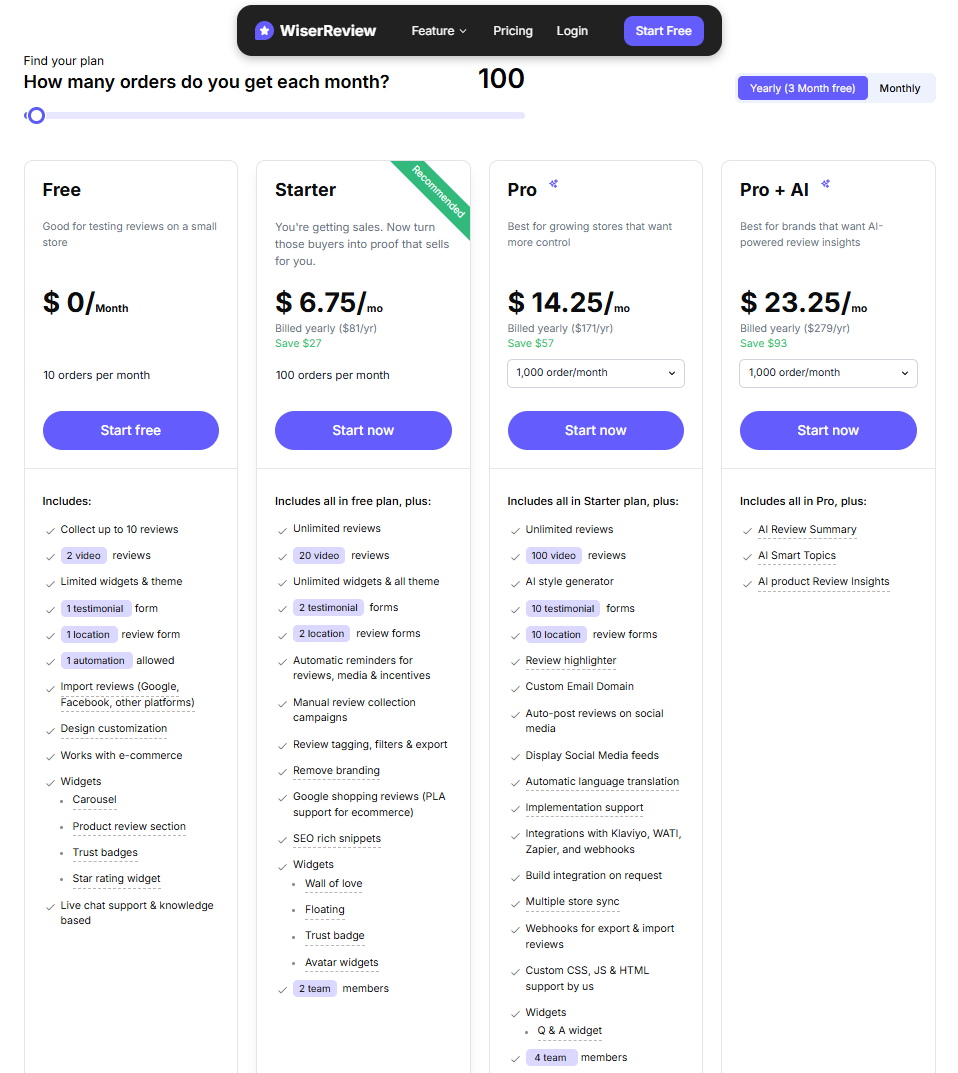
| WiserReview | Auto review requests (email, SMS, WhatsApp), video & photo reviews, carousel/wall/popup/badge widgets, Google Shopping feeds, schema, AI moderation, multi-store sync | Ecommerce stores & WooCommerce sites wanting full automation | Free (10 reviews) · Starter $6.75/mo · Pro $14.25/mo (billed yearly) |
| Strong Testimonials | View-based editor, front-end forms, slider/grid/masonry layouts, import from Google/Yelp/Facebook, video testimonials | Site owners who want dashboard control with a mature extension ecosystem | Free · Basic $29/yr · Plus $49/yr · Business $69/yr |
| Easy Testimonials | 5 Gutenberg blocks, auto Gravatar, star ratings, ReCaptcha spam protection, random/list/slideshow display | Beginners who need a simple, block-editor-native testimonial setup | Free · Pro from $59 (single site) |
| Testimonial Slider | 30+ pro layouts, isotope filtering, standalone Elementor addon, YouTube/Vimeo video | Developers & Elementor users needing maximum layout variety | Free · Pro from $29 (single site) |
| WP Testimonials Pro | Widget-based display, grid/slider/list, star ratings, 40+ languages, predesigned templates | Small businesses wanting a simple, quick-setup testimonial widget | Free · Pro available (by Trustindex) |
| Responsive Testimonials Showcase | 15+ layouts, Schema.org rich snippets, lightbox support, case study detail pages, 100+ themes (pro) | Service businesses & B2B needing schema-compliant case study pages | Start form $19 |
| Stars Testimonials | Star ratings as hero element, grid/slider/masonry wall, Elementor/Divi/WPBakery, | Service providers & local businesses where star visibility drives trust | Free · Paid version available (yearly plans with discounts) |
Best Testimonial Plugins for WordPress sites
Here are the best 8 Testimonial Plugins for WordPress:
1. WiserReview

WiserReview is a complete testimonial and review plugin for WordPress. It helps you collect testimonials, manage them in one place, automate requests, and display them in high-converting layouts.
It works well for ecommerce stores, service businesses, agencies, and local brands that want more than a simple testimonial slider.
Collect Testimonials Automatically
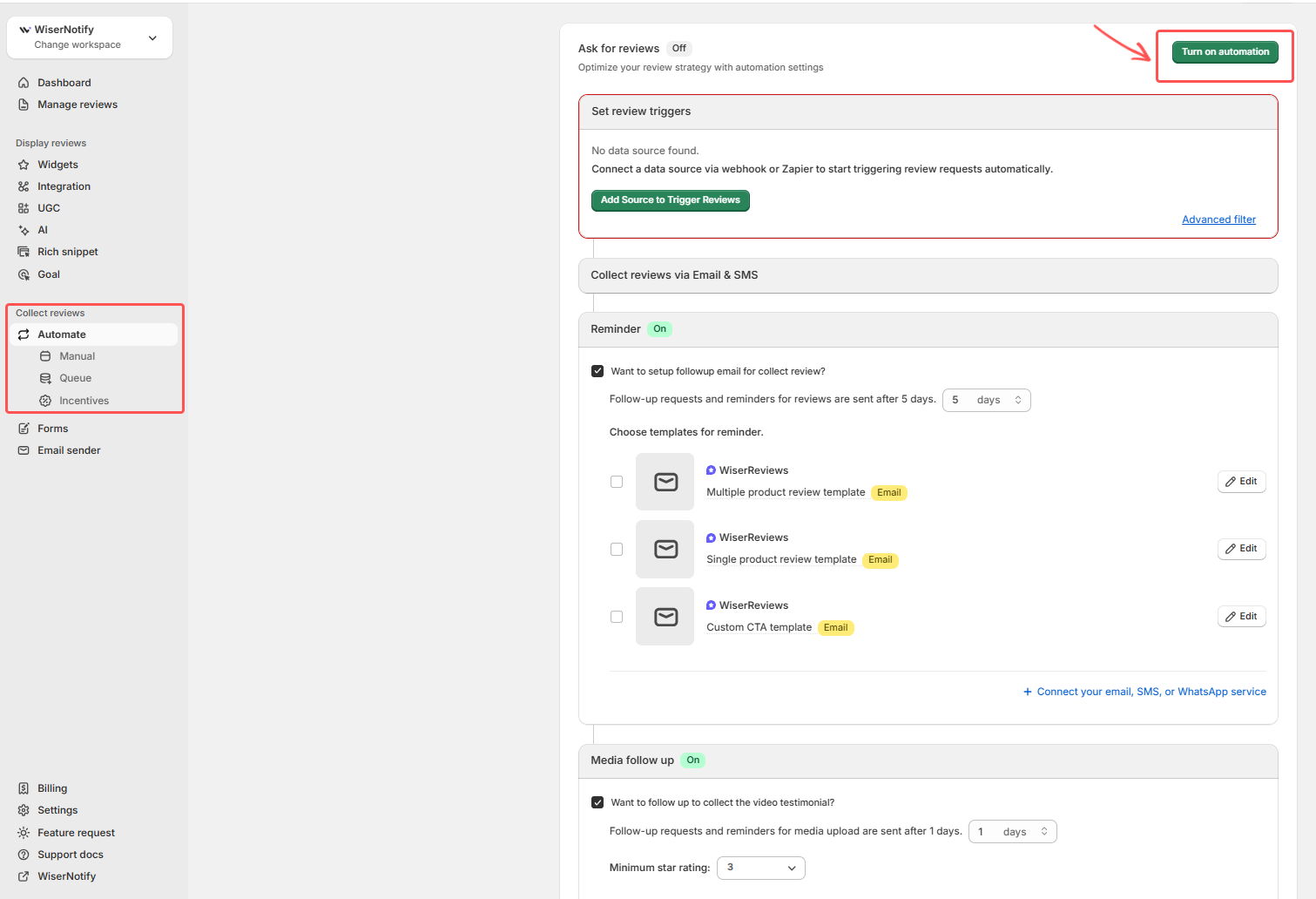
WiserReview helps you collect text, photo, and video testimonials. You can create custom testimonial forms and place them on any page.
You can also automate requests after a purchase or service. The system sends review invites by email, SMS, or WhatsApp. This removes manual follow-up and increases response rates.
Central Dashboard Management
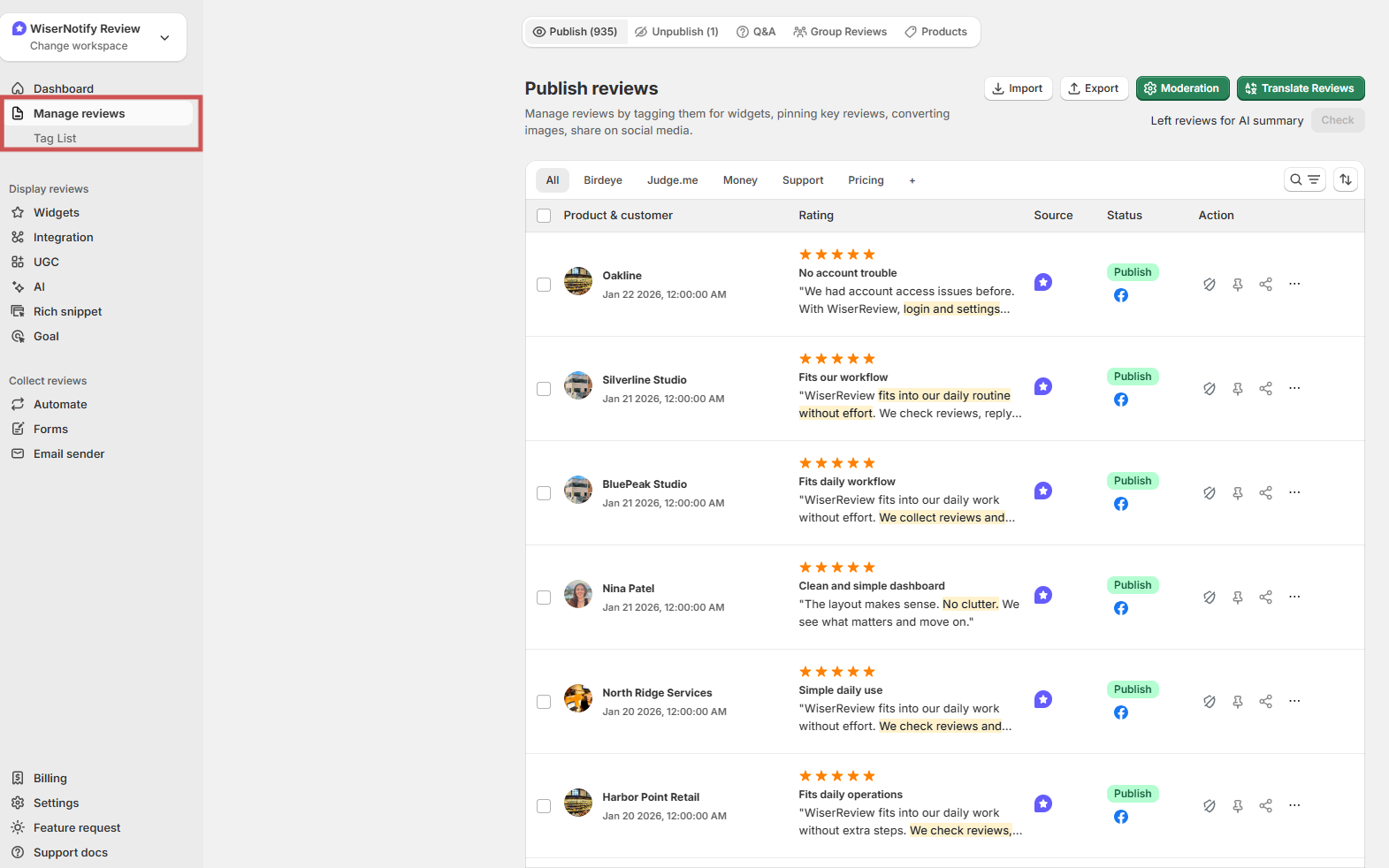
All testimonials appear in one clean dashboard. You can approve, edit, tag, or hide testimonials before they go live.
You can filter by rating, product, or date. This helps you organize testimonials and highlight the strongest ones.
If you manage multiple websites or locations, WiserReview supports multi-workspace control so everything stays organized.
Display Options That Convert
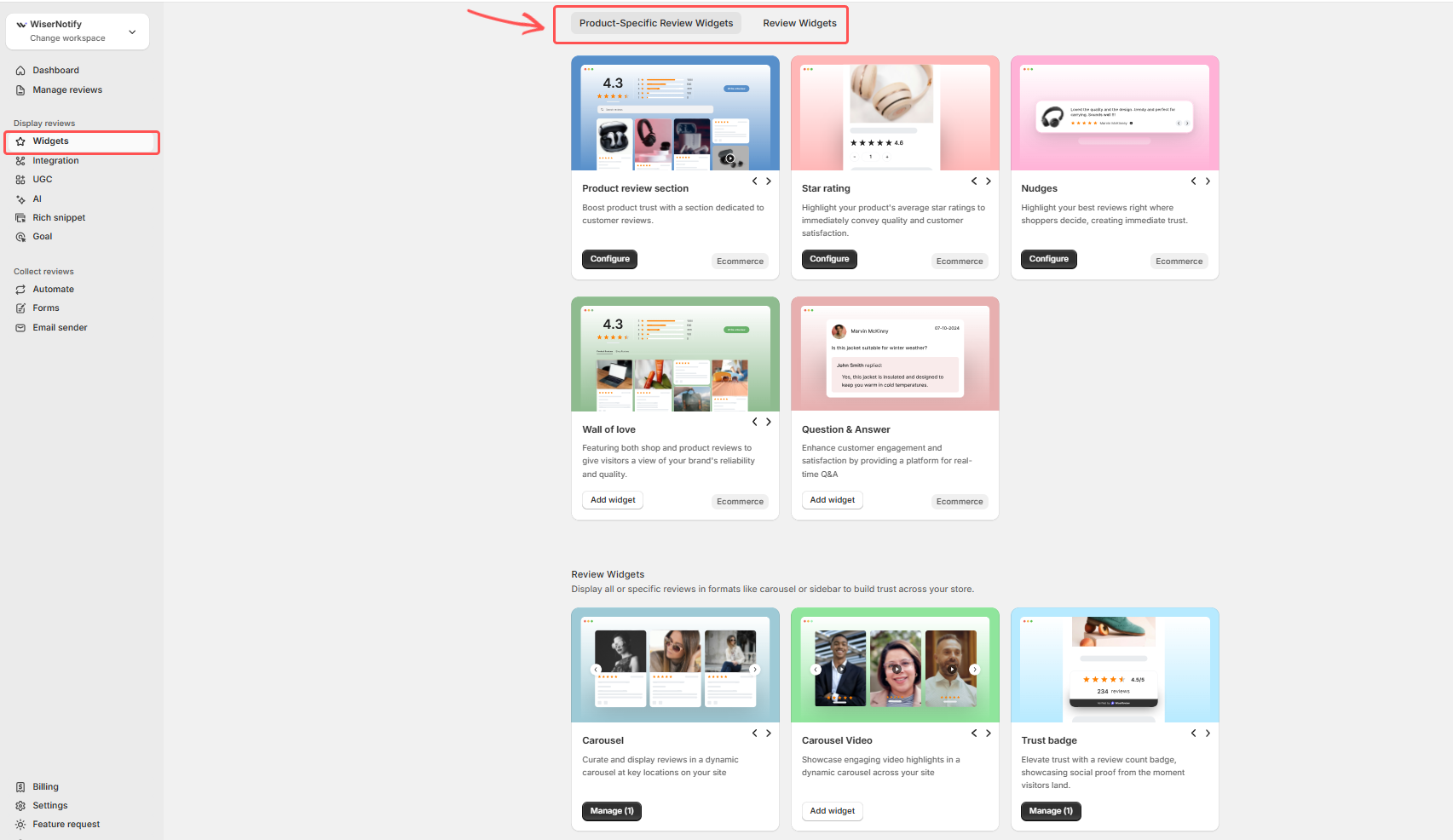
WiserReview gives multiple layout styles to match your website design.
You can display testimonials as:
-
Sliders
-
Grids
-
Carousels
-
Popups
-
Star rating badges
-
Full review walls
You can show testimonials on product pages, landing pages, homepages, or checkout pages. This keeps social proof visible where buying decisions happen.
The widgets are lightweight and load fast, which keeps your WordPress site speed stable.
Rich Snippets and Schema Markup
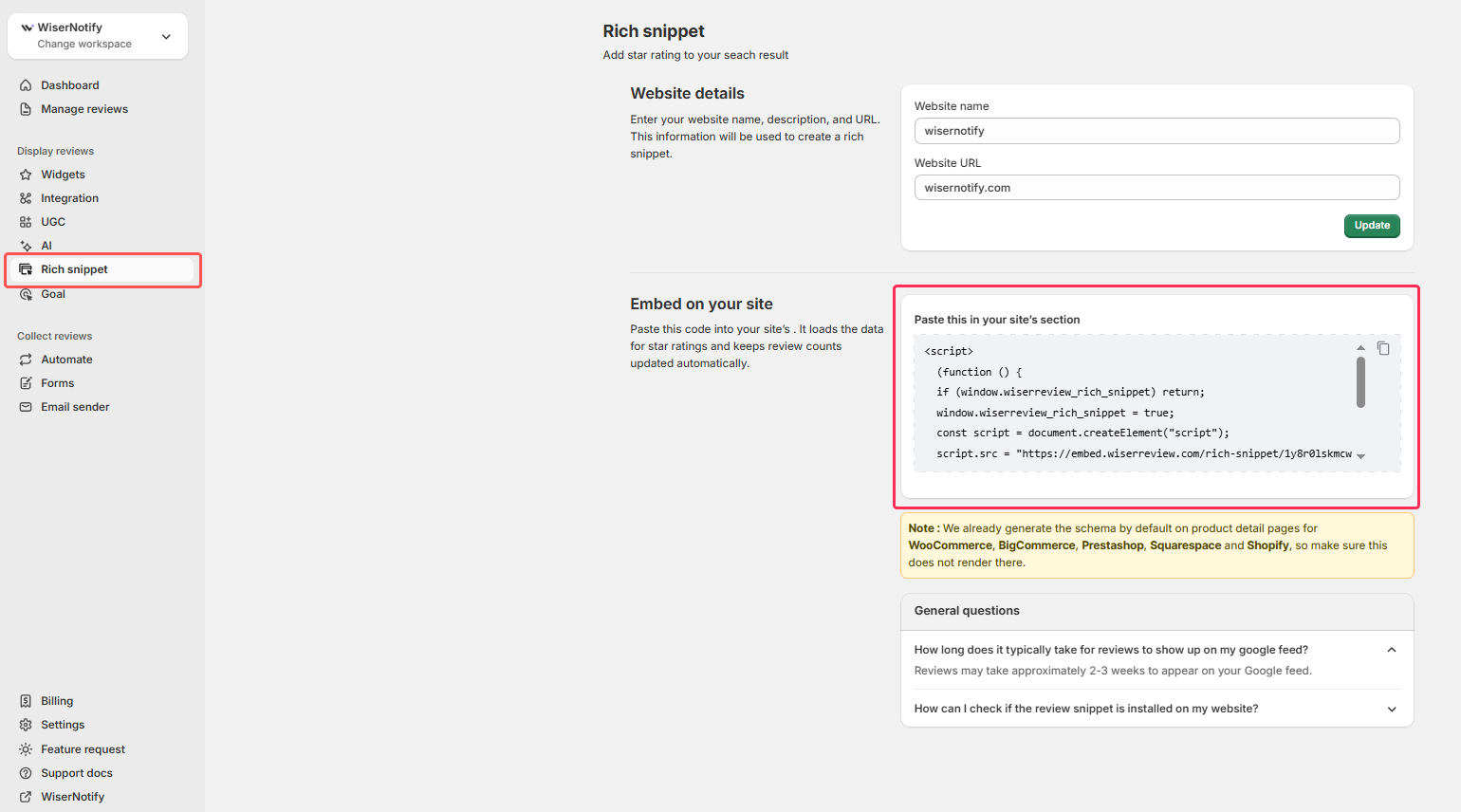
WiserReview adds structured data to your testimonials. This allows Google to show star ratings in search results.
When users see stars in search, they trust your site more and click more often.
The testimonial content is SEO-friendly and crawlable. This helps search engines understand customer feedback about your products or services.
UGC and Social Proof Galleries
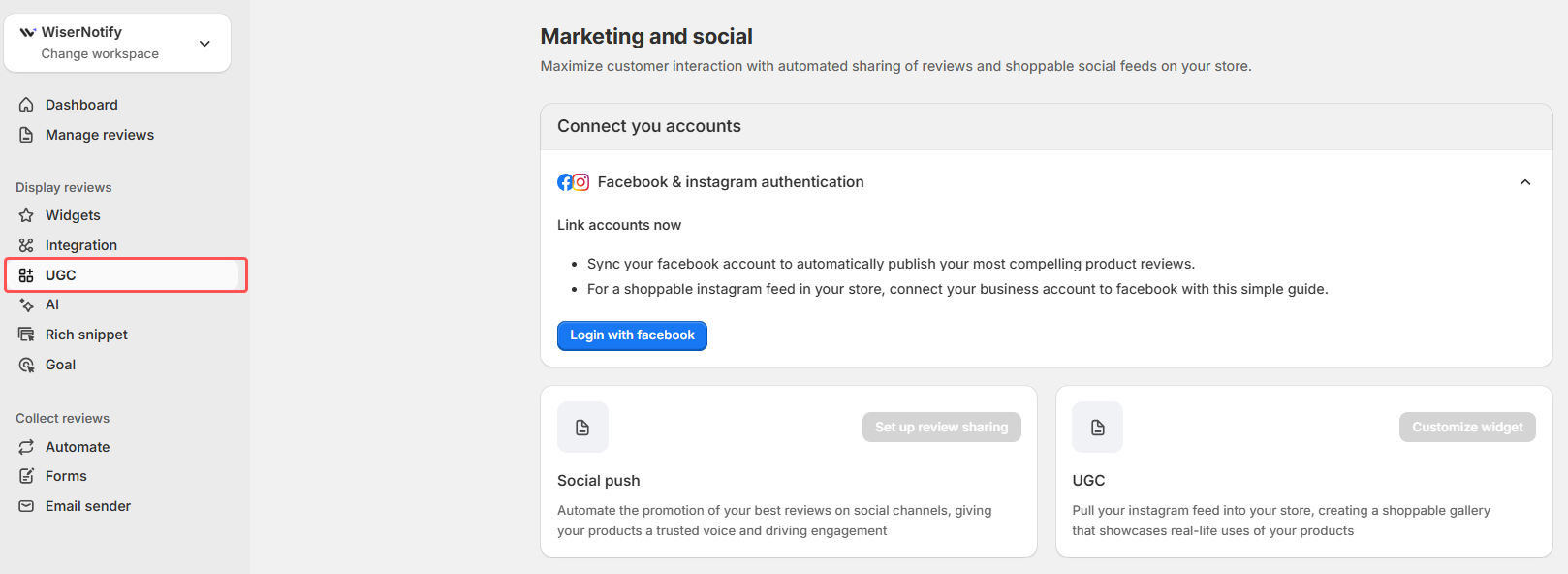
Customers can upload photos and video testimonials. You can build visual review galleries and show real product usage.
You can also sync Instagram and facebook content and turn it into shoppable testimonial sections.
Google Shopping and Review Feeds
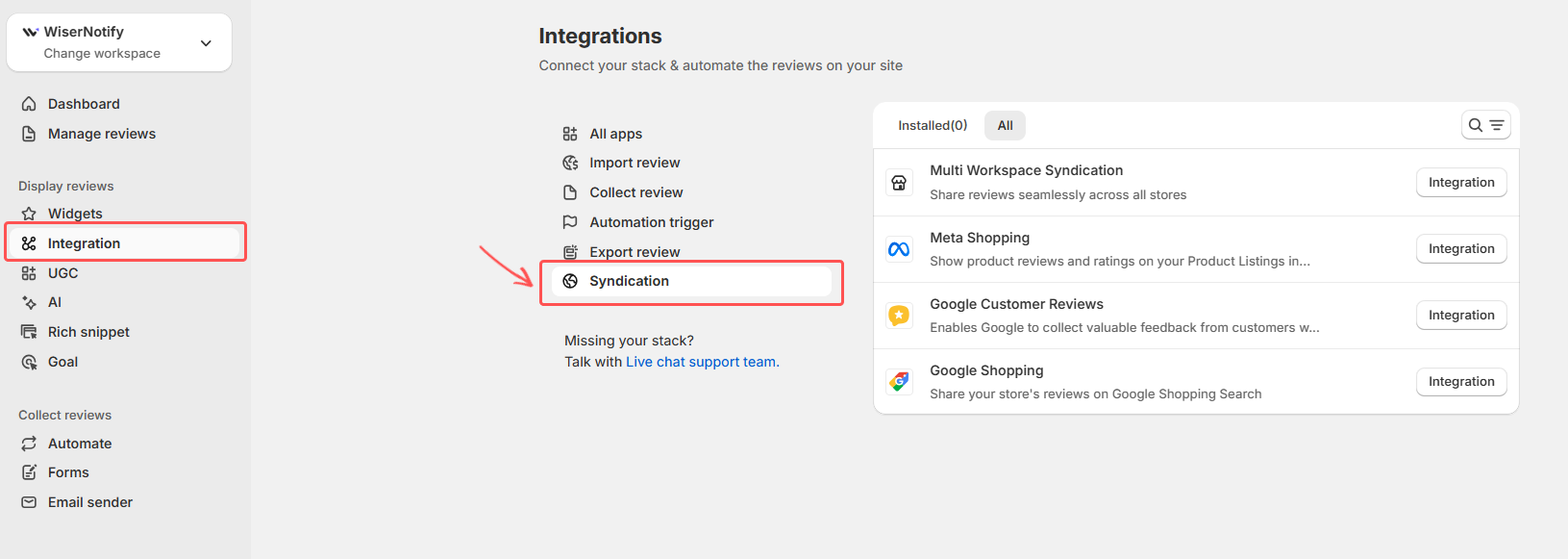
You can push approved product reviews to Google Shopping. This allows your product listings to show star ratings inside Google Shopping results.
Higher visibility leads to more clicks and stronger product trust.
Easy Import and Migration
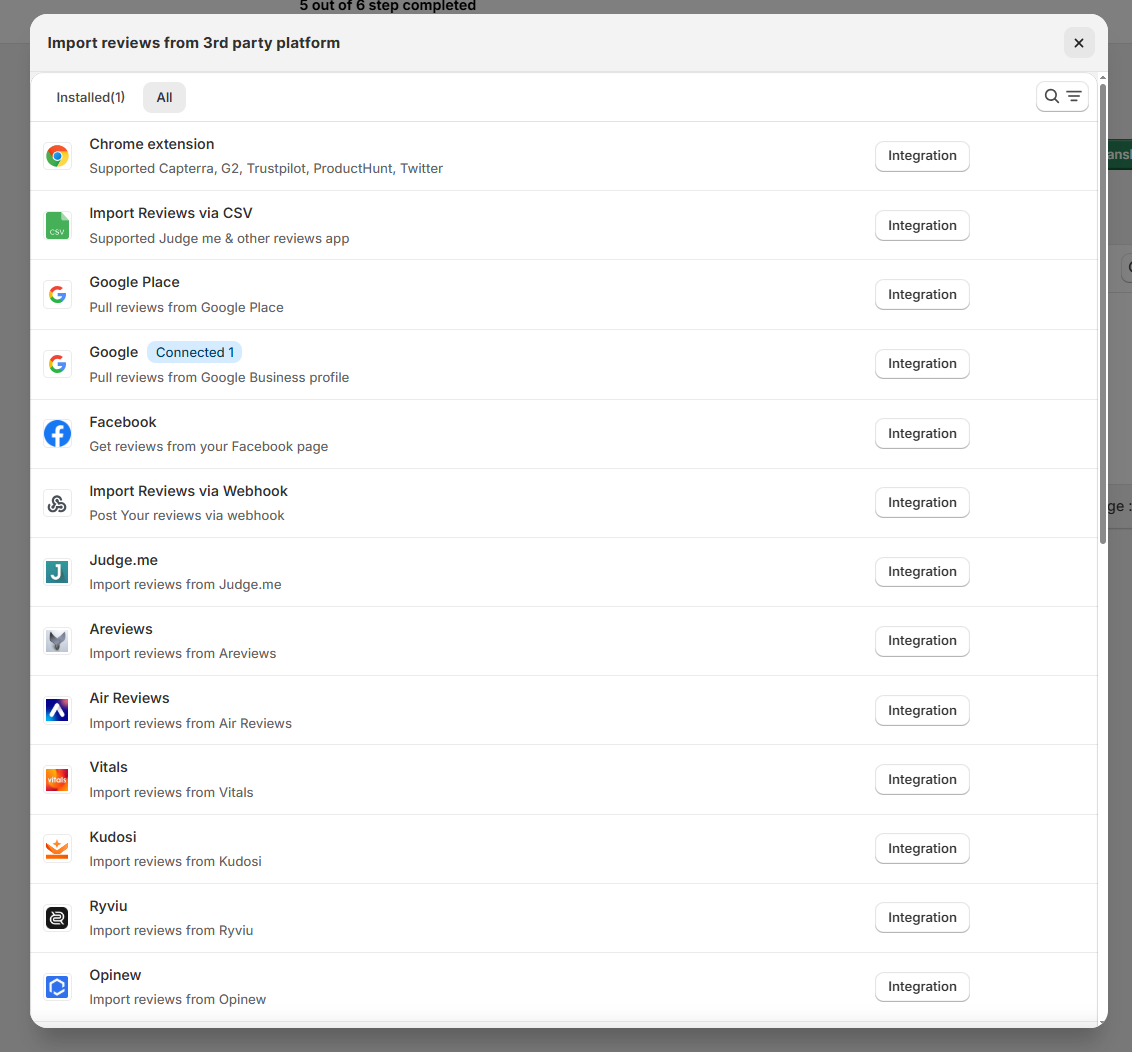
You can import testimonials from CSV files or other platforms. The system maps them to products automatically.
This helps you switch from another plugin without losing reviews.
Pricing:

#1 WordPress Testimonial Plugins
Collect reviews, manage every response, and display them where they matter most.
2. Strong Testimonials

Strong Testimonials is a WordPress plugin built for users who want full control over testimonials inside their dashboard. It focuses on flexibility, layout options, and simple management without relying on outside platforms.
The plugin treats testimonials like regular WordPress content. You create, edit, approve, and organize them directly in your admin panel. This makes it easy for site owners who already understand how WordPress works.
Front-End Submission Forms
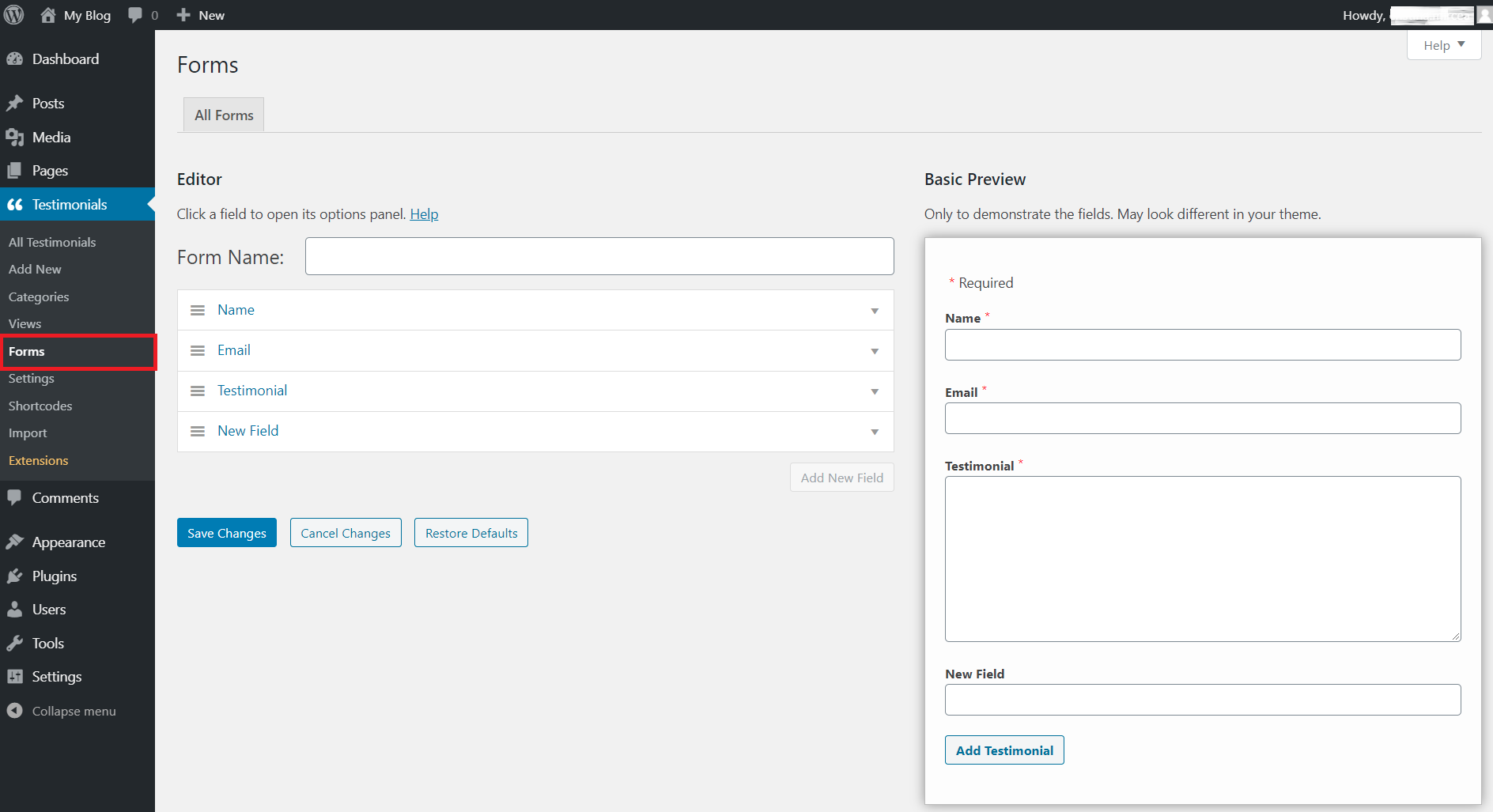
Strong Testimonials lets you build custom testimonial forms that your visitors can fill out directly on your website. You decide which fields to include, such as name, photo, company, rating, and message. This makes it easy for customers to submit feedback without accessing your dashboard.
You can require approval before a testimonial appears on your site. This lets you filter out spam and edit entries before publishing.
Dashboard Management Inside WordPress
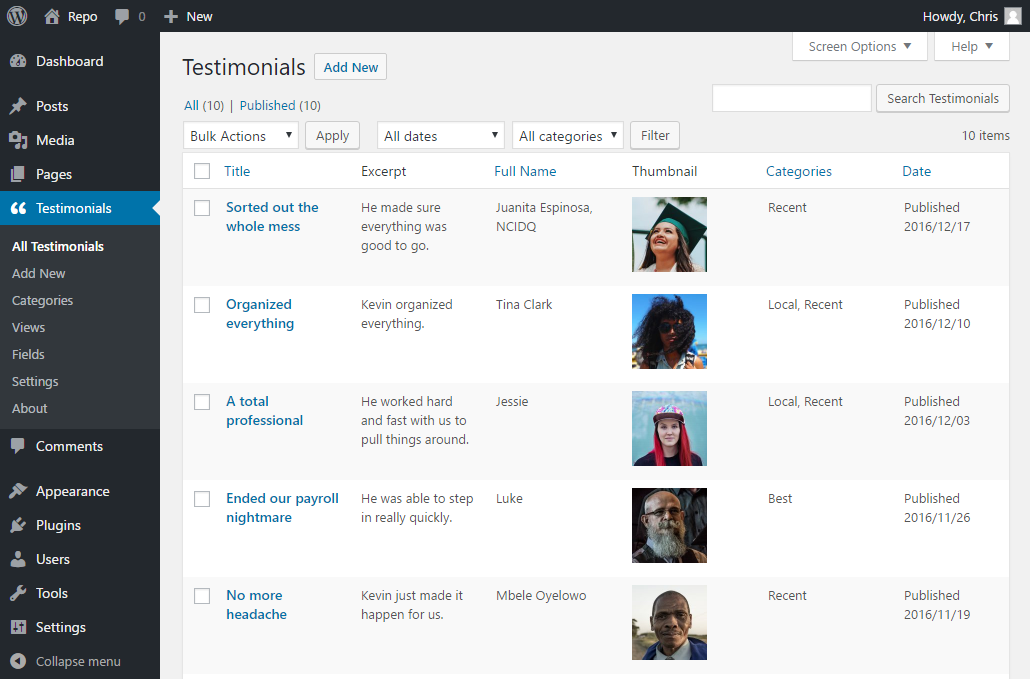
Testimonials show up as a custom post type in your WordPress dashboard. This means you can manage them just like posts or pages. You can edit content, assign categories, and tag testimonials based on product or service. This keeps everything organized without learning a new interface.
You can also assign custom fields, such as “Location,” “Service Type,” or “Industry,” to help filter and sort testimonials later.
Display Options and Layouts
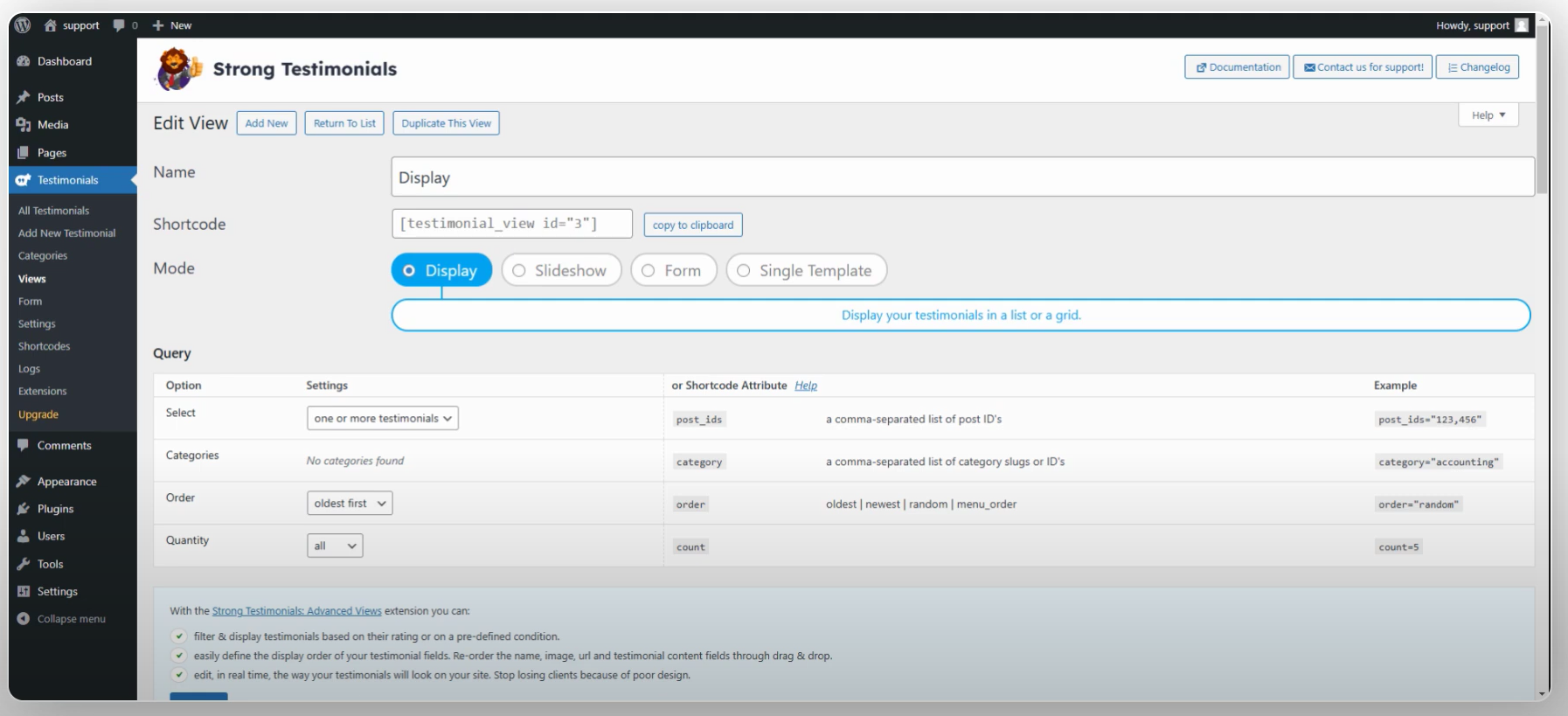
Strong Testimonials offers many ways to show testimonials on your site.
You can display them as:
- Sliders that rotate through testimonials
- Grids that show multiple entries at once
- Lists for simple text feedback
- Masonry layouts for visual variation
You can place these anywhere with shortcodes, blocks, or widgets. This means you can insert testimonials in posts, pages, sidebars, or footers.
Each layout is responsive and works well on desktop and mobile. You can also control the number of testimonials shown, order, and filters based on categories or tags.
Templates and Custom Styling
The plugin includes built-in templates that you can select and customize. You can adjust colors, fonts, spacing, and layout styles without code. If you know CSS, you can apply your own styles for deeper customization.
This gives you design flexibility while keeping setup simple.
Pricing: Free; Basic $29/yr
3. Easy Testimonials

Easy Testimonials is a simple WordPress plugin that helps you add customer testimonials to your website without complex setup. It focuses on ease of use and quick display.
The plugin lets you create testimonials directly inside your WordPress dashboard. You can add a name, title, company, photo, and testimonial text. It stores testimonials as a custom post type, which makes them easy to manage.
Front-End Submission and Form Features
Easy Testimonials lets you build front-end forms that visitors can use to submit testimonials. You can control which fields appear on the form, including name, email, photo, and message. You can also require approval for new entries, so nothing goes live without review.
You can style forms to match your site and add reCAPTCHA to reduce spam. The form setup is simple, and you don’t need coding skills.
Display and Layout Options
Easy Testimonials provides a range of display choices. You can show testimonials as lists, grids, single entries, or in random order. You insert them with shortcodes or blocks anywhere on your site.
You can filter testimonials by category, tag, or rating. This lets you show relevant feedback on product pages, service pages, or landing pages.
The plugin also supports slider layouts with arrows and auto-rotation. This helps you create a more dynamic testimonial section.
Ratings and Media Support
Easy Testimonials supports star ratings. You can include a numeric rating (for example, 1 to 5 stars) along with testimonial text. This makes feedback more visual and easy to scan.
You can also add customer photos. This increases authenticity and trust. The media options work on desktop and mobile layouts.
Performance and Compatibility
Easy Testimonials is lightweight and optimized for speed. It works with most WordPress themes and page builders like Elementor and Gutenberg.
The plugin avoids heavy scripts that slow down your site. Testimonials load quickly, and performance remains strong even with many entries.
Pricing:Free; Pro from $59
All your reviews in one place
4. Testimonial Slider

Testimonial Slider is a WordPress plugin that focuses on one main goal: showing testimonials in a clean, rotating slider format. It works well for websites that want to move social proof without a complex setup.
The plugin lets you add testimonials inside your WordPress dashboard. You can include name, designation, company, photo, and testimonial text. Testimonials are stored as a custom post type, which makes them easy to manage.
Slider Display Options
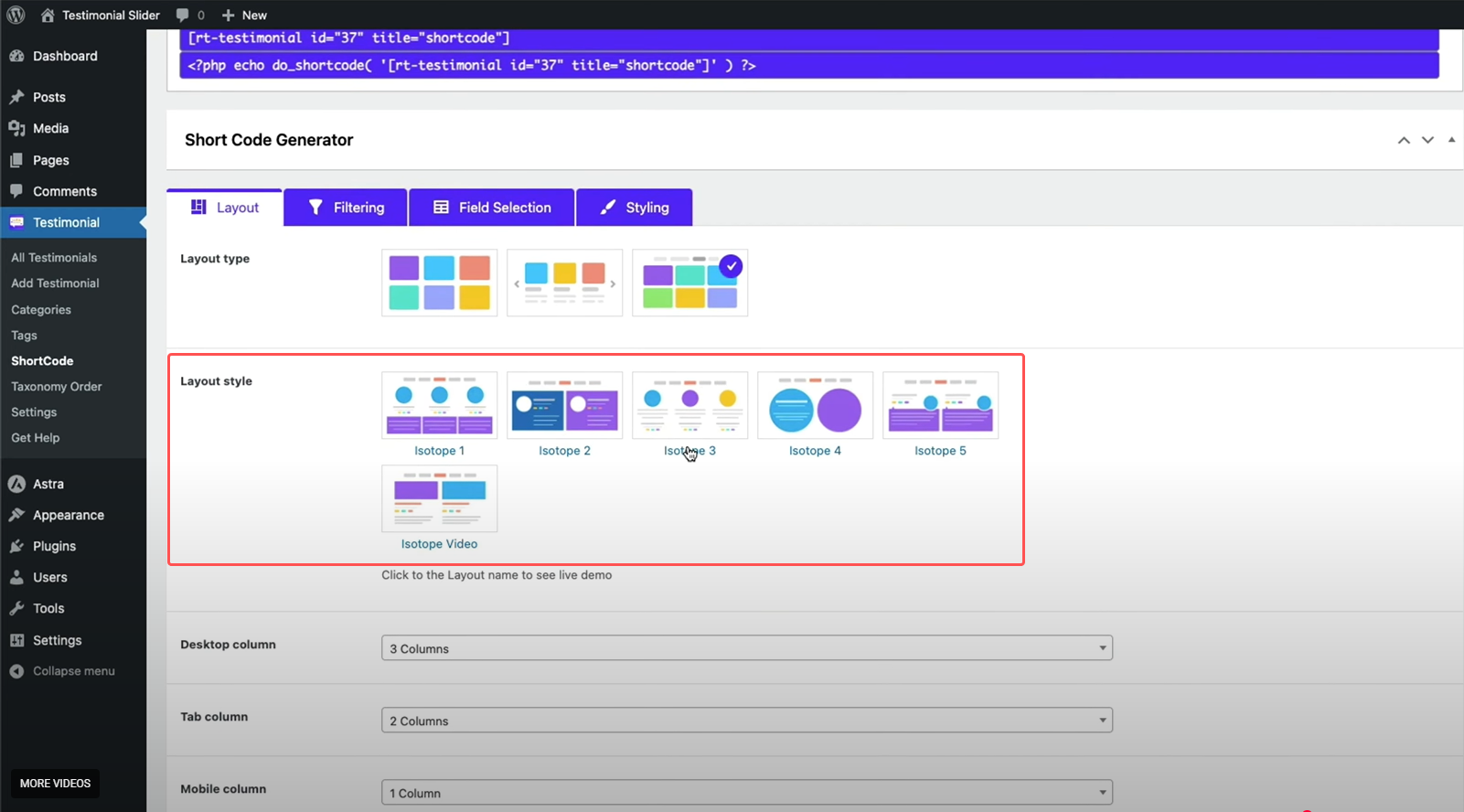
Testimonial Slider allows you to display testimonials in carousel and sliding formats. You can control how many testimonials appear at once, adjust slide speed, and enable autoplay.
You can place sliders on any page using shortcodes or blocks. This makes it easy to add testimonials to your homepage, service pages, or landing pages.
The layout is responsive, so testimonials look clean on mobile and desktop.
Design and Customization
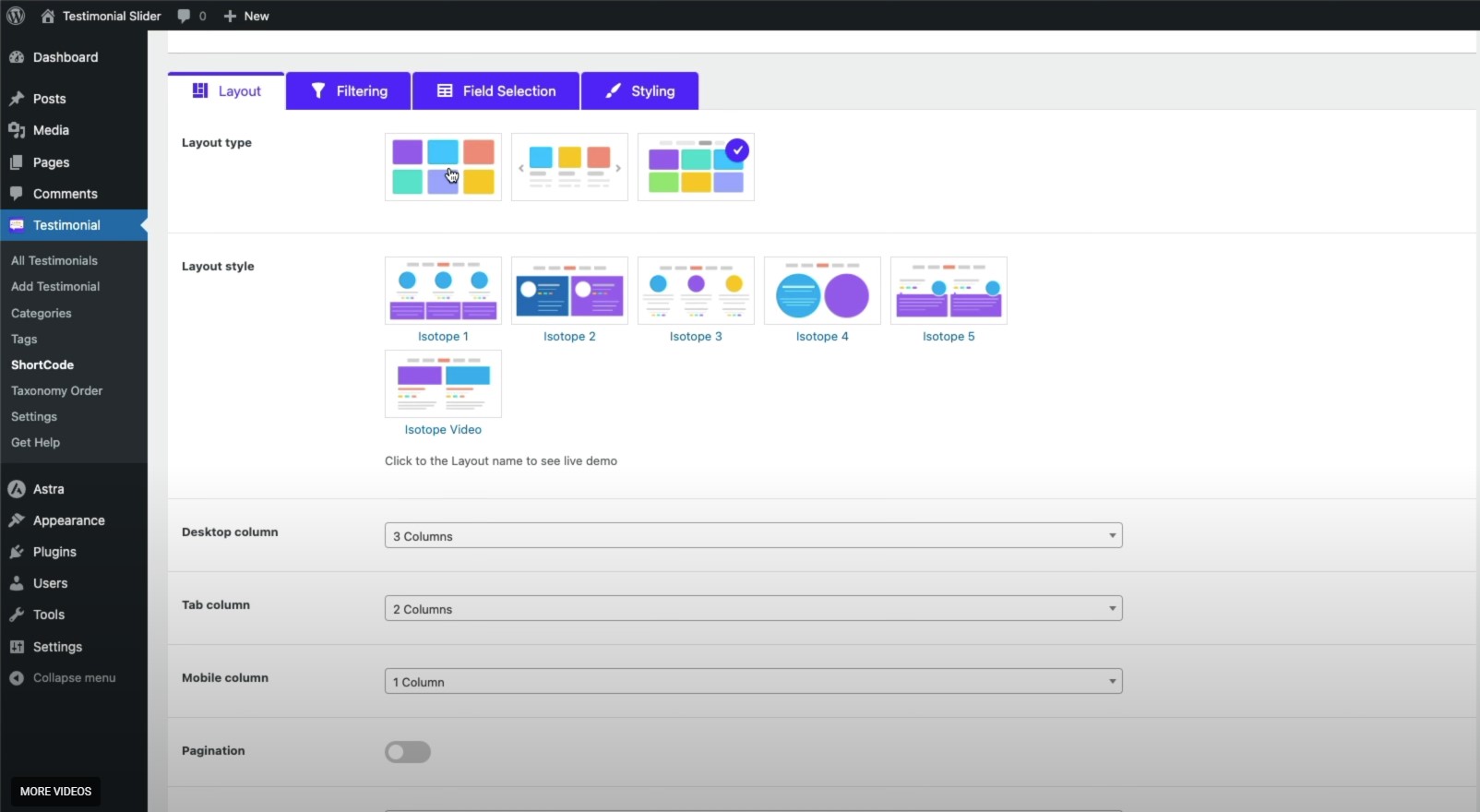
The plugin offers basic design controls. You can adjust colors, fonts, navigation arrows, and spacing. Some versions include multiple themes for quick styling without coding.
If you need deeper customization, you can add custom CSS.
Star Ratings and Media Support
Testimonial Slider supports star ratings. You can display numeric or visual star ratings along with testimonial text.
You can also add customer photos. Image support increases trust and makes testimonials look more authentic.
Shortcodes and Block Support
You can insert sliders anywhere using shortcodes. Many versions also support Gutenberg blocks. This allows you to place testimonial sliders on homepages, landing pages, and inside blog posts.
You can create multiple sliders with different settings and place them on different pages.
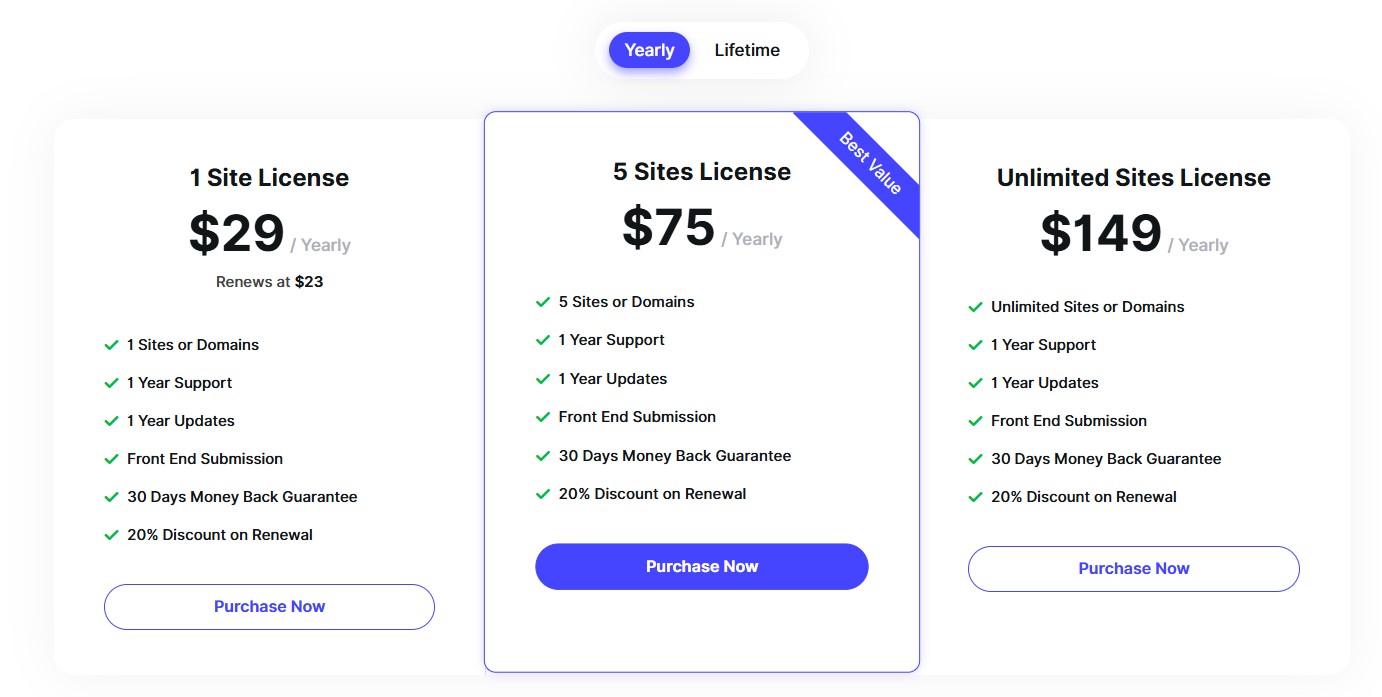
Pricing:
5. WP Testimonials Pro

WP Testimonials is a WordPress plugin that helps you add and display customer feedback with minimal effort. It focuses on clean testimonial layouts and straightforward management inside your dashboard.
The plugin stores testimonials as a custom post type, so you can create, edit, and organize entries like regular content in WordPress.
Easy Testimonial Setup
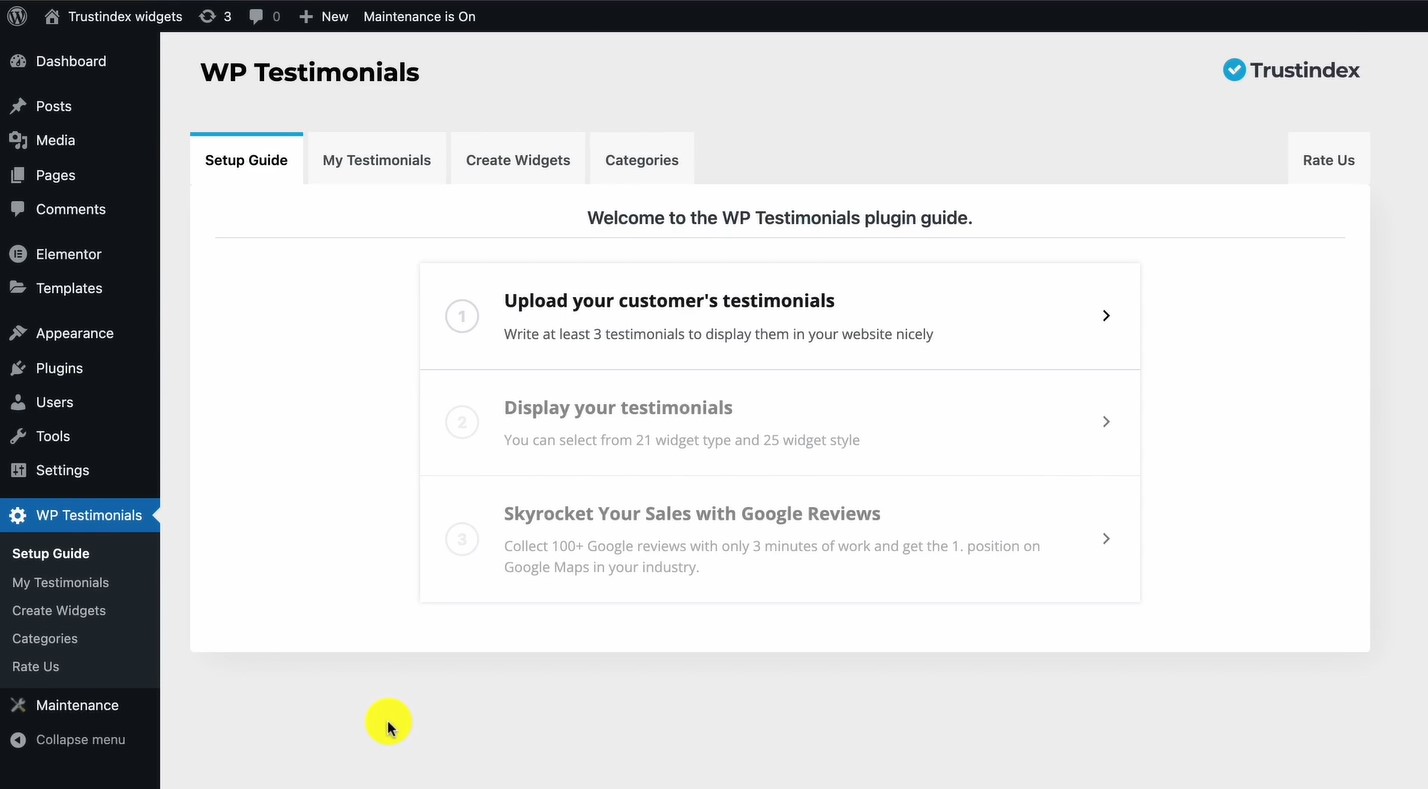
With WP Testimonials, you can add a testimonial title, content, author name, company, and photo. You can also include star ratings to make feedback more visual.
The setup is simple. You add testimonials inside the WordPress dashboard without extra tools or external accounts.
Display Options
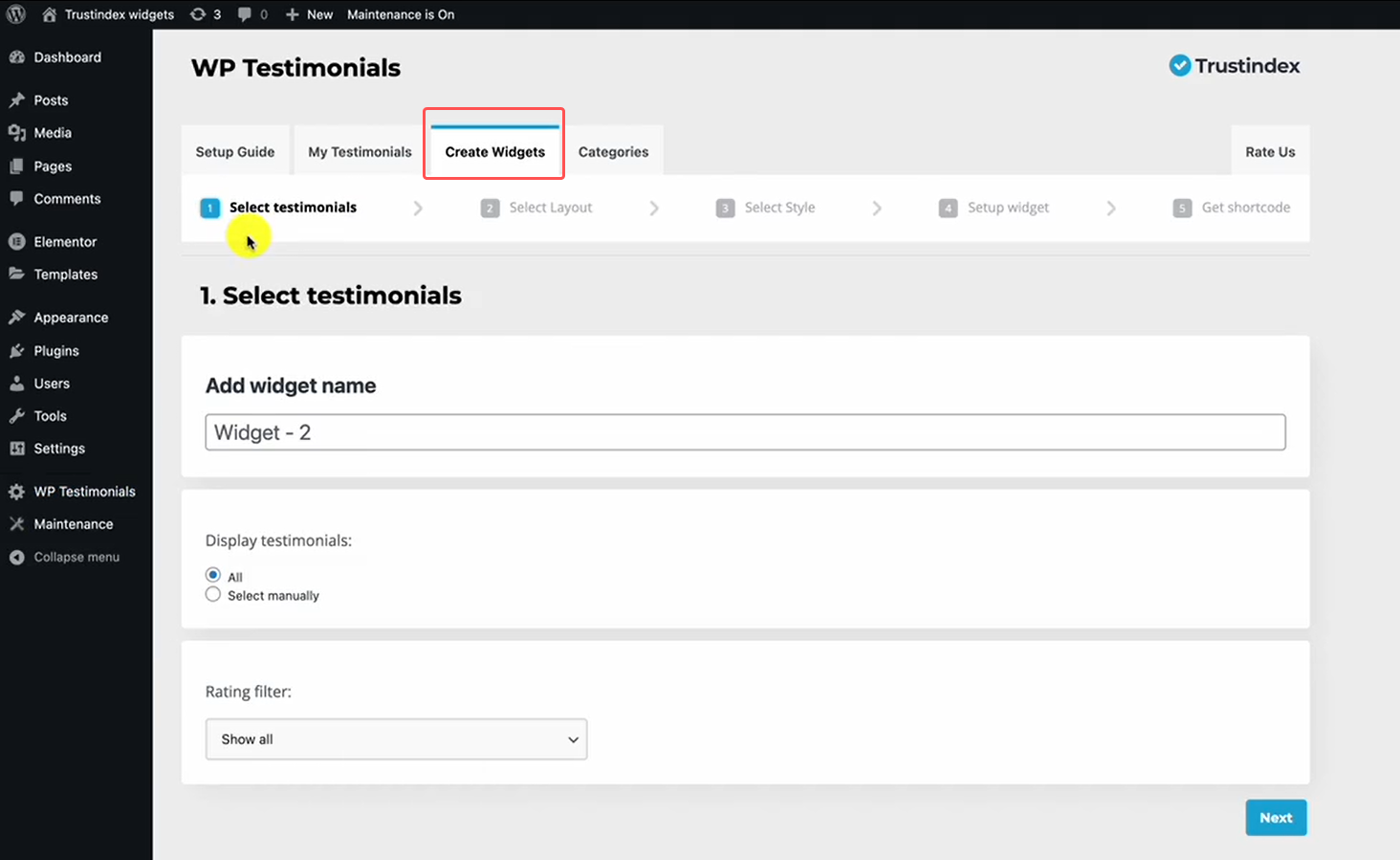
You can show testimonials using shortcodes or Gutenberg blocks. The plugin supports sliders and grid layouts. You can place them on your homepage, service pages, or product pages.
The layouts are responsive, so testimonials look clean on mobile and desktop.
Customization Controls
WP Testimonials offers basic styling settings for colors, fonts, and spacing. You can choose how many testimonials appear per row and adjust the order.
If you know CSS, you can apply custom styles for deeper design control.
Shortcode Support in WP Testimonials
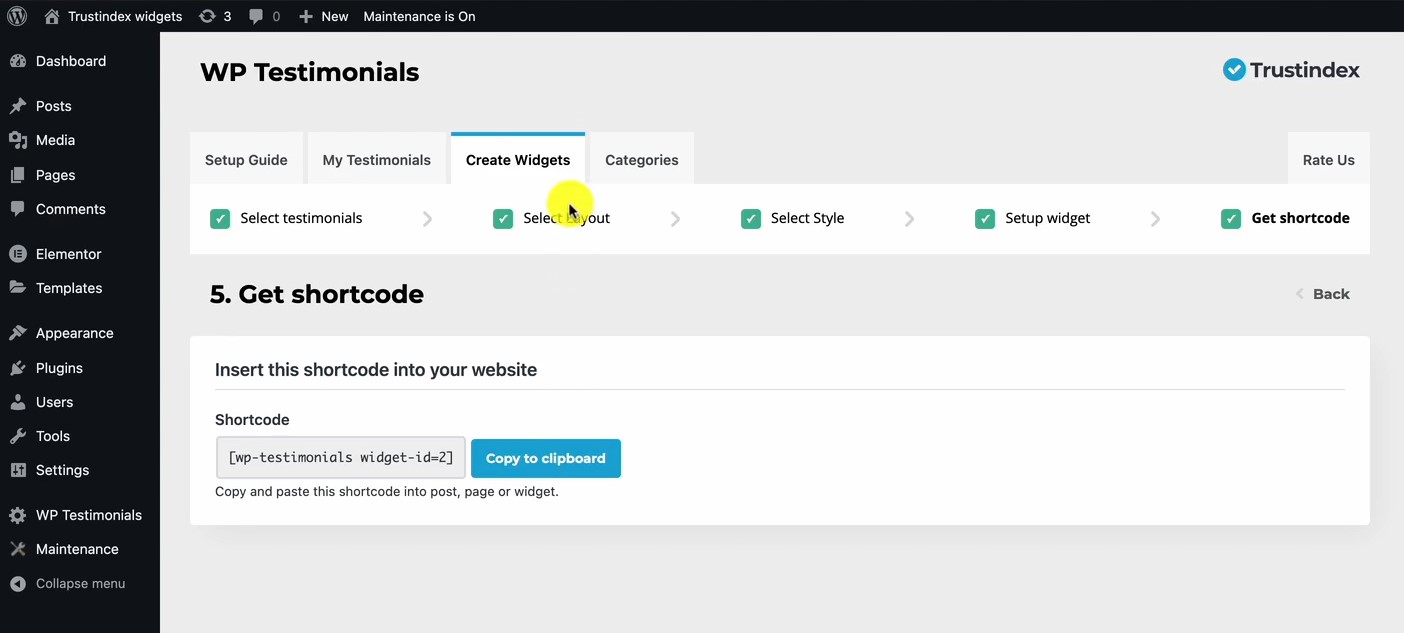
WP Testimonials lets you display testimonials anywhere using shortcodes. You can paste a shortcode inside pages, posts, sidebars, or custom sections.
You can control what appears in the shortcode.
Categories and Filters
WP Testimonials lets you organize feedback by categories and tags. You can filter testimonials by service type, product, or location. This helps you show relevant feedback on specific pages.
For example, you can show product-specific testimonials on its product page.
Pricing: Free; Pro available
#1 WordPress Testimonial Plugins
Collect reviews, manage every response, and display them where they matter most.
6. Responsive Testimonials Showcase

Responsive Testimonials Showcase is a WordPress plugin designed to display testimonials in clean, mobile-friendly layouts. It focuses on presentation and visual structure while keeping management simple inside WordPress.
The plugin stores testimonials as a custom post type. You can add the customer’s name, photo, company, designation, rating, and testimonial text. Everything stays organized in your dashboard.
Multiple Layout Styles
Responsive Testimonials Showcase offers grid layouts, sliders, and list views. You can choose how many testimonials appear per row and control spacing and alignment.
The layouts automatically adjust for mobile, tablet, and desktop. This ensures testimonials look clean on all devices.
Slider and Carousel Options
The plugin includes carousel features with autoplay, navigation arrows, and pagination dots. You can control transition speed and animation style.
This helps you create dynamic testimonial sections without taking too much page space.
Star Ratings and Media Support
You can add star ratings and customer photos to each testimonial. These visual elements increase trust and make testimonials easier to scan.
Shortcode and Block Support
You can insert testimonials using shortcodes or Gutenberg blocks. This allows you to place testimonial sections on homepages, service pages, and landing pages easily.
Styling and Customization
The plugin includes basic styling options for colors, fonts, and spacing. Some versions offer template variations so you can choose different visual styles without coding.
Pricing: Start at $19/month
7. Stars Testimonials

Stars Testimonials is a WordPress plugin built to highlight customer feedback with star ratings and visually strong layouts. It focuses on making testimonials easy to read and trust instantly.
The plugin stores testimonials as a custom post type inside your WordPress dashboard. You can add the reviewer’s name, company, star rating, photo, and testimonial text. This helps you present feedback in a format that feels real and trustworthy.
Star Rating Focus
Stars Testimonials puts star ratings front and center. You can choose how many stars to show and how they appear with the text. The visual star display helps visitors scan feedback quickly and see overall satisfaction at a glance.
Display Layouts
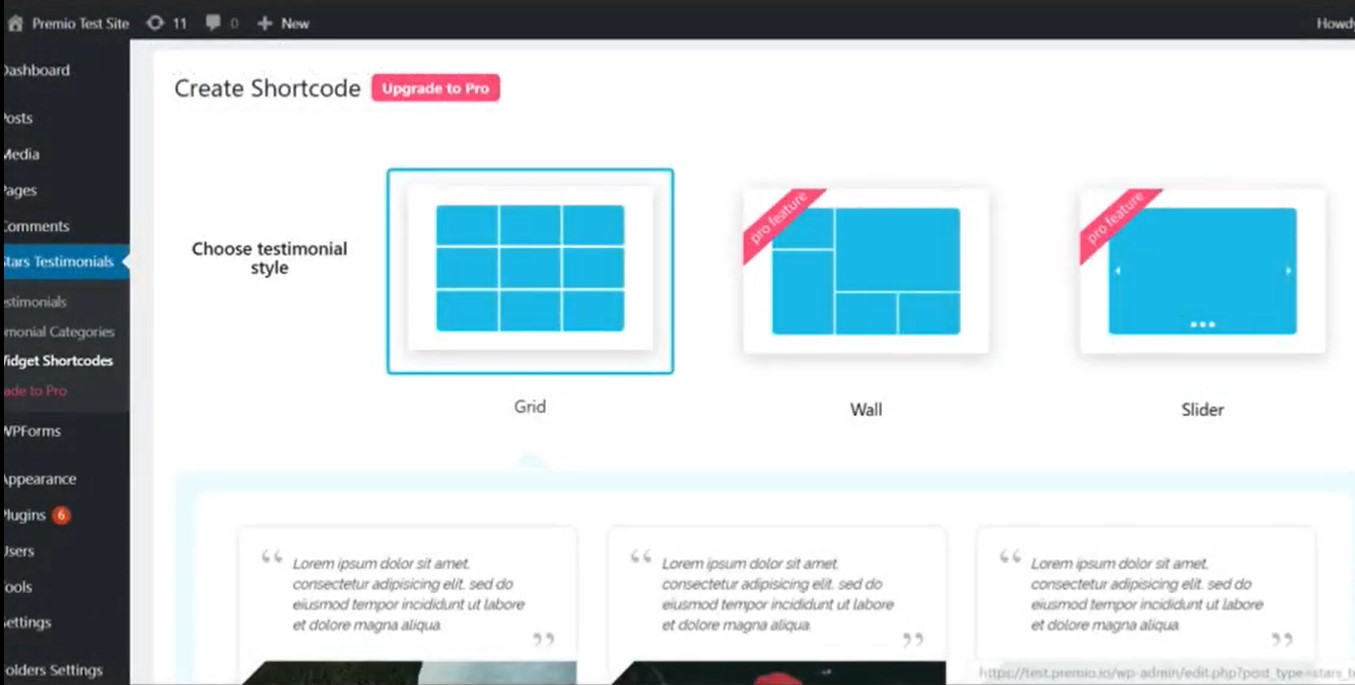
The plugin provides multiple layouts such as sliders, grids, and list formats. You can control how many testimonials appear at once and choose layouts that fit your page design. The layouts are responsive, so they look good on mobile, tablet, and desktop.
Shortcode and Block Support
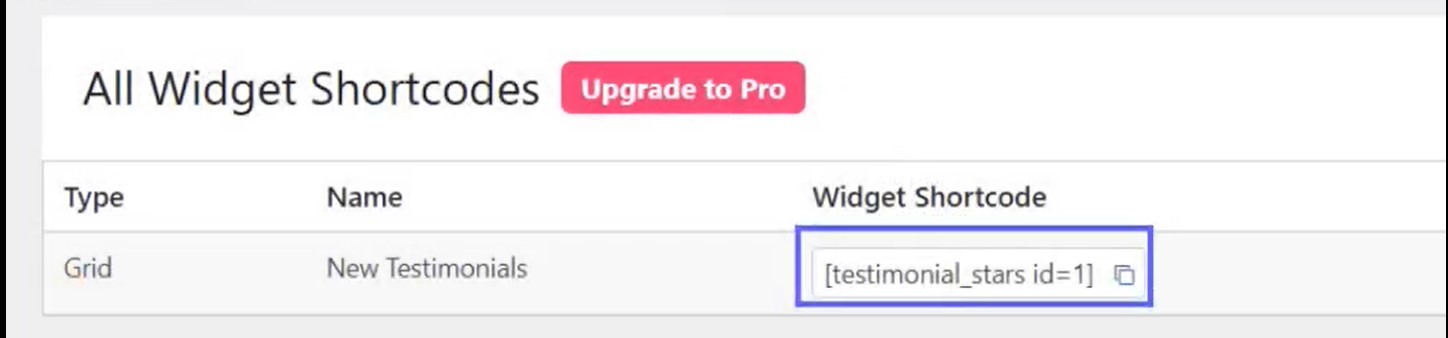
You can insert testimonial sections anywhere using shortcodes or Gutenberg blocks. This makes it easy to place star-rich testimonial displays on homepages, product pages, landing pages, or footer areas.
Photo and Content Options
Stars Testimonials supports customer photos along with star ratings. You can upload pictures or let users submit photos with their testimonial. This increases authenticity and engagement.
You can also add extra fields like job title or location to give more context to each testimonial.
Styling and Customization
The plugin includes basic styling controls for colors, fonts, and spacing. You can adjust star colors and text styles to match your site design. If you know CSS, you can add custom styles for deeper control.
Pricing:Free; Paid version available (yearly plans)
How to Choose the Right Testimonial Plugin for Your Website
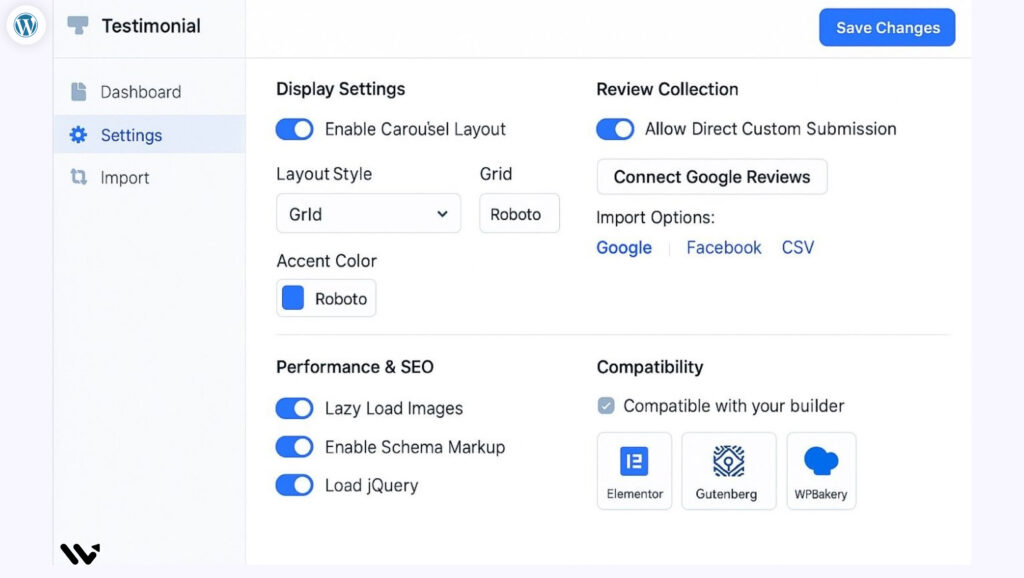
Start with your goal. Decide whether you want to collect, manage, or only display testimonials. The right plugin depends on what problem you want to solve.
If you want to collect more testimonials, choose a plugin that includes forms and automatic requests. If you already have testimonials and only need better layouts, focus on display features.
Before you install any plugin, check these key points:
-
Does it support sliders, grids, or carousels that match your design?
-
Does it work well on mobile and load fast?
-
Does it support star ratings, photos, or video testimonials?
-
Does it allow moderation before publishing?
-
Does it support shortcodes or Gutenberg blocks?
-
Does it add schema markup for SEO?
You should also think about long-term growth. A basic free plugin works for small sites. A paid plugin makes sense if you need automation, advanced layouts, or deeper customization.
Choose a plugin that fits your website type, traffic level, and trust-building goals.
#1 WordPress Testimonial Plugins
Collect reviews, manage every response, and display them where they matter most.
Conclusion
The best testimonial plugin is the one that fits your website’s goal. If you need a simple display, choose a lightweight plugin. If you need collection, automation, and SEO features, choose a more advanced option.
Testimonials build trust. Trust increases conversions. When you show real customer feedback in the right places, visitors feel confident taking action.
Choose a plugin that loads fast, works with your theme, and supports the features you actually need. Keep it simple. Focus on visibility and credibility.


