
How to Increase Webinar Registrations: 8 Page Fixes (2026)
Most webinar sign-ups are lost on the registration page, not in the promotion. Traffic arrives, reads a headline that says “webinar”, meets a six-field form, sees no sign that anyone else is coming, and leaves.
Fix the page first. Everything you spend on promotion runs through it.
This guide covers eight fixes for the page itself, in the order a visitor meets them. Then it covers the part most guides skip, which is getting the people who registered to show up.
It is written for course sellers, coaches, and anyone else whose webinar is the front door to a paid offer.
Key takeaways
- A dedicated registration page with one job beats a homepage with a form on it, every time.
- Two fields. Name and email. Everything else you can collect after they register.
- Live sign-up notifications turn a quiet page into one where people are visibly joining.
- Only about one registrant in three attends live, so the confirmation flow is part of the registration page’s job.
- Test one change per page for two weeks. A page rebuilt all at once tells you nothing about what worked.
Where Registration Pages Lose People
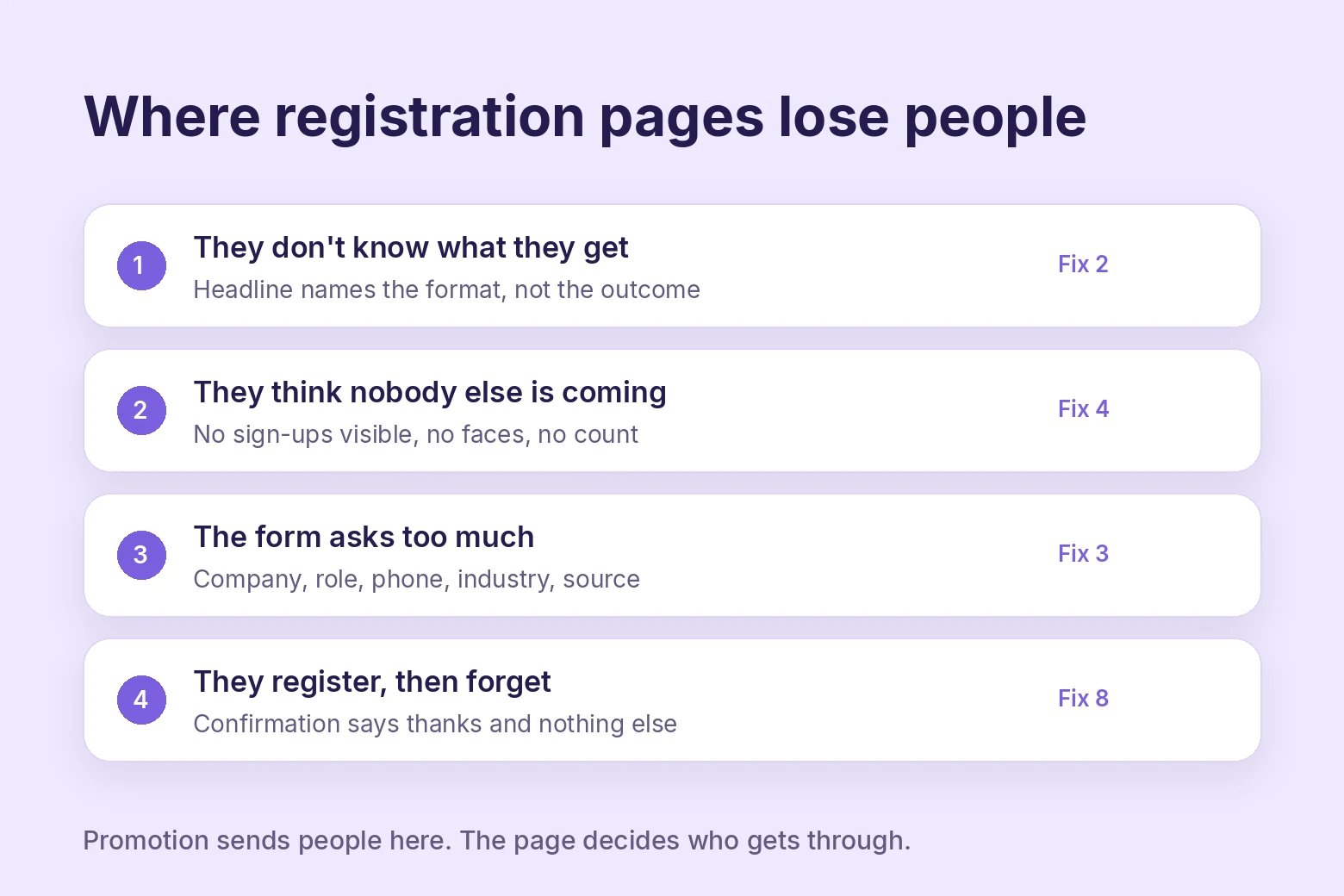
Before the fixes, the leaks. A registration page loses visitors at four points, and each one has a matching fix below.
They do not understand what they get. The headline names the format, “Free Webinar”, instead of the outcome. The visitor has to work out why they should care.
They do not believe anyone else is coming. The page is silent. No sign-up count, no recent registrations, no faces. A visitor who thinks they are first assumes they are wrong.
They hit a form that asks too much. Company, role, phone, industry, “how did you hear about us.” Every field is a reason to close the tab.
They register and forget. The confirmation email says thanks and nothing else. Two weeks later the webinar runs to a third of the list.
Promotion sends people to this page. If the page leaks, better promotion leaks faster.
8 Fixes for the Registration Page
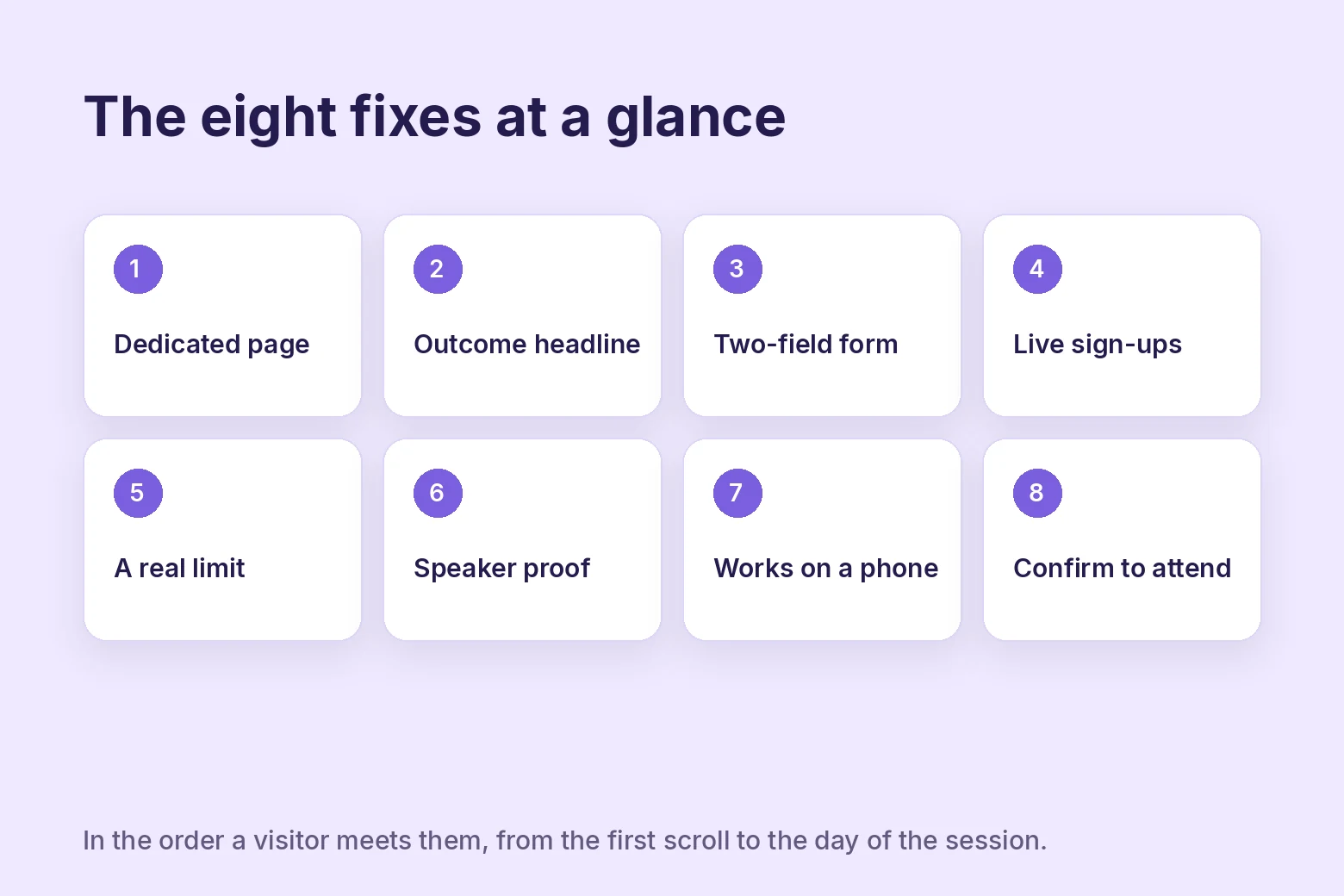
Each fix closes one of the leaks above. They are ordered the way a visitor sees the page, top to bottom, and then after they leave.
1. Send traffic to a dedicated page
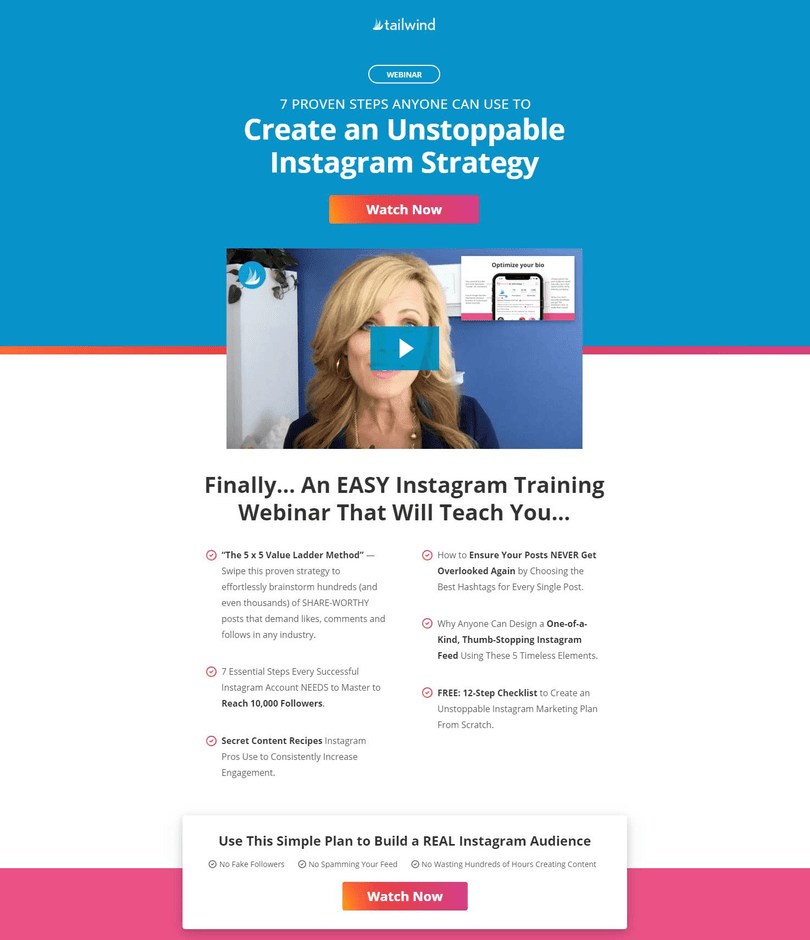
The page has one job, and it should look like it. No site navigation, no footer full of links, no sidebar. One headline, one description, one form, one button.
Tailwind’s page above is the shape. The visitor can register, watch, or leave. Those are the only options, and two of them are the ones you want.
A homepage with a webinar banner is not a registration page. Neither is a blog post with a form at the end. Both give the visitor a dozen things to click that are not the button.
2. Lead with the outcome
The headline is the promise, and the promise is what the attendee walks away with. Not “Join our free webinar.” Instead, “Fill your next cohort without running ads,” or whatever the true version is for you.
Put the format in small text under it if you like, date and time and platform. The headline is not the place for it.
Then one sentence on who it is for. A coach selling to first-time founders should say so, because the wrong reader leaving early is fine and the right reader wondering is not.
3. Cut the form to two fields
Name and email. That is the form.
Every field after those two is a trade. You get a data point, you lose a percentage of registrants. For most course sellers the data point is never used and the registrants are the whole point.
If you need more, ask on the thank-you page after they have committed, or in the first follow-up email. Registered people answer questions. Strangers do not.
Pre-fill anything you already know. A visitor arriving from your email list should not have to type their email again.
4. Show live sign-ups as they happen
An empty-feeling page is the second leak, and it is the one most registration pages never address. The visitor cannot see the 140 people who registered before them, so as far as they know, nobody did.
Live notifications fix that. A small message in the corner of the page reading “Lena from Munich just registered, 2 minutes ago,” followed a few seconds later by another, tells the visitor the room is filling.
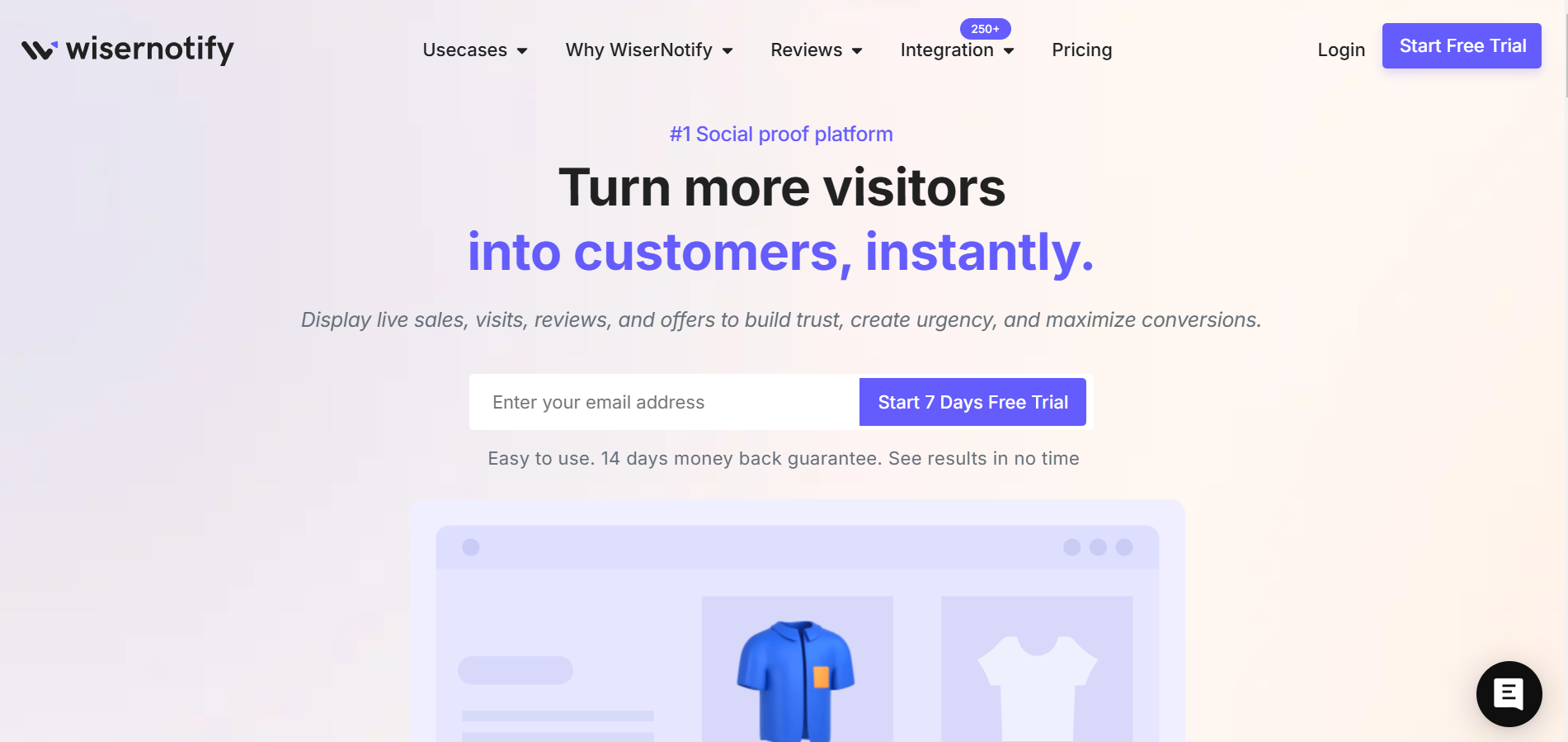
WiserNotify pulls those registrations straight from the webinar platform and shows them on the page.
It connects to WebinarJam, EverWebinar, and eWebinar directly, so every real sign-up becomes a notification with no spreadsheet in between.
You can also show a live count of people on the page, recent reviews from past attendees, or a total registration count that ticks up.
One type at a time on a registration page. Stacking three kinds of notification on one screen reads as noise.
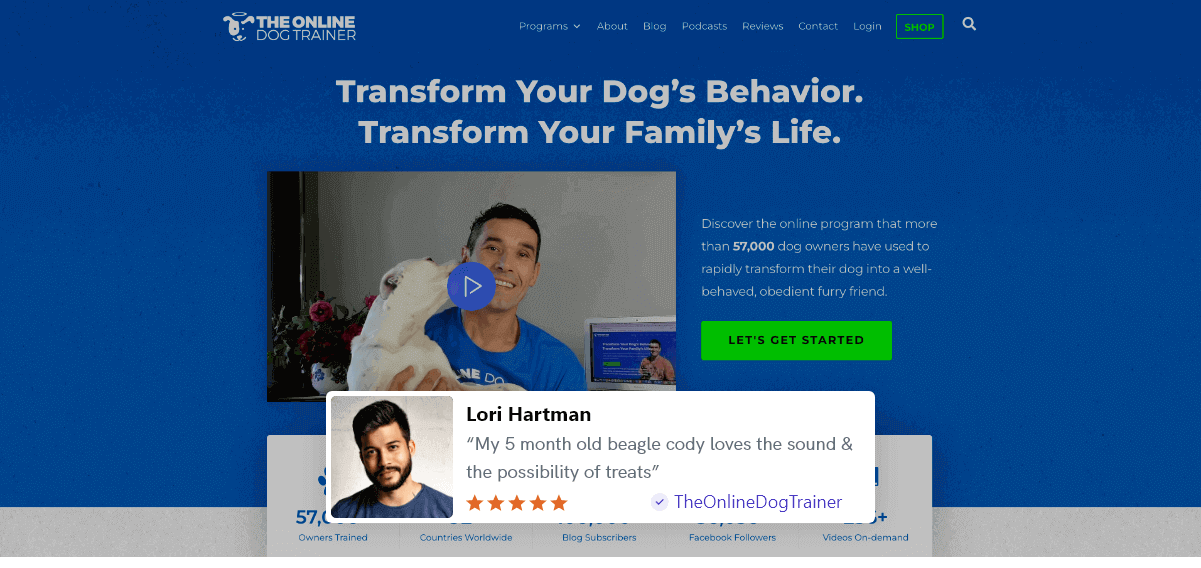
The Online Dog Trainer runs review notifications on its course pages, so a visitor deciding whether to sign up sees what the last person thought. The same widget goes on a registration page unchanged.
Keep every notification real. The names, the cities, and the timestamps come from actual registrations. The moment a visitor spots a fake one, everything else on the page loses credit with it.
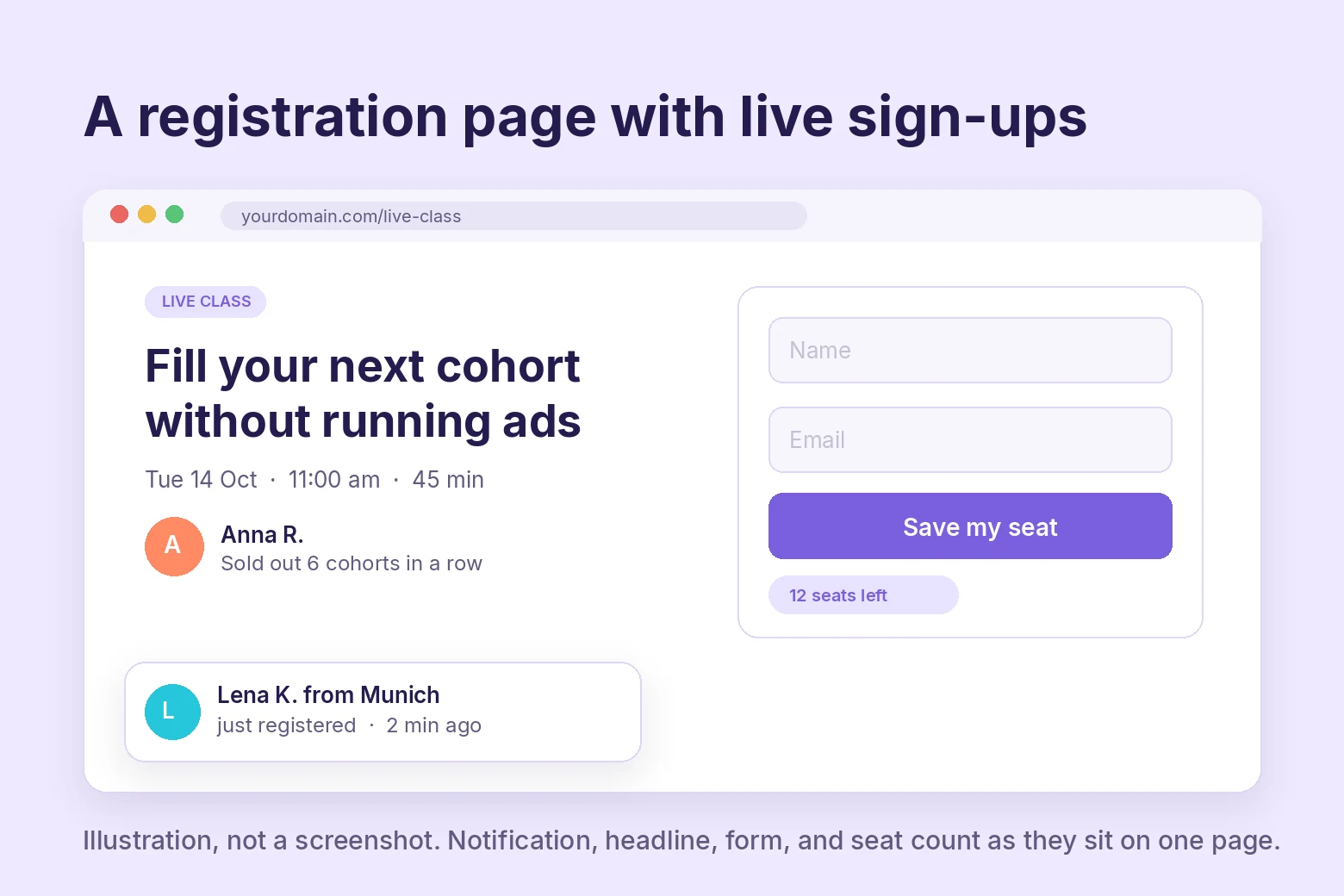
The illustration above shows the four page fixes together. Outcome headline, two fields, an honest seat count, and one live notification in the corner.
Build urgency
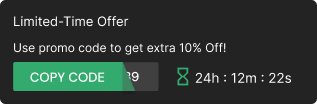
Add floating offers with countdown timer & coupon code.

5. Put a real limit on it
“Register any time” is an invitation to register later, and later is never.
Two limits work on a registration page. A seat cap, if the platform or the format has one, shown as seats remaining. Or a deadline, either registration closing at a set time or an early-bird bonus that expires.
Show whichever is true with a live countdown next to the button. A countdown timer that reaches zero and then resets is the fastest way to teach your audience to ignore you.
If neither limit is real, do not invent one. A page with honest social proof and no urgency beats one with fake urgency, because the second one gets screenshotted.
Related post: How Limited Seats Available Messages Rapidly Boost Sales
6. Prove the speaker
The visitor is giving you an hour. They want to know the hour is worth it, and the person promising that is the one on stage.
Three lines under the speaker’s name and photo. What they have done, who they have done it for, and one result with a number in it.
Then two or three short quotes from people who attended a previous session, with names.
If this is your first webinar, use testimonials from the course or the coaching instead. What matters is that someone other than you says you deliver.
7. Make it work on a phone
A large share of registration traffic comes from a link tapped in an email or a social post, on a phone, between other things. The page has to register that person in under a minute or lose them.
Headline readable without zooming. Form fields tall enough to tap. The button visible without scrolling on a standard phone screen. Notifications sized so they do not cover the form.
Open your own page on your own phone before you send traffic to it. Most problems are visible in ten seconds.
8. Confirm so they show up
The registration page’s last job happens after the form is submitted. The confirmation is where attendance is won or lost.
The confirmation email carries four things. The date and time in the registrant’s time zone, a calendar link that adds the event with the join link inside it, one sentence on what they will get, and nothing else.
Then a short sequence. A reminder the day before, another an hour before, and a “we’re live” message at the start. Each one restates the promise from the headline.
Skip this and the page did its job for nothing. Which brings us to the number most guides leave out.
From Registration to Attendance
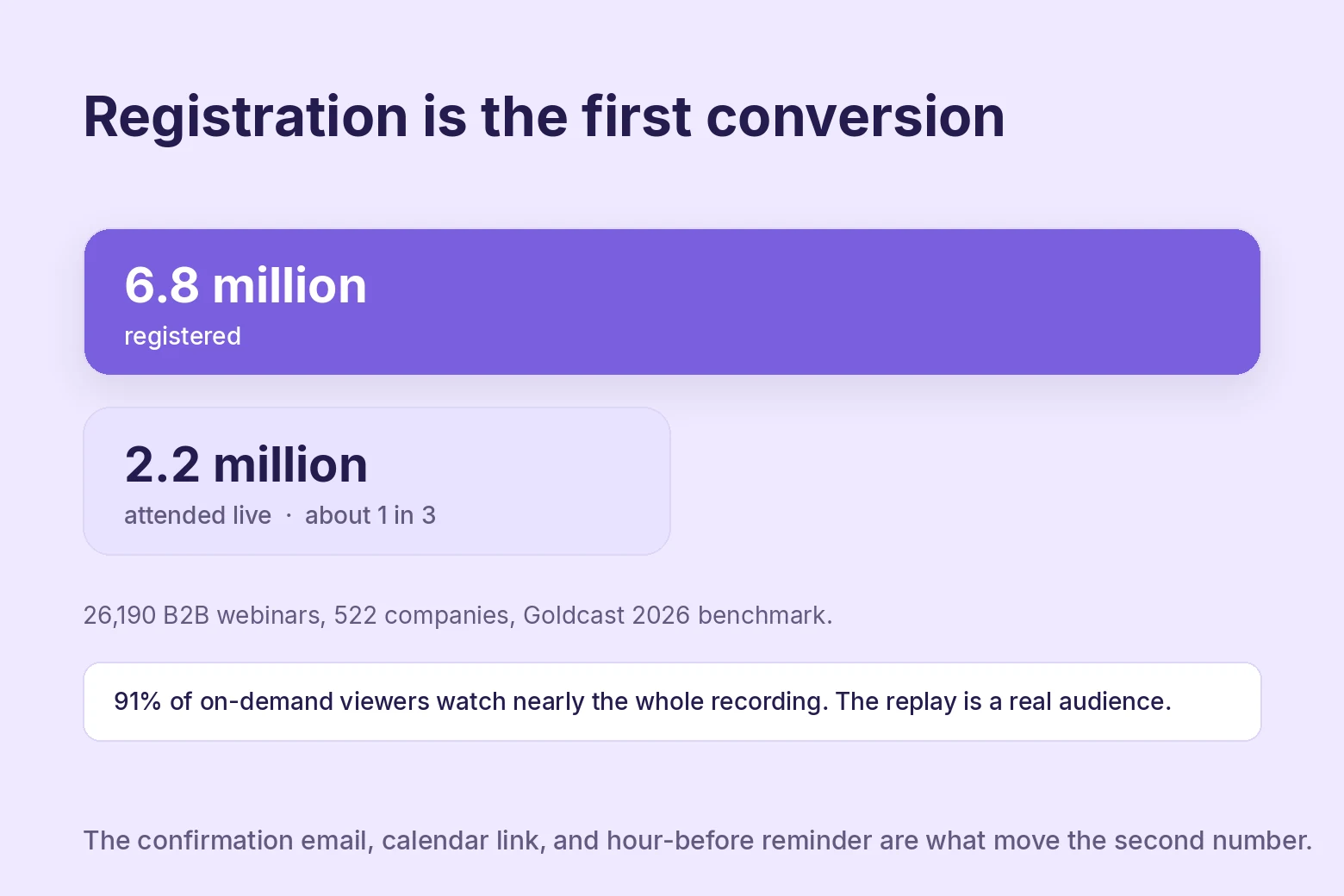
Registration is the first conversion. Attendance is the one that pays.
Goldcast’s 2026 benchmark covers 26,190 B2B webinars with 6.8 million registrations and 2.2 million attendees. That is about one registrant in three showing up live.
If your live rate is around there, you are normal. If it is well under, the confirmation flow above is the first place to look.
The same report found that 91% of on-demand viewers watch nearly the whole recording, a higher completion rate than the live audience. So the replay is not a consolation prize.
A registrant who misses the live session and watches the recording the next day is a real attendee, and the follow-up should treat them as one.
Three things move the live rate more than anything else.
Timing in their time zone, not yours. A 2 pm session is 3 am for someone. Show the time converted on the page and in every email.
The calendar link. Registrants who add the event to their calendar get reminded by their own phone. That reminder outperforms any email you send.
The join link in the reminder. The hour-before email should have one button that opens the room. Not a link to the registration page, not a link to your site. The room.
For the wider set of tools that coaches and course sellers run alongside this, see our roundup of marketing tools for coaches and consultants.
Keep Attendees to the Pitch
Getting people into the room is only half the job. A webinar that talks at people for fifty minutes bleeds attendees before the pitch, and the ones who leave were never going to buy anyway.
A short quiz partway through does more than fill time. Ask two or three questions related to the topic, read them out loud, and comment on the answers as they come in. It resets attention and gives people a reason to keep their eyes on the screen rather than a second tab.
A guest for ten minutes works the same way from a different angle. Someone else’s voice breaks up a single presenter talking for an hour, and a guest with their own following tends to stay through to see their own segment, bringing part of their audience along with them.
A short feedback survey near the end, two or three questions, running while you talk rather than after you stop, keeps the last few minutes from feeling like the session is already over. It also tells you what to fix before the next one.
None of this replaces the pitch itself. It just keeps enough people in the room to hear it.
How to Test the Page
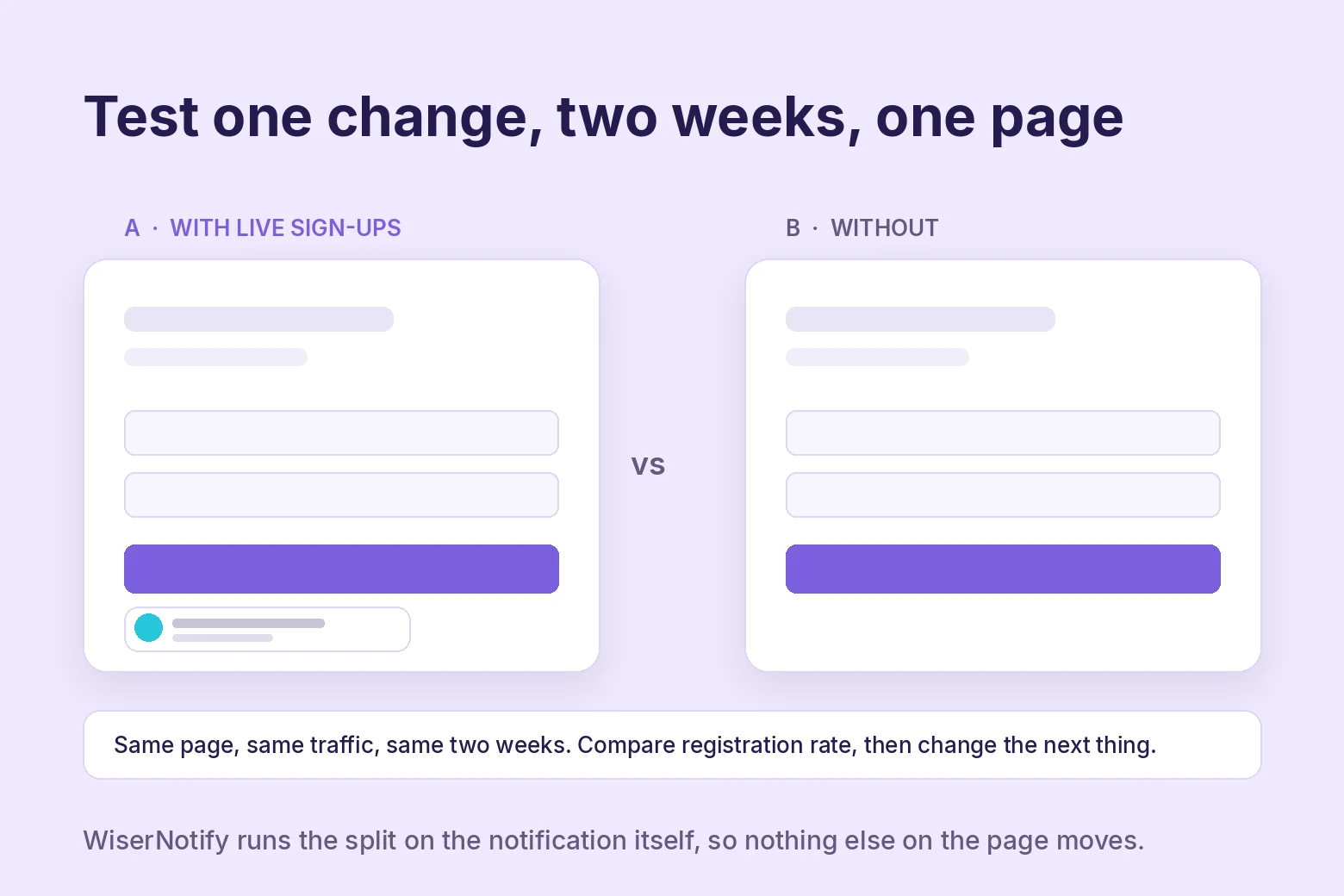
The eight fixes above are a starting list, not a ranking for your audience. The only way to rank them for your page is to change one thing and measure it.
Pick the fix that matches your biggest leak. Run it for two weeks or until you have a few hundred visits to the page, whichever comes first. Compare the registration rate to the two weeks before.
Then take the next one.
For the notification fixes, WiserNotify runs the split natively. Half your visitors see live sign-ups, half see the page without them, and the dashboard reports the registration rate for each.
That answers whether social proof moves your page without touching anything else on it.
Build trust & FOMO
Highlight real-time activities like reviews, sales & sign-ups.

Wrap Up
Promotion fills the top of the funnel. The registration page decides how much of it gets through. Most guides spend all their words on the first part and one paragraph on the second.
Fix the page in the order a visitor meets it. A page with one job, a headline that names the outcome, a two-field form, visible proof that people are joining, an honest limit, a credible speaker, and a phone-friendly layout.
Then make the confirmation do its job, so the people who registered are in the room when you go live.
Frequently Asked Questions
Should my webinar registration form be on my homepage or its own page?
A dedicated page with one headline, one form, and one button. A homepage banner or a blog post with a form gives visitors a dozen other things to click.
How many fields should a webinar registration form have?
Two. Name and email. Ask anything else on the thank-you page or in the first follow-up email, after the person has committed.
Do live sign-up notifications work on a registration page?
Yes, when they show real registrations. A visitor who sees other people signing up in real time stops assuming the room is empty, which is one of the main reasons pages lose sign-ups.
Should I use a seat limit or countdown on the registration page?
Only real ones. A seat cap or a registration deadline shown with a live countdown works. A timer that resets teaches your audience to ignore every future message.
What is a normal webinar attendance rate?
About one in three registrants attends live, based on Goldcast’s 2026 benchmark of 26,190 B2B webinars. The replay audience is real too, and most on-demand viewers watch nearly the whole recording.
Which registration page fix should I test first?
Match the fix to your biggest leak, change one thing, and run it for two weeks before comparing registration rates. Live notifications can be split-tested natively in WiserNotify.

Krunal Vaghasiya is a marketing tech expert who boosts e-commerce conversion rates with automated social proof and FOMO strategies. He loves to keep posting insightful posts on online marketing software, marketing automations, and improving conversion rates.




 Capterra