
How to Import Amazon Reviews to WooCommerce (2026)
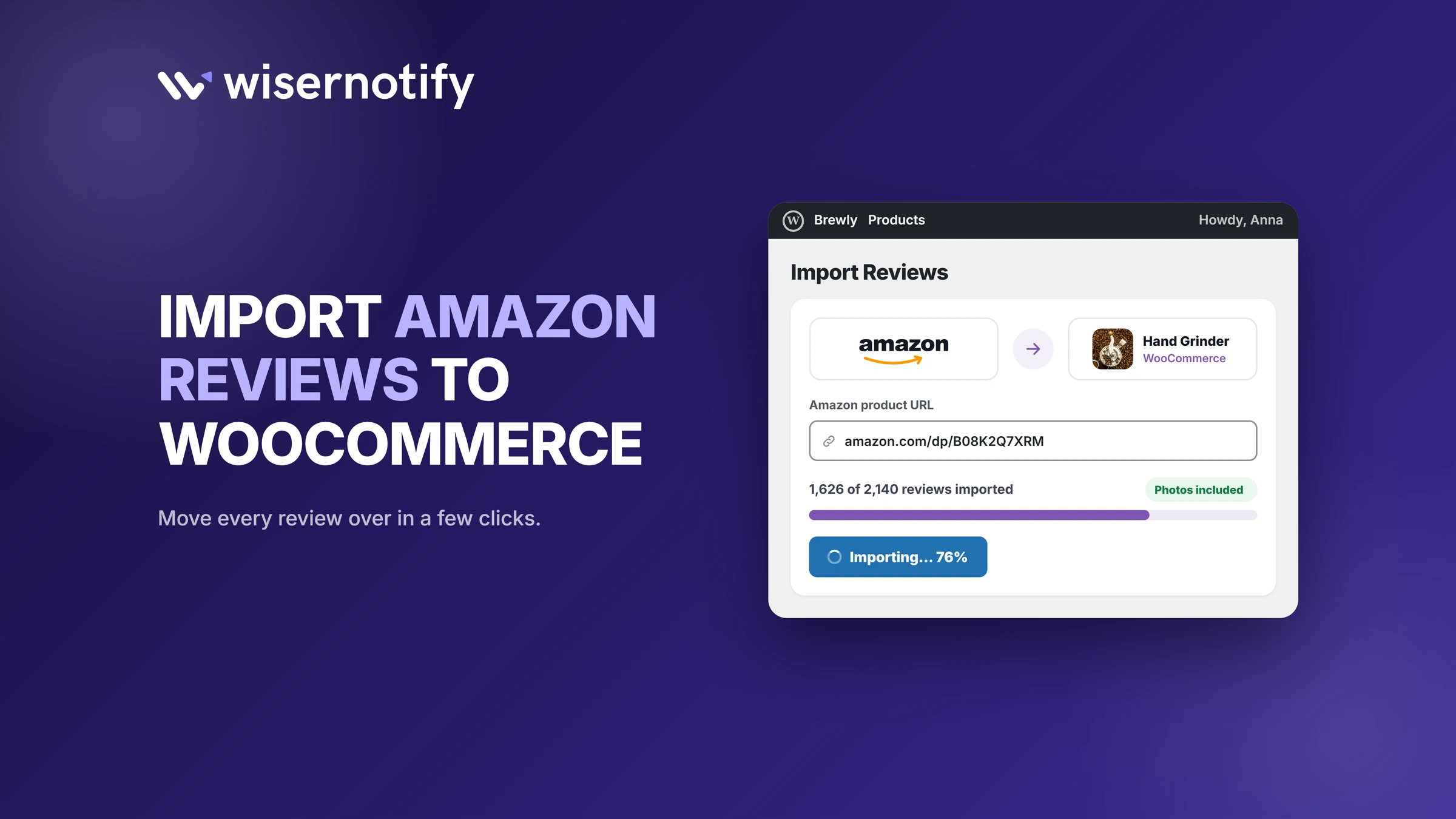
WooCommerce can't pull reviews from Amazon on its own, and Amazon has no review export button.
The fix is to export your Amazon reviews to a CSV file, import them into WiserReview, and show them on your WooCommerce product pages.
If you'd rather show Amazon reviews as small popups instead, WiserNotify can pull them straight from an Amazon product page. Both methods are below.
Can You Import Amazon Reviews Into WooCommerce?
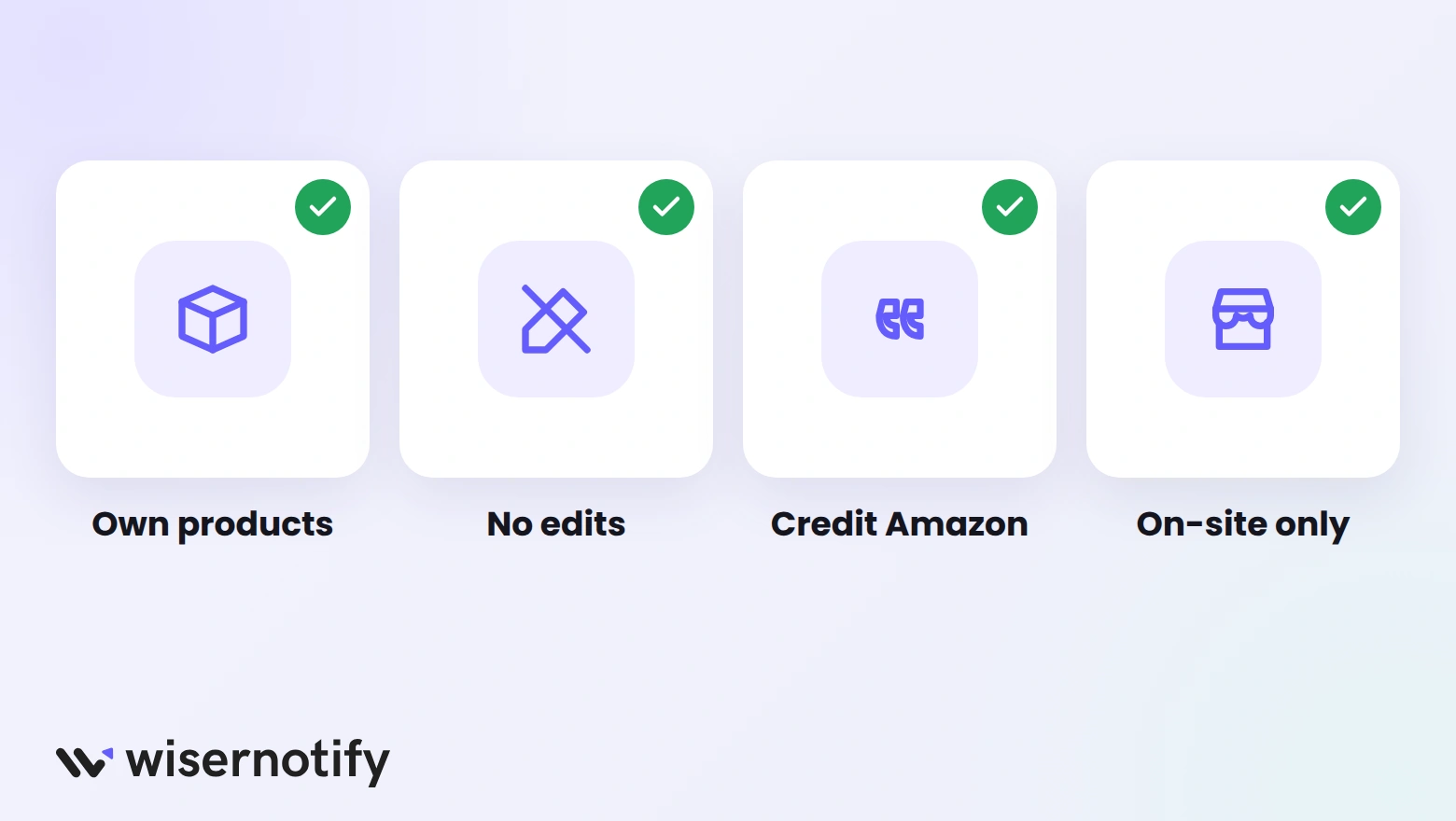
Yes, with a few ground rules:
- Your own products only: import reviews for items you sell on both Amazon and WooCommerce.
- No editing: show the reviews word for word.
- Credit Amazon: label them as Amazon reviews so shoppers know where they came from.
- On-site only: WiserReview shows imported Amazon reviews on your store, but they aren't sent to Google Shopping product ratings.
Method 1: Import Amazon Reviews With WiserReview
This puts Amazon reviews right in your product review section, next to reviews from your own customers. Start with WiserReview, then follow the steps. The video covers the WooCommerce side of the setup.
Step 1: Add a Review Exporter to Chrome
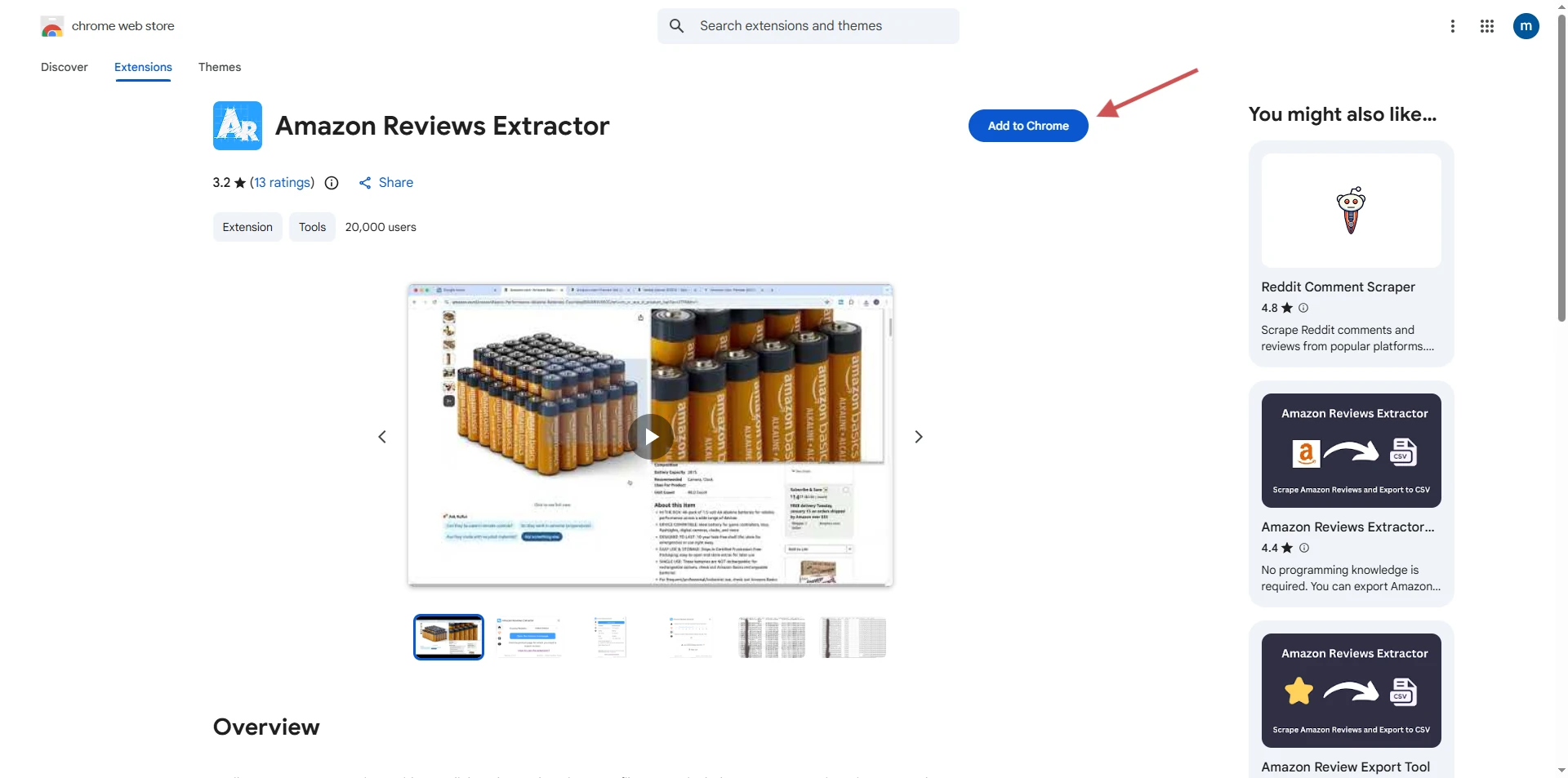
- Open the Chrome Web Store and search for an Amazon review exporter.
- Click Add to Chrome.
- Pin the extension so it's easy to find.
Step 2: Export Your Reviews to CSV
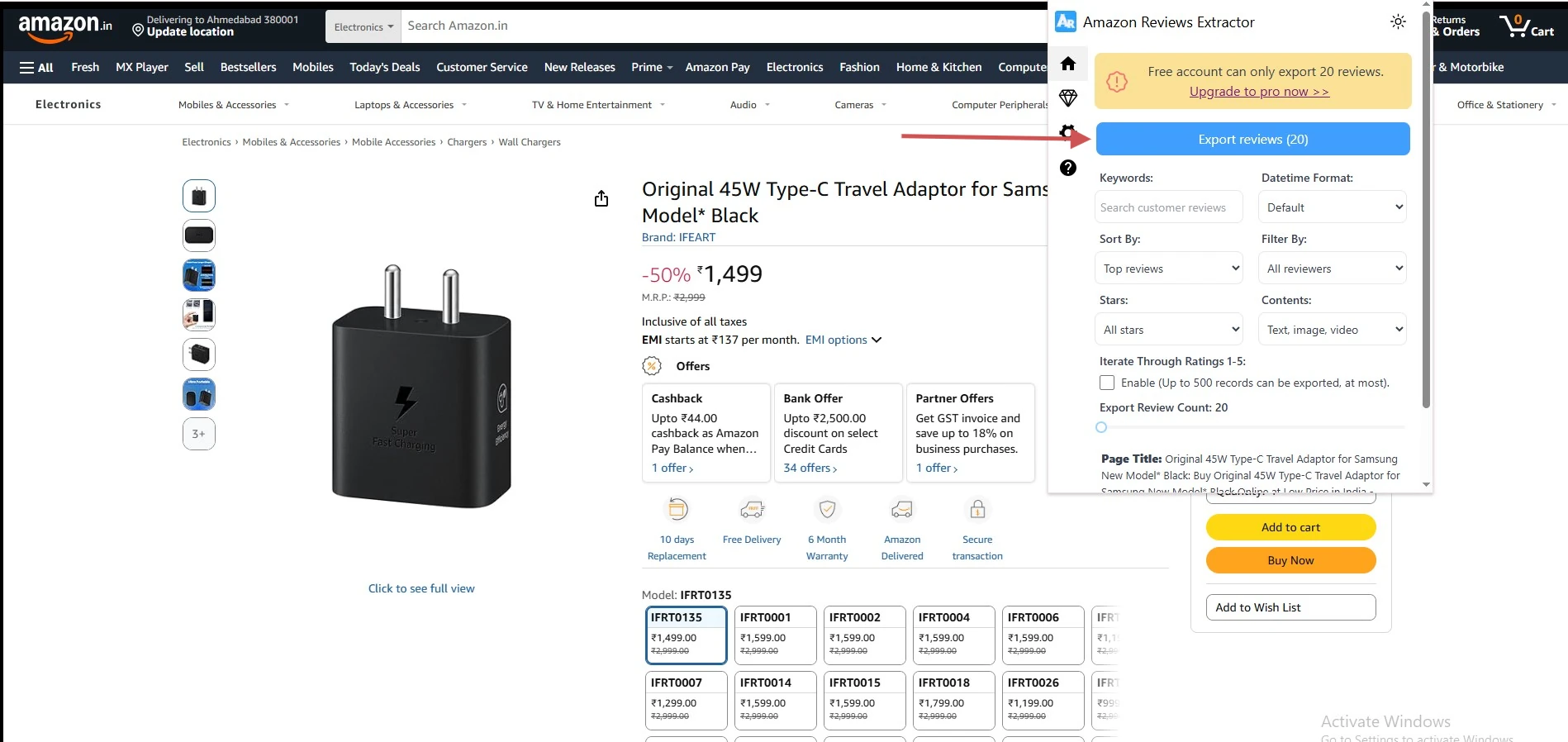
- Open your product's page on Amazon.
- Click the extension icon and set any filters, like rating or verified purchase.
- Click Export reviews and download the CSV file.
Step 3: Open Import in WiserReview
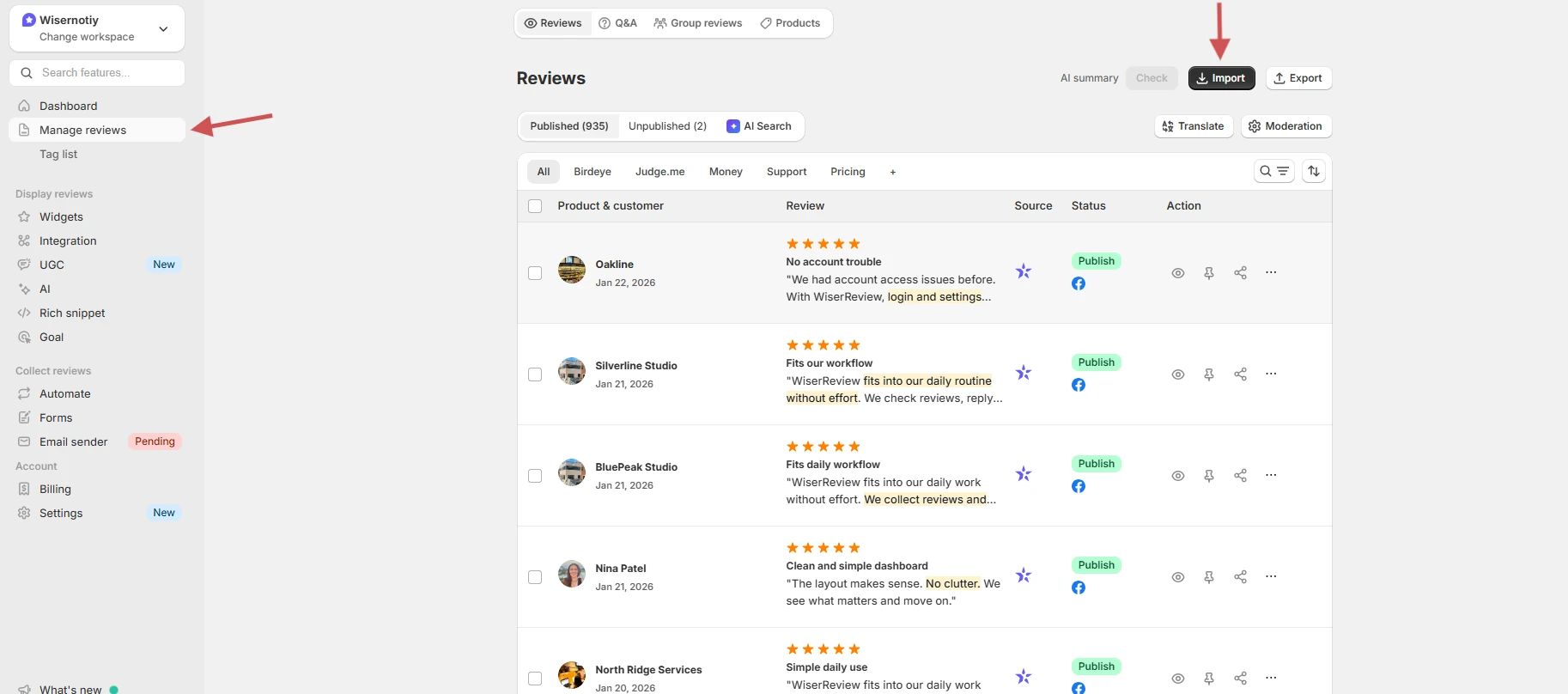
In WiserReview, go to Manage Reviews and click Import.
Step 4: Choose Amazon
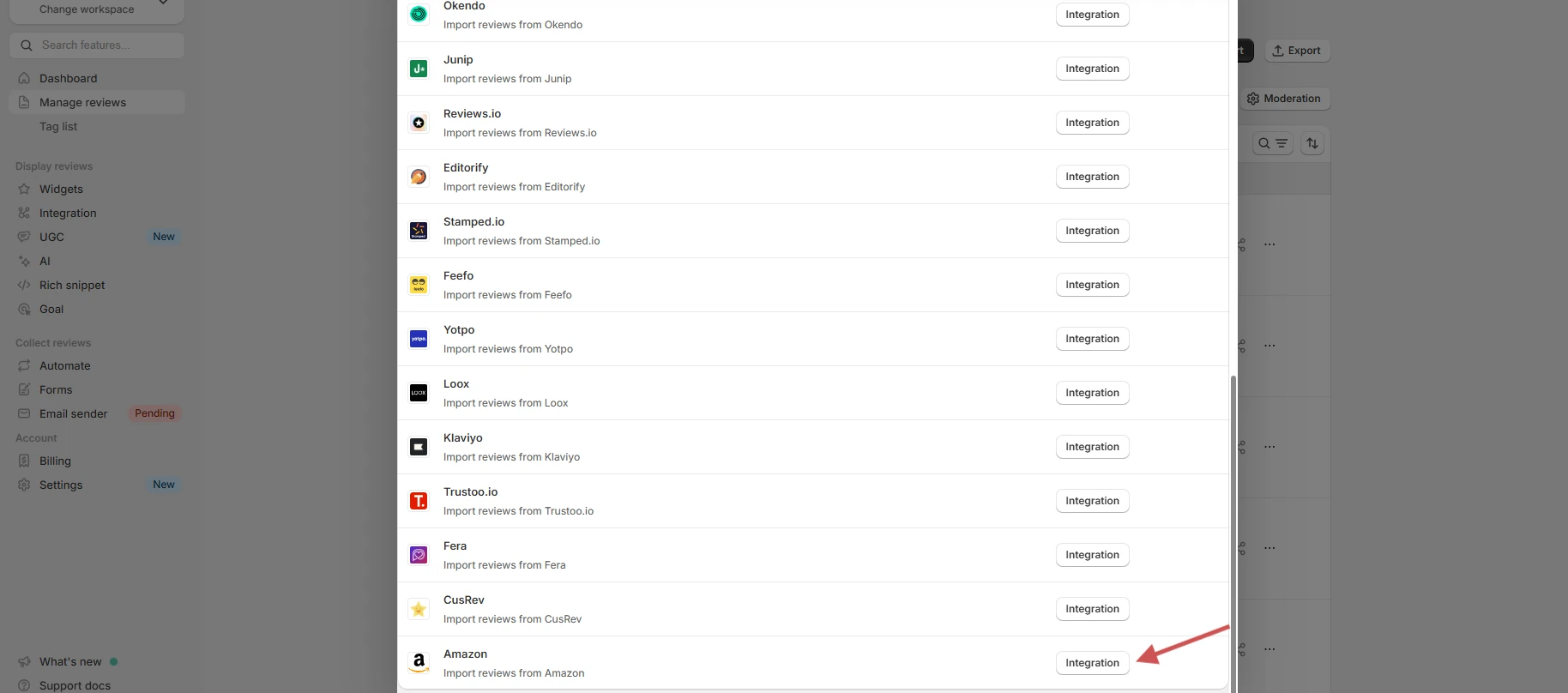
In the list of sources, find Amazon and click Integration.
Step 5: Upload the CSV
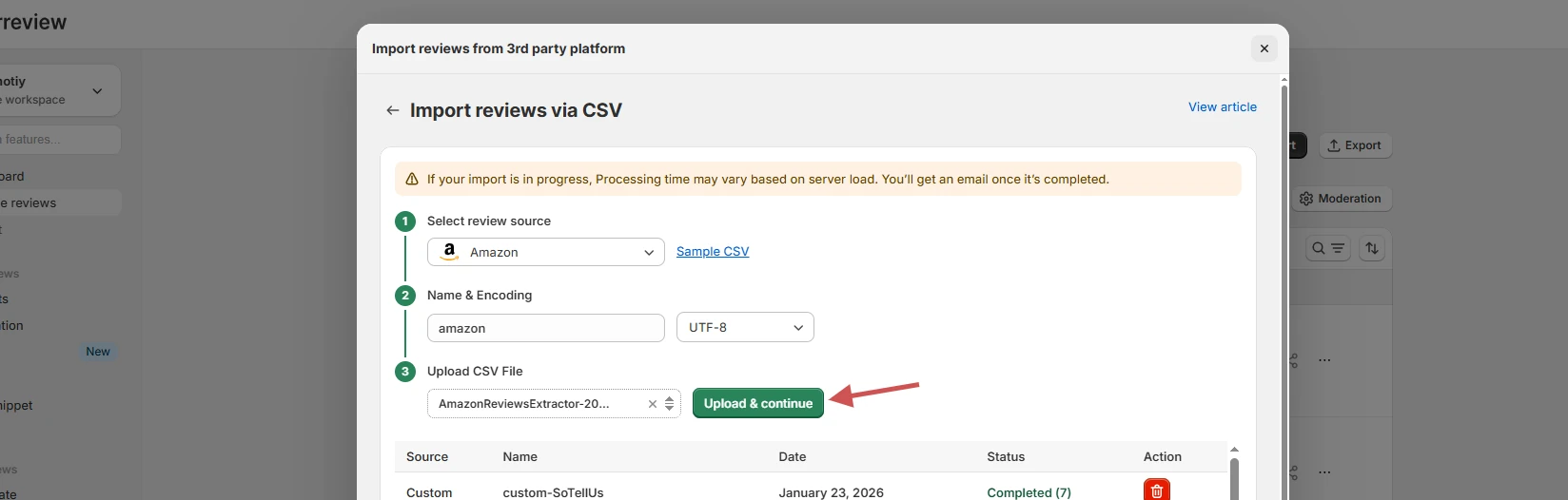
Upload the Amazon CSV file and click Upload & continue.
Step 6: Match Reviews to Products
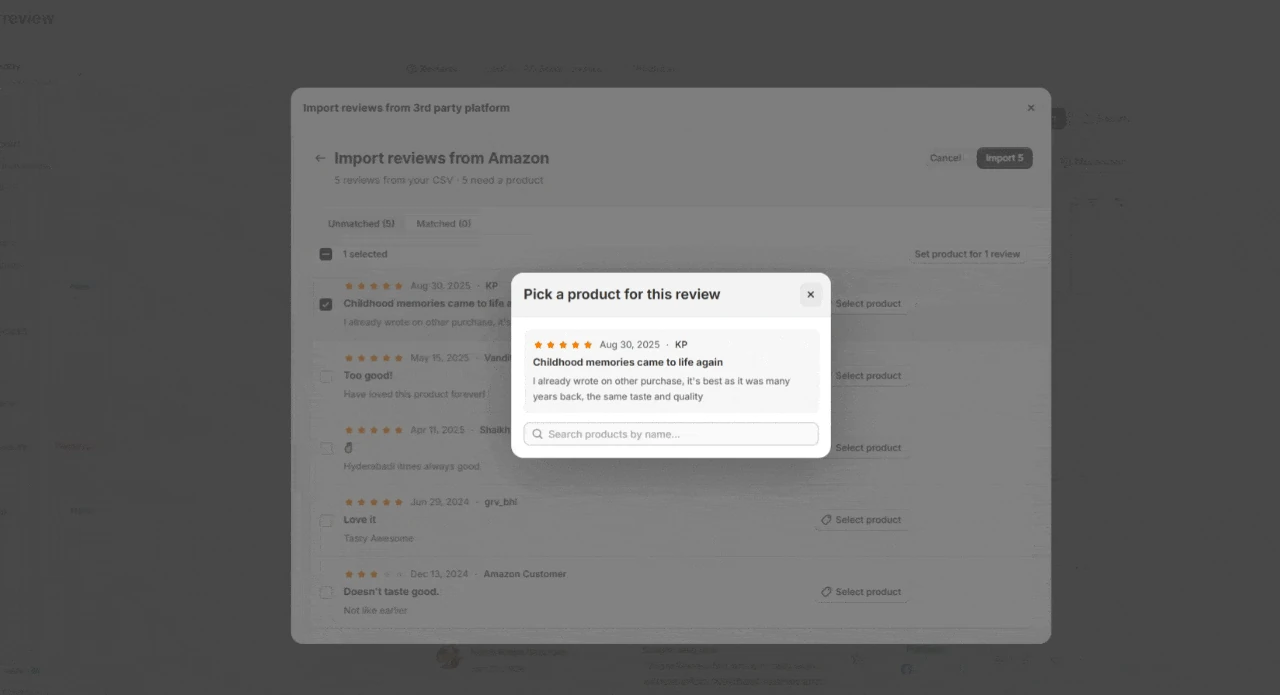
- Click Select product next to a review.
- Search for the matching WooCommerce product by name and pick it.
- Click Import. The reviews now show in Manage Reviews.
Step 7: Install the WooCommerce Plugin
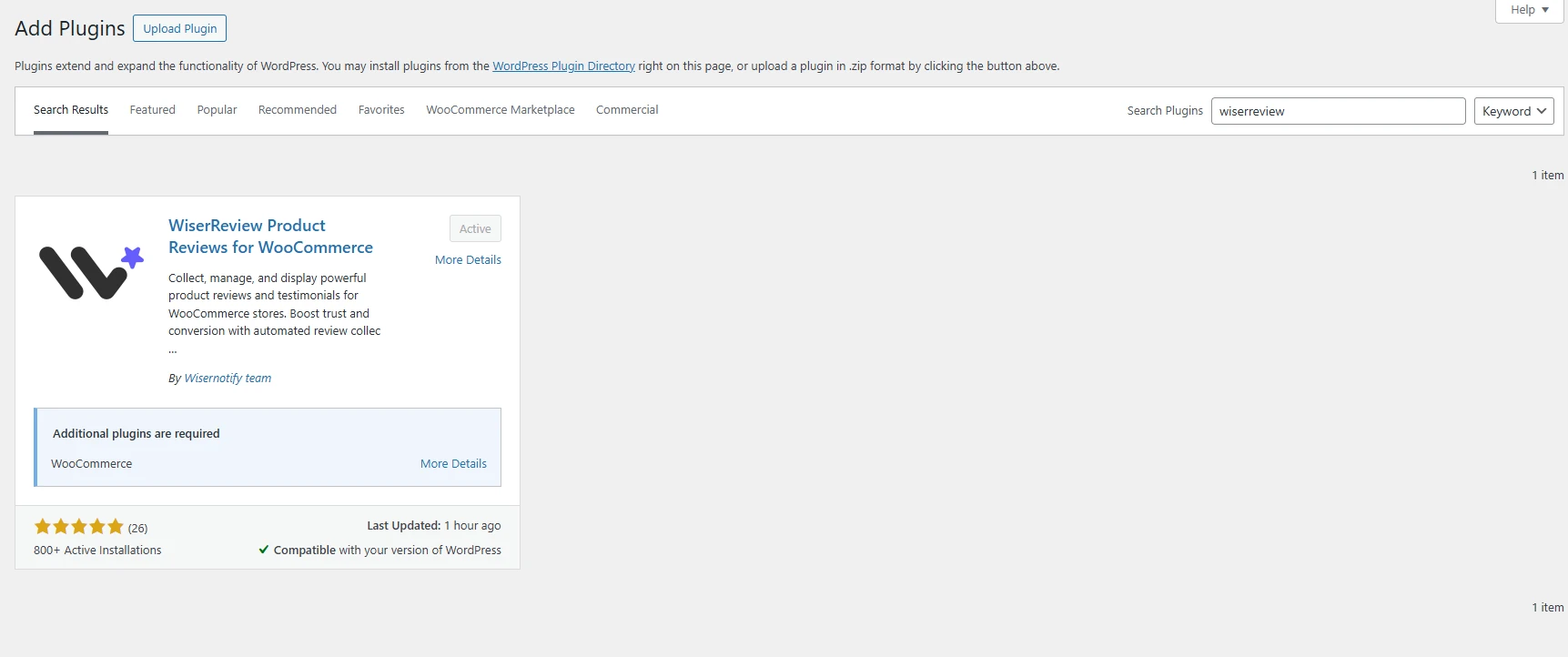
- In WordPress, go to Plugins > Add New and search for WiserReview.
- Click Install, then Activate.
Step 8: Connect Your API Key
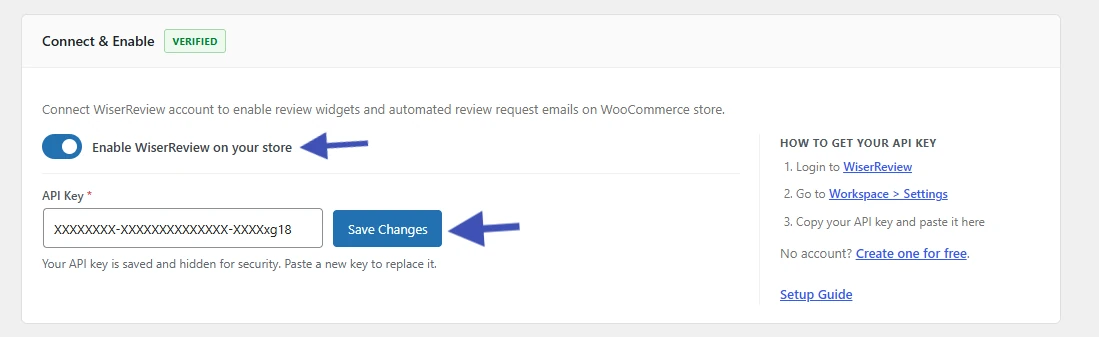
- In WiserReview, open Workspace Settings and copy your API key.
- Paste it into the plugin settings and click Save Changes.
- Switch on Enable WiserReview on your store.
Step 9: Turn On the Review Widgets
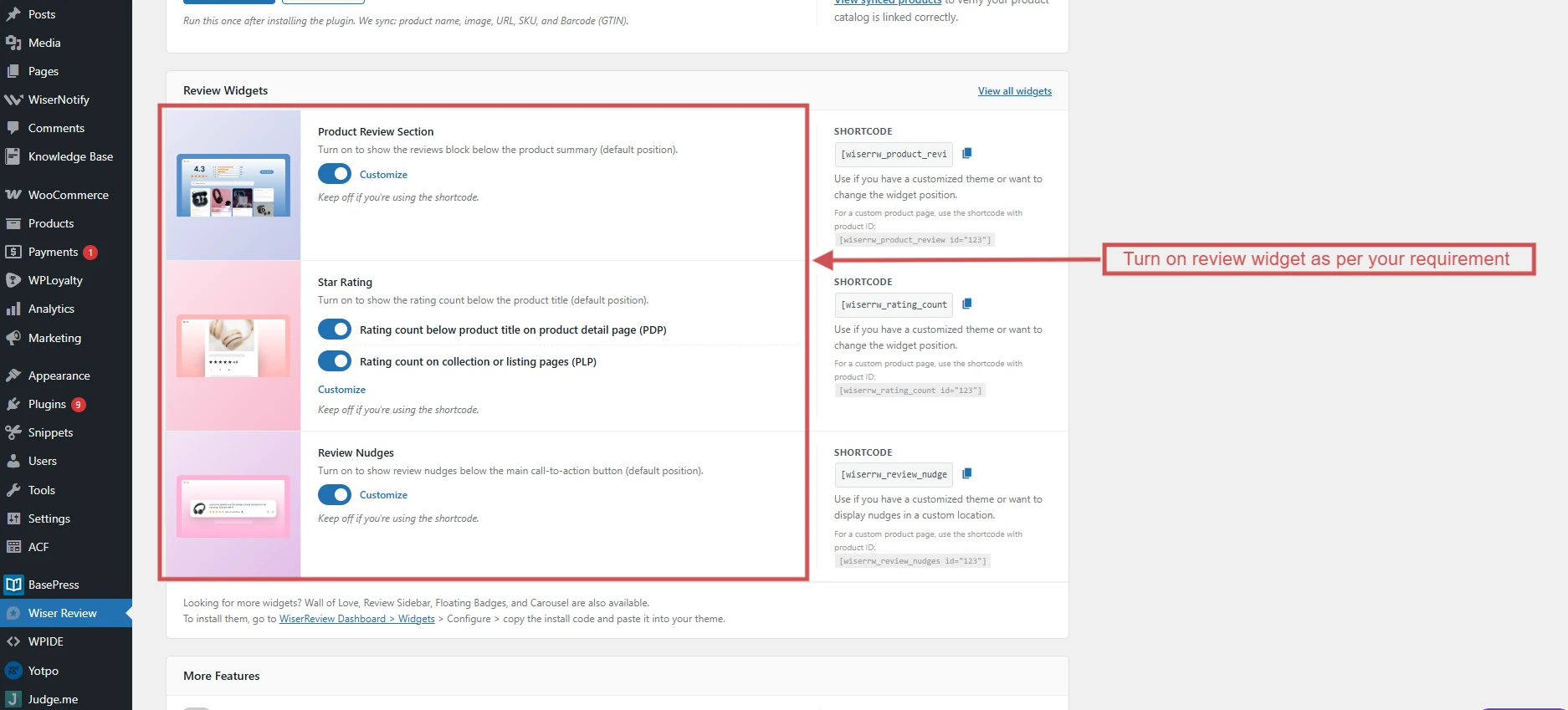
- Switch on the Product Review Section and Star Rating widgets.
- Turn on Live Mode and click Save Changes.
- Open a product page and check that the Amazon reviews show up.
If your theme doesn't show the widget, copy its shortcode from the plugin and place it with your page builder. For a full walkthrough of the plugin, see how to add reviews to WooCommerce.

All your reviews in one place
Collect reviews, manage every response, and display them where they matter most.
Method 2: Show Amazon Reviews as Popups
WiserNotify shows Amazon reviews as small notifications that pop up while people browse. It reads the reviews straight from your Amazon product page, so there's no CSV to manage.
Step 1: Install the WiserNotify Pixel
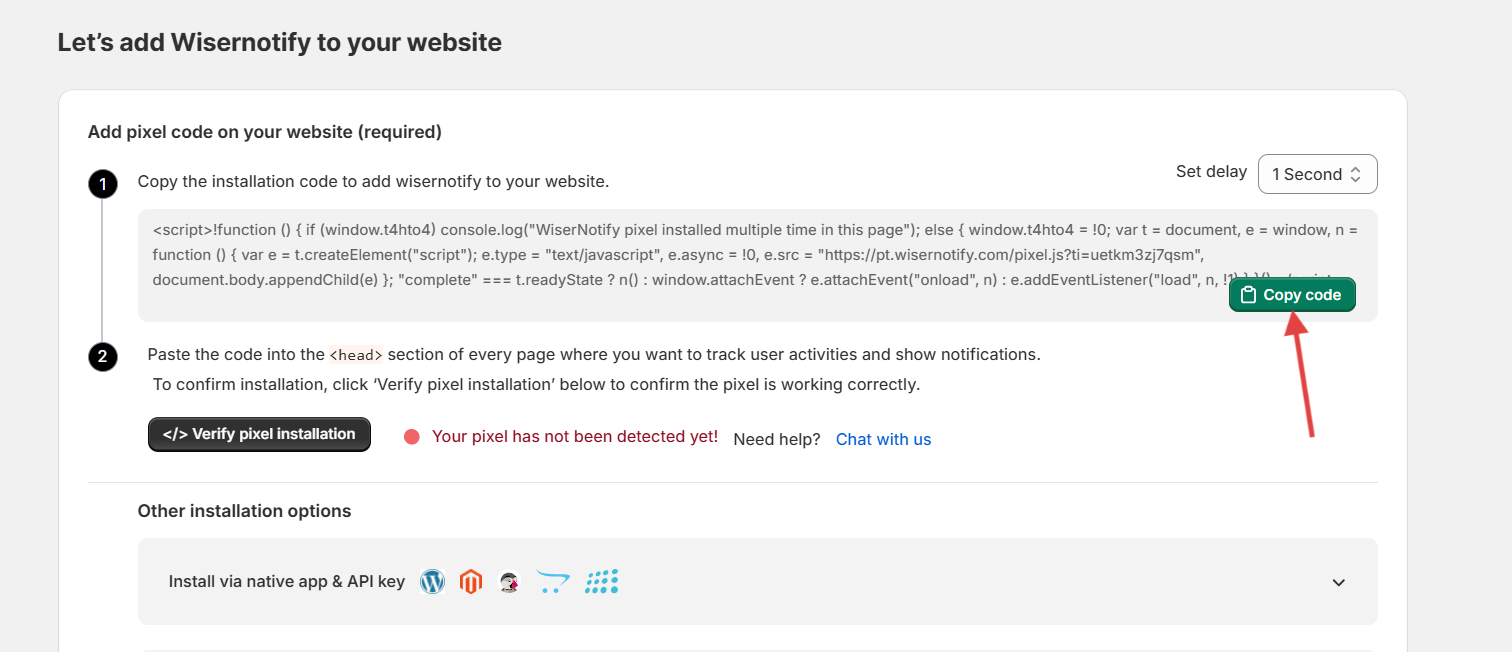
Copy your pixel from the Install Pixel page and add it to your WooCommerce site, then click Verify pixel installation.
Step 2: Open the Amazon Integration
In WiserNotify, go to Integrations, find Amazon, and click Integrate.
Step 3: Find the Product's Reviews
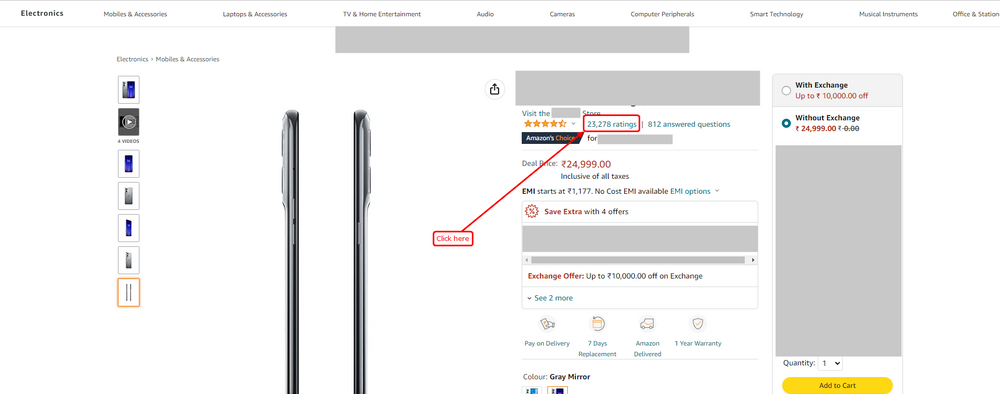
On Amazon, open your product and click its star ratings.
Step 4: Copy the Reviews Page URL

Scroll down, click See all reviews, and copy the full URL from the address bar.
Step 5: Paste the URL and Create

- Paste the URL into the URL field.
- Name the connection and click Create. WiserNotify starts fetching the reviews.
Step 6: Create the Review Popup
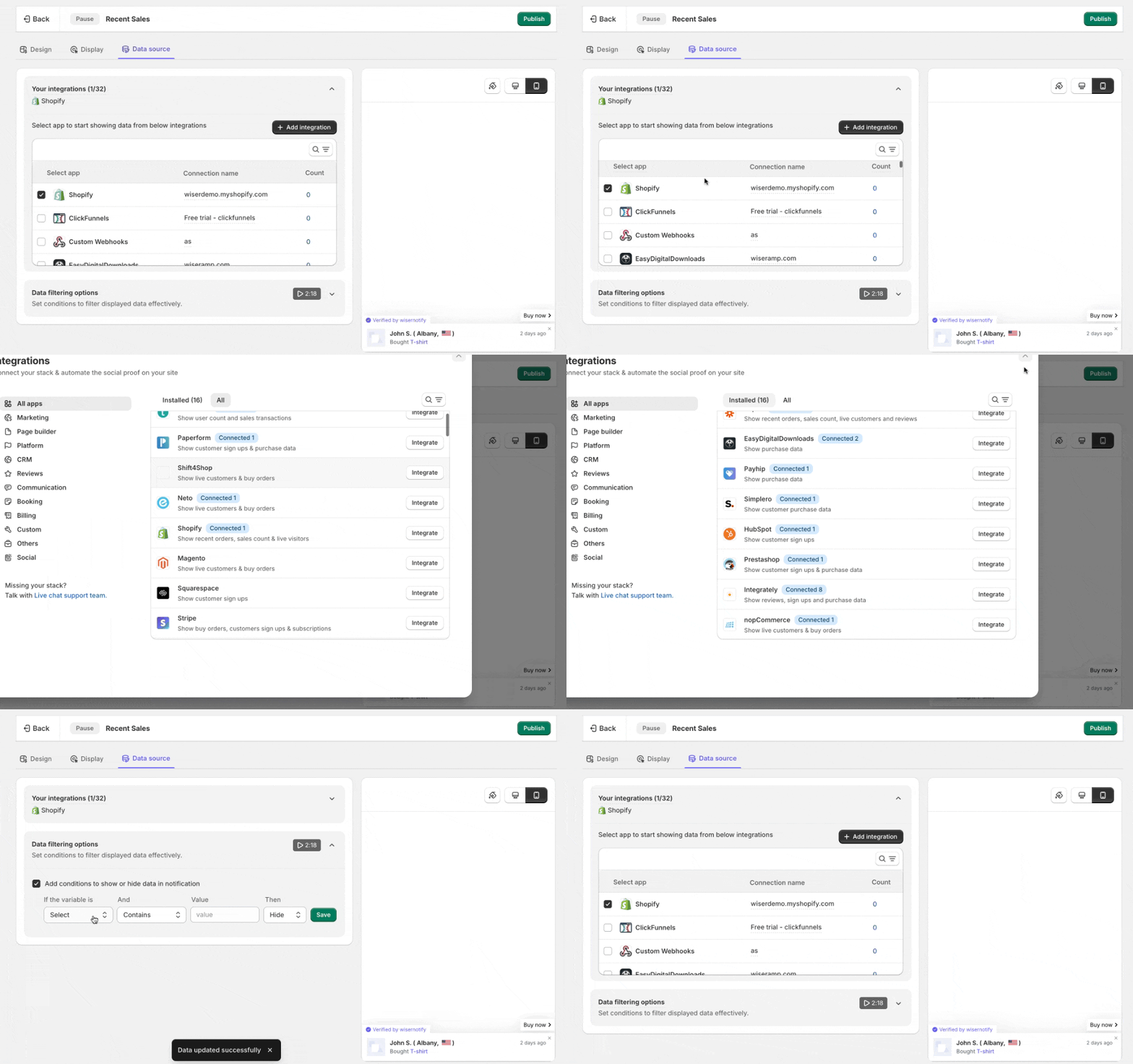
- Create a review notification and design it.
- In the Data source tab, select your Amazon connection.
- Publish it and check your store in a private window.
Build trust & FOMO
Highlight real-time activities like reviews, sales & sign-ups.


Which Method Should You Use?
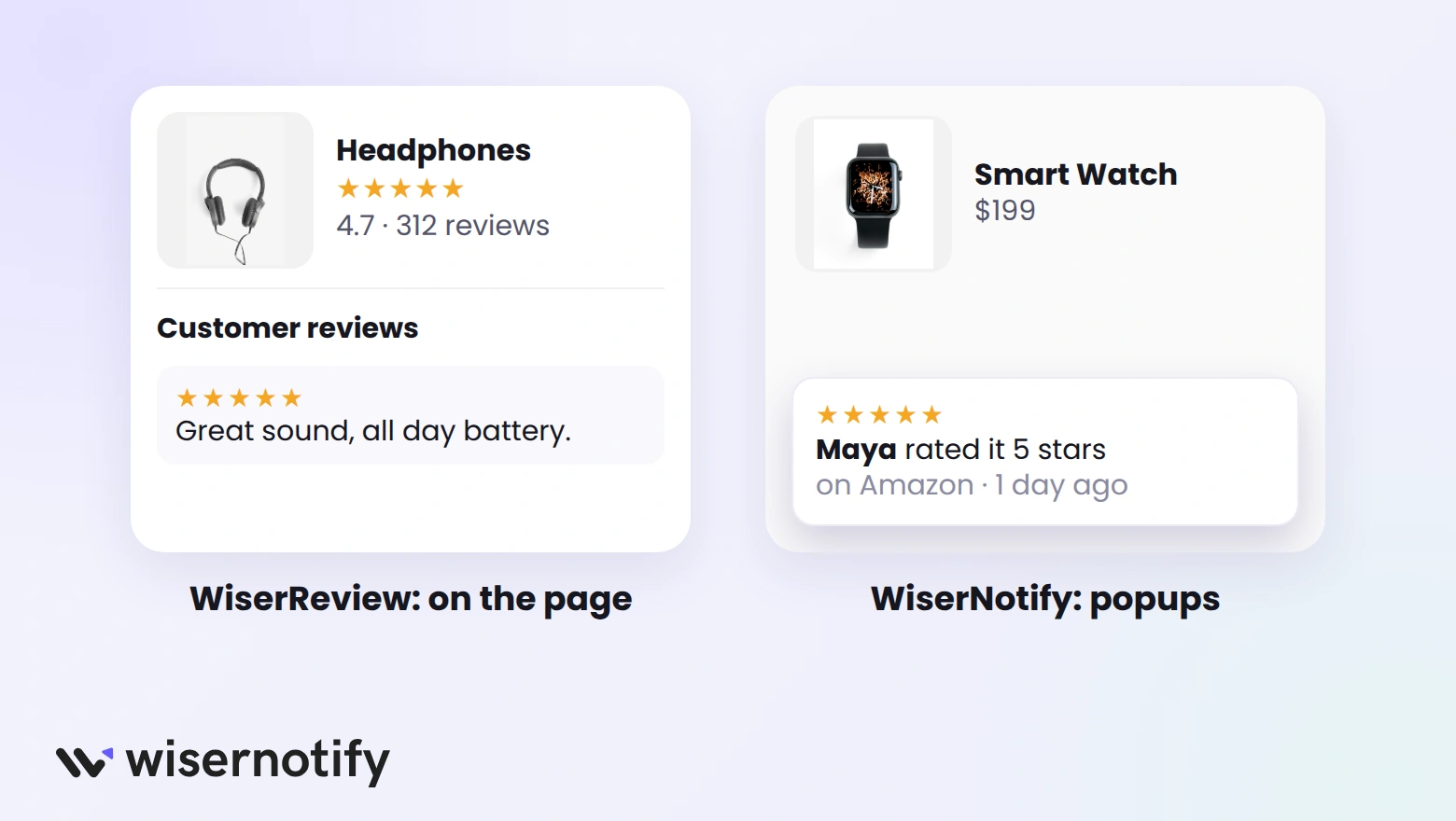
- Use WiserReview if you want Amazon reviews on the product page itself, with star ratings and a full review section.
- Use WiserNotify if you want a light touch: short review popups across your store, with no file to update.
Comparing other options? This list of WooCommerce review plugins covers more tools.
Where to Show Amazon Reviews on WooCommerce
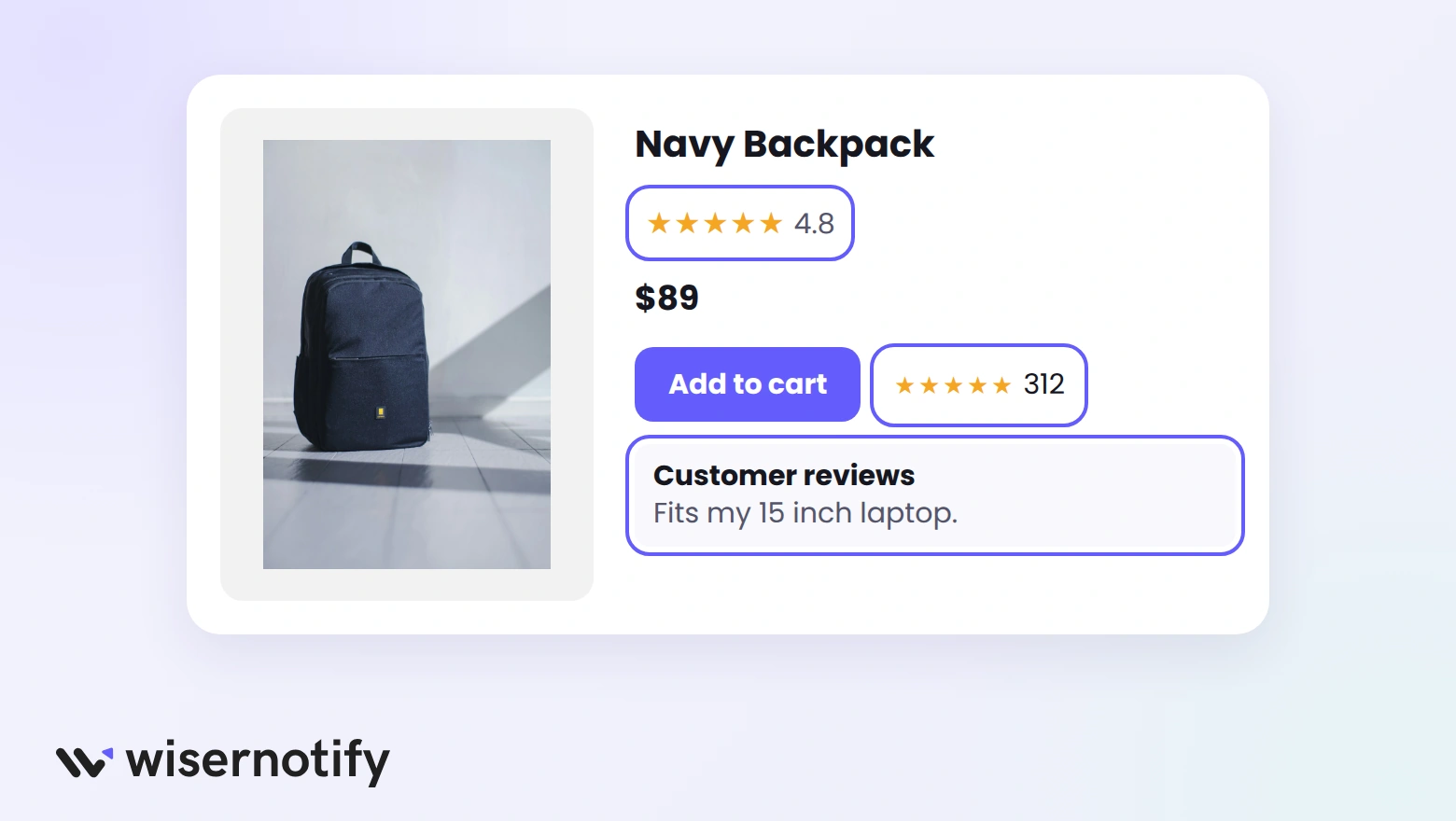
- Near the Add to Cart button: reviews help most right before the buying decision.
- Under the product title: a star rating answers "is this any good?" at a glance.
- Below the description: a full review section backs up your claims.
- On category pages: star ratings help shoppers compare products.
For more ways to use them, see how to add Amazon reviews on a website.
Common Mistakes to Avoid
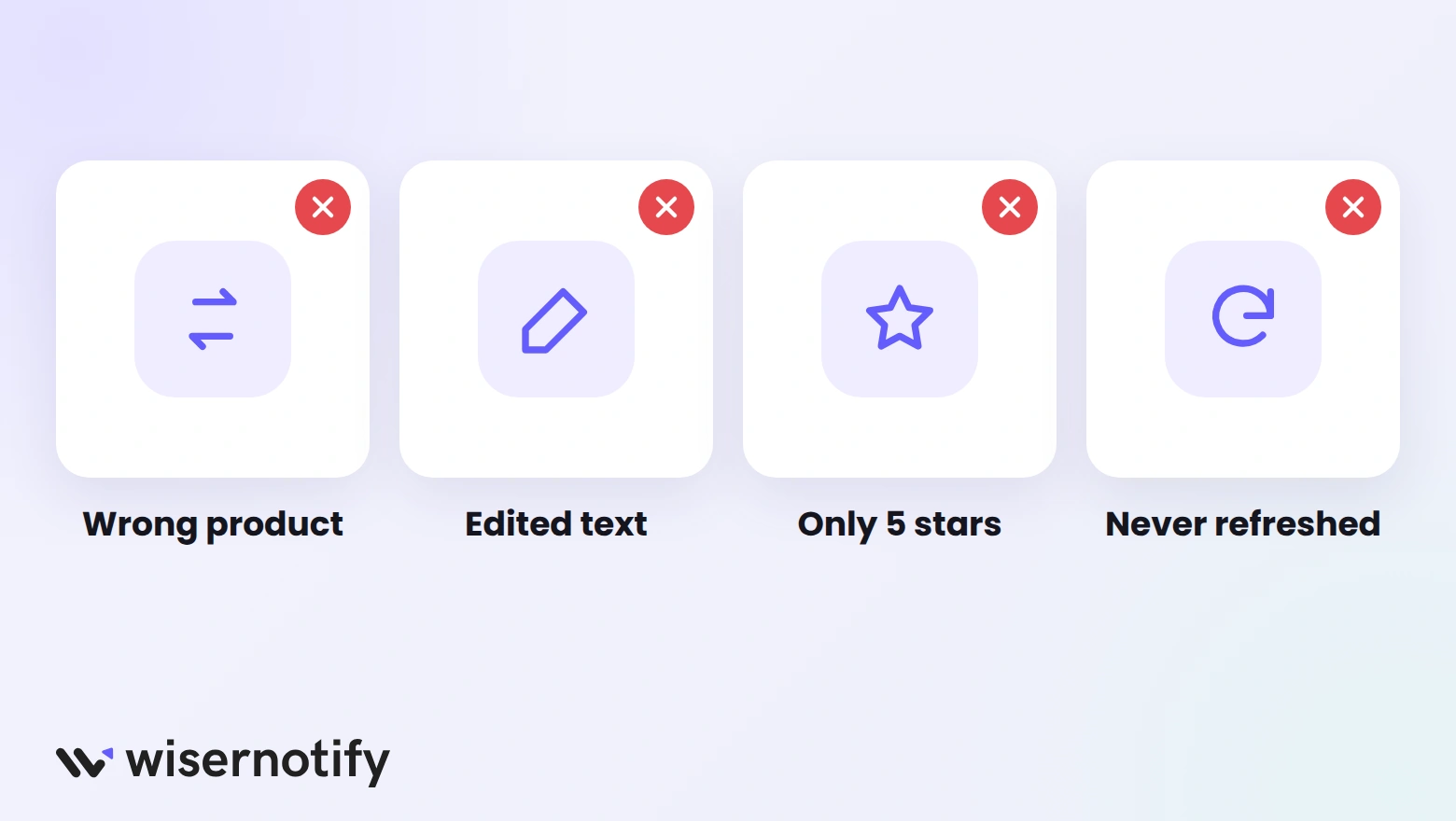
- Mixing up products: match every review to the right product, or shoppers see reviews for something else.
- Editing reviews: changing wording breaks trust and Amazon's rules.
- Only showing 5-star reviews: a few honest 4-star reviews look more believable.
- Forgetting to refresh: export and import new Amazon reviews every few weeks.

Boost Conversion Instantly
Add Social Proof & Urgency to your website
Wrap Up
Amazon reviews give WooCommerce shoppers proof from buyers they already trust. Import them once with WiserReview, and they sit right on your product pages.
Start with your best-selling product, then add the rest as you go.
Frequently Asked Questions
Can I import Amazon reviews into WooCommerce?
Yes. Export them to a CSV with a Chrome extension, import the file into WiserReview, and match each review to a product.
Is it allowed to show Amazon reviews on my store?
Only show reviews of products you sell, keep the wording unedited, and label them as Amazon reviews.
Will imported Amazon reviews show in Google Shopping?
No. WiserReview shows them on your store, but third-party reviews aren’t sent to Google Shopping product ratings.
Do I need coding skills?
No. You install a plugin, paste an API key, and switch on the review widgets.
Can I show Amazon reviews without importing a CSV?
Yes. WiserNotify pulls reviews from your Amazon product page and shows them as popups.

Krunal Vaghasiya is a marketing tech expert who boosts e-commerce conversion rates with automated social proof and FOMO strategies. He loves to keep posting insightful posts on online marketing software, marketing automations, and improving conversion rates.




 Capterra