
How to Add a Video Popup to Duda (Step-by-Step)

To add a video popup to Duda, paste the WiserNotify pixel into Settings > Header HTML, publish your site, then build the popup in WiserNotify with your YouTube link. No code is needed.
A video popup puts a demo, tutorial, or offer in front of visitors at the right moment. The pixel goes in once per site, which suits agencies building for clients.
This guide covers all seven steps with a screenshot for each, plus what to check when the popup doesn’t show and how to measure it.
How to Add a Video Popup to Duda
WiserNotify installs through one tracking pixel, then you build the popup from its dashboard. The video below shows the widget-building part.
Step 1: Copy Your Pixel Code

- Create a WiserNotify account to start your 7-day free trial, or sign in to the one you have.
- Open the Install Pixel page.
- Click Copy Code.
Step 2: Open Your Duda Site
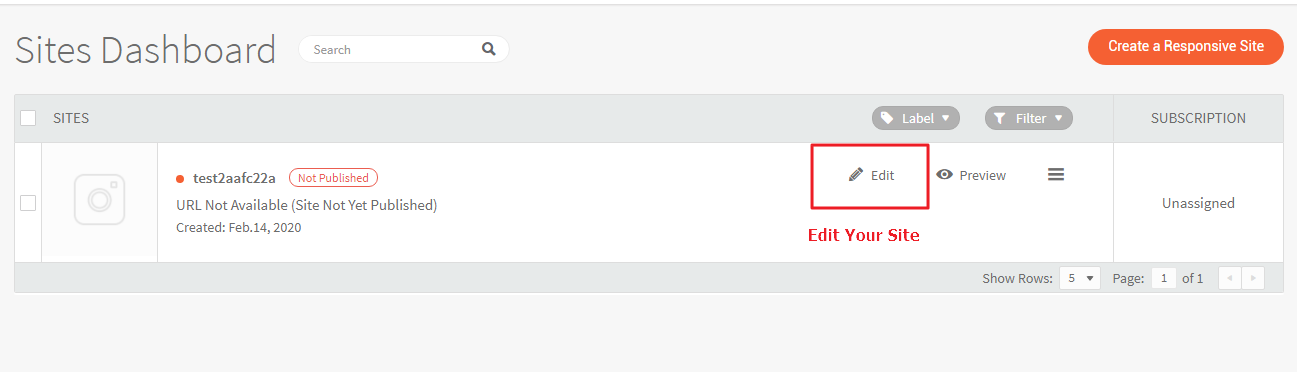
- Log in to Duda.
- In the Sites Dashboard, click Edit next to your site.
Step 3: Add the Pixel to Header HTML
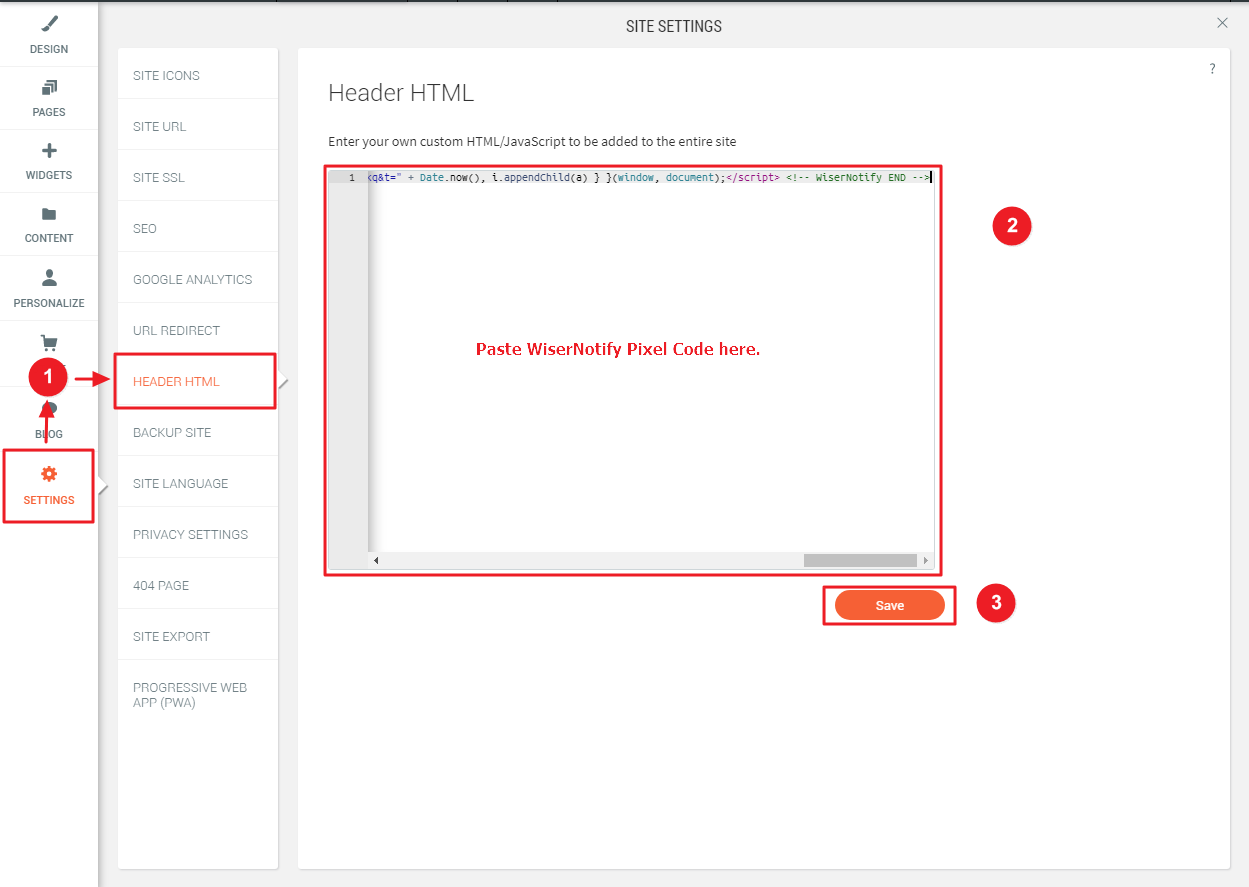
- In the left sidebar, click Settings to open Site Settings.
- Click Header HTML. Duda adds this code to the entire site.
- Paste your pixel code into the box.
- Click Save.
- Publish your Duda site so the code goes live.
Step 4: Verify the Install

- Return to the WiserNotify Install Pixel page.
- Click Verify pixel installation. A success message means the pixel is active.
- Reload your published Duda site once.
For more detail on this part, see the Duda integration guide.
Step 5: Choose the Video Popup
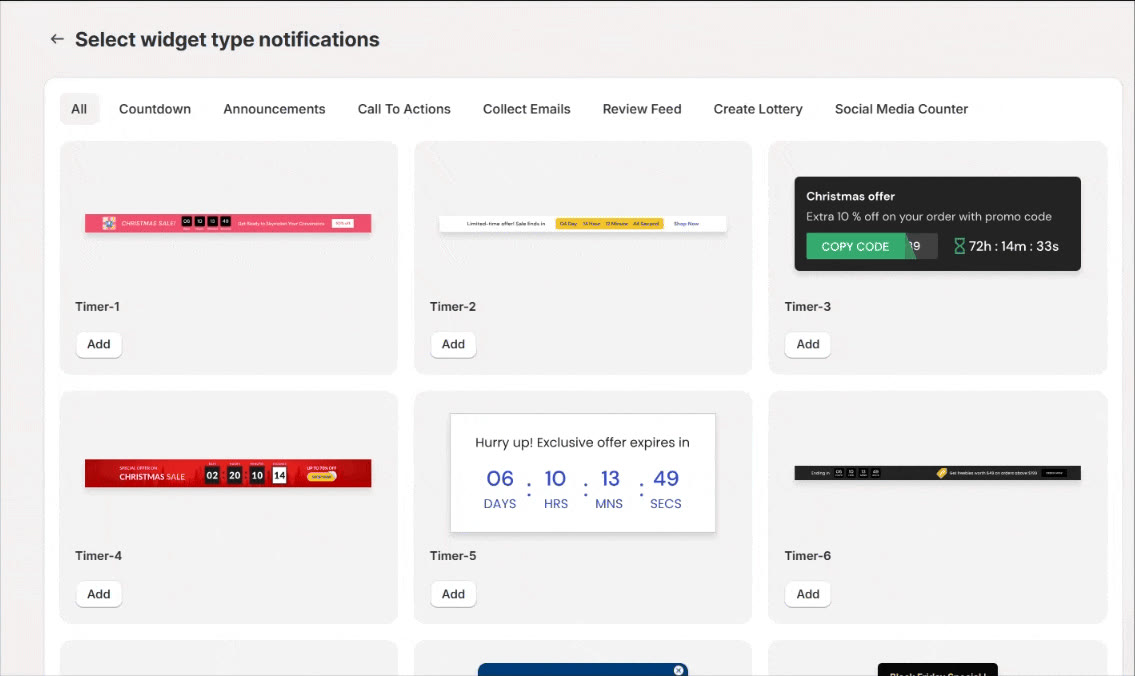
- In WiserNotify, open Widgets and select the Call To Actions tab.
- Find Video popup and click Add.
- Enter your website name and click Create and Customize.
Step 6: Customize the Popup
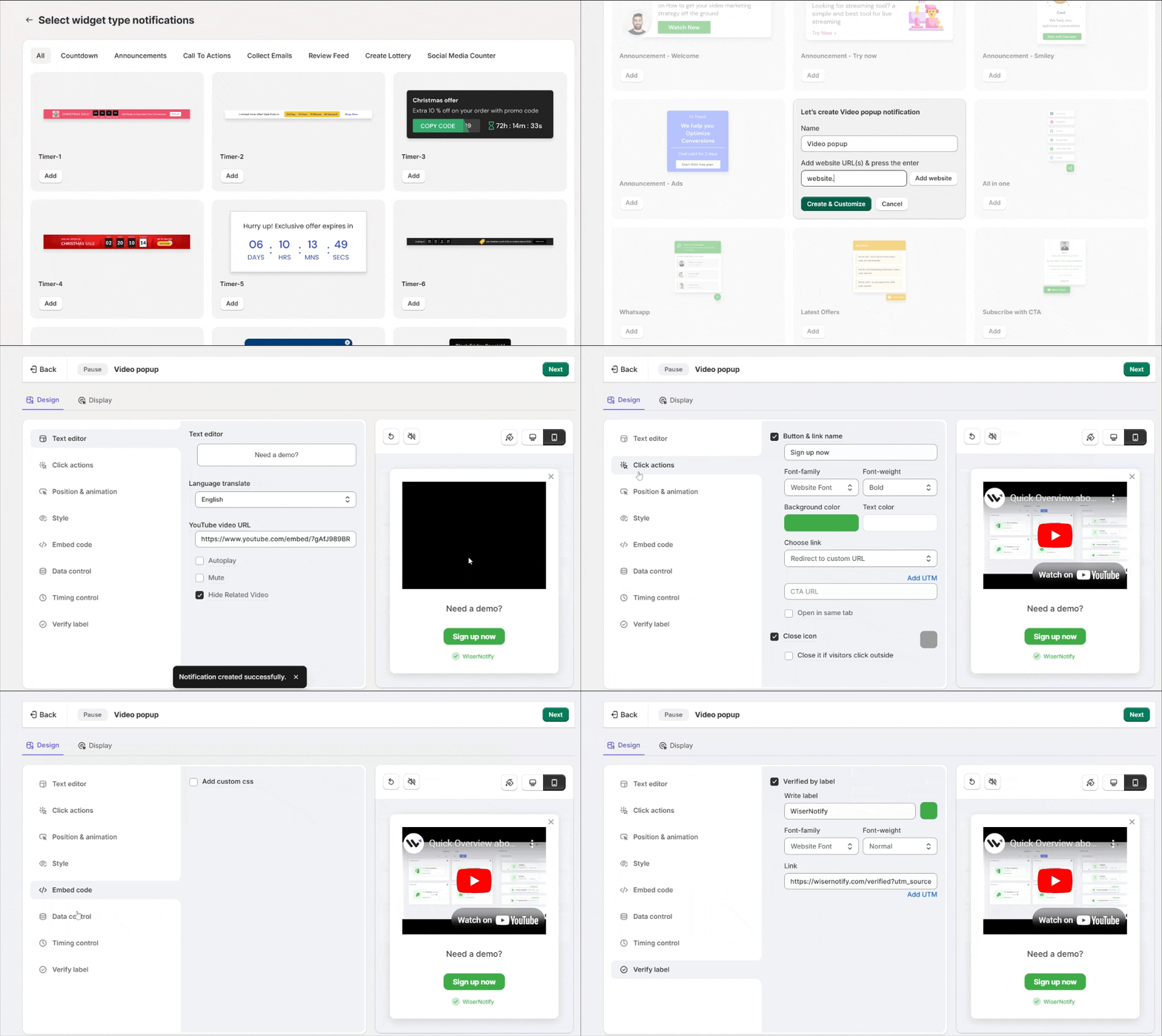
- In Text Editor, write the popup text and paste your YouTube video URL. Switches for autoplay, mute, and hiding related videos sit beside it.
- In Click Actions, add a button, set its label and link with UTM tags, and let visitors close the popup by clicking outside.
- In Position and Animation, choose where the popup sits and how it enters on desktop and mobile.
- In Style, set the shape, colors, size, and shadow.
- In Data Control, turn on skip seen data so the same visitor doesn’t see it twice.
- In Timing Control, set an initial delay and how long the popup stays on screen.
- In Verify Label, keep or edit the “Verified by” label. Embed Code is optional, so skip it unless you need custom CSS.
- Click Next.
Step 7: Set Display and Publish
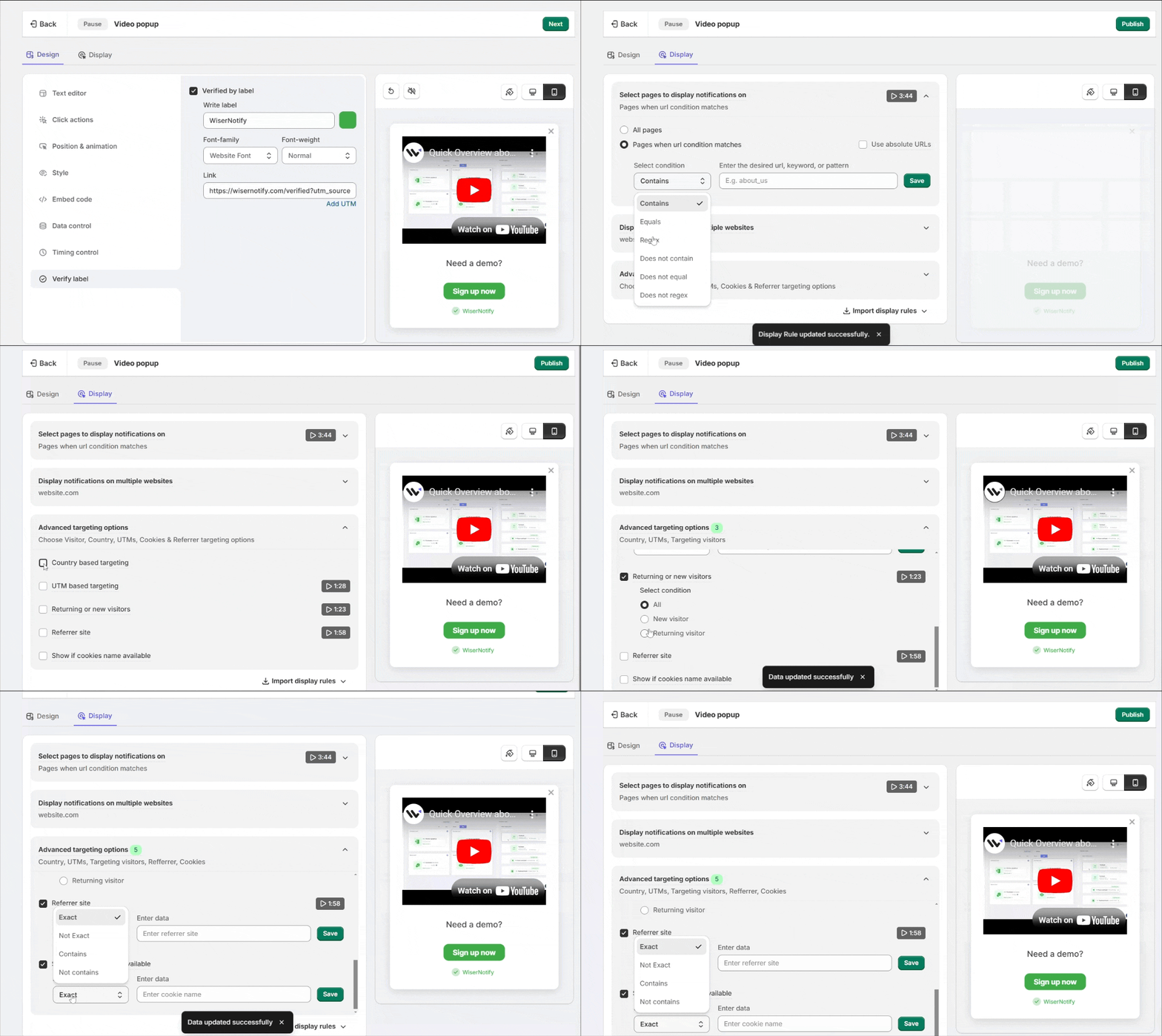
- In the Display tab, choose all pages or pick the Duda pages where the popup should show.
- If you use WiserNotify on more than one domain, choose the sites under Multiple Websites.
- Add Advanced Targeting if you need it, such as country, UTM parameters, new or returning visitors, referrer, or cookies.
- Click Save, then Publish.
- Open your live Duda site URL in a private window to see the popup.
Every option in the editor is covered in the video popup widget guide.
Video Popup Not Showing Up on Duda?
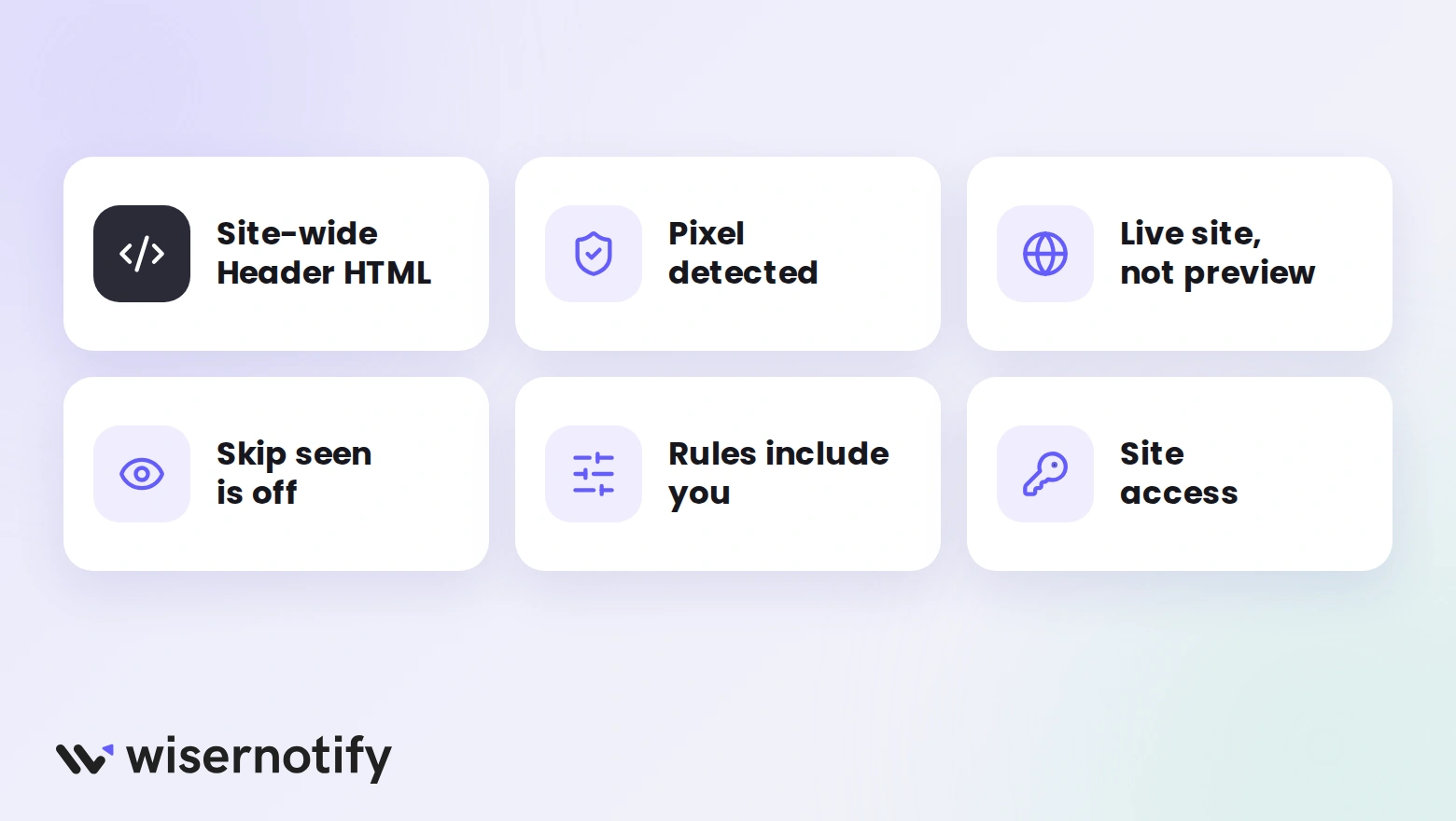
- Pixel in the wrong place: it belongs in the site-wide Header HTML, not in a single page’s header settings, which only run on that page.
- Pixel not detected: if the verify button finds nothing, copy the code again, paste it with no extra characters, then save and republish.
- Editor preview: Duda’s editor preview can behave differently from your live site, so check the published URL instead.
- Skip seen is on: once you have watched the popup, it won’t show to you again. Use a private window or clear your cookies.
- Rules that exclude you: a page, country, or schedule rule in Display or Timing Control can keep the popup hidden.
- No site access: if an agency manages the site, send them the pixel and ask them to add it to Header HTML.
Duda Support doesn’t troubleshoot custom code, so open Troubleshoot from your WiserNotify widget list or message live chat.
Is the Video Popup Free?
WiserNotify has no free plan, but every plan starts with a 7-day free trial. You can add the pixel to Duda, build the popup, and see how it performs before you pay.
After the trial, plans are priced by monthly visitors. Basic is $59 a year for 5,000 visitors a month, and Pro starts at $16 a month. Every plan has a 14-day money-back guarantee.
Video Popup Best Practices for Duda
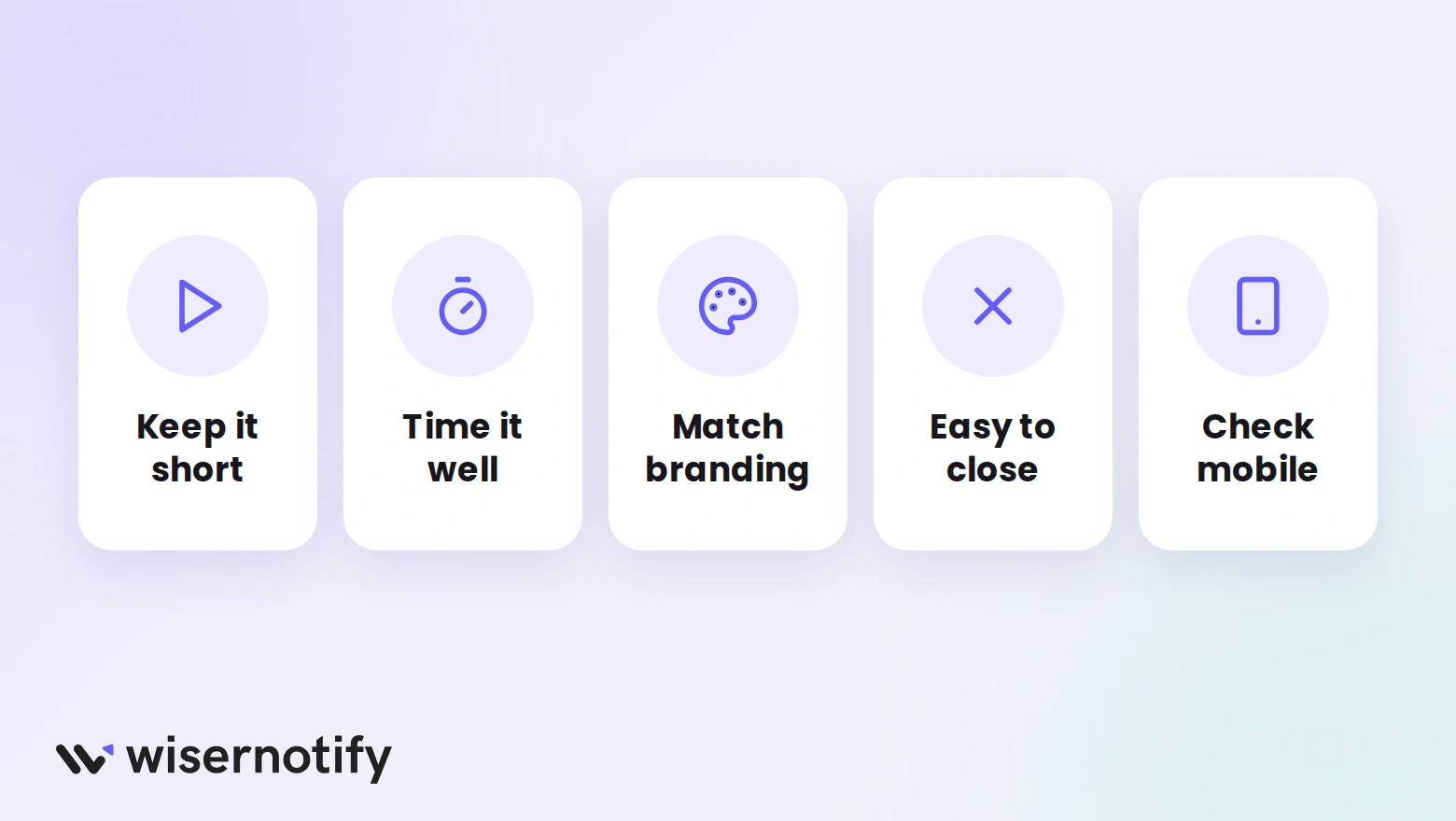
- Keep the video short: aim for 30 to 60 seconds around one message and one next step.
- Time it well: give visitors a few seconds on the page before the popup appears.
- Match your branding: use your Duda site’s colors, fonts, and style so the popup feels like part of the page.
- Make it easy to close: keep the close icon visible and let visitors dismiss it by clicking outside.
- Check mobile: switch the editor preview to mobile and confirm the popup fits the screen.
- Pair it with proof: a video popup works well beside testimonials on Duda or an announcement bar on Duda.
Common Mistakes to Avoid
- Loud autoplay: audio that starts on load sends visitors away, so keep it muted.
- Showing it everywhere, every visit: use Display pages and skip seen so returning visitors aren’t nagged.
- No next step: a video with no button wastes the attention it just earned.
- Blocking embeds: the popup plays through YouTube, so a video with embedding turned off will show an error.
How to Measure Video Popup Performance
A live popup doesn’t prove it works, so compare the numbers over a week or two.
- Views and clicks: your WiserNotify dashboard shows how many people see the popup and click its button.
- Conversions: connect Google Analytics from Duda’s Site Settings, then check results on pages that show the popup next to pages that don’t.
- Watch time: YouTube Studio shows how long people stay with the video.
Adjust one setting at a time, whether timing, video, or targeting, so any change in results has a clear cause.
Build trust & FOMO
Highlight real-time activities like reviews, sales & sign-ups.


Wrap-Up
A video popup gives Duda visitors a reason to stop and watch. One pixel and a few minutes in the dashboard add it to any site you manage.
Pick a short video, keep the timing patient, and give visitors a clear next step.
Related Posts:
Frequently Asked Questions
How do I add a video popup to Duda?
Paste your WiserNotify pixel into Settings > Header HTML, save and publish your site, then build the video popup in WiserNotify.
Do I need to know code to add it?
No. The pixel is a copy and paste, and you build the popup in the WiserNotify dashboard.
What video can I use in the popup?
Paste a public YouTube URL into the Text Editor. You can turn on autoplay, mute, and hide related videos, and the video must allow embedding.
Should the video popup autoplay?
Muted autoplay works best. Autoplay with sound is jarring and often gets the tab closed.
Is the video popup free on Duda?
WiserNotify has no free plan, but every plan starts with a 7-day free trial so you can test the popup first.
Does it work on agency client sites?
Yes. Header HTML is set per Duda site, so add the pixel to each client site and build its popup in WiserNotify.

Krunal Vaghasiya is a marketing tech expert who boosts e-commerce conversion rates with automated social proof and FOMO strategies. He loves to keep posting insightful posts on online marketing software, marketing automations, and improving conversion rates.




 Capterra